ES
ES
 DE
DE
 FR
FR
 AR
AR
 IT
IT
 NL
NL
 PL
PL
 SV
SV

You install NinjaTrader, open a few windows, and suddenly the screen feels busier than the market itself. One panel shows positions, another shows charts, a third handles orders, and if you're thinking about prop-style trading or automation, it's easy to wonder how all of this is supposed to fit together.
The good news is that the ninja trader platform becomes much easier once you stop treating it like one giant app and start treating it like a trading desk made of connected tools. If you're trying to day trade futures, test a strategy, or prepare for a funded trading workflow, this guide will help you get comfortable with the parts that matter, the mistakes beginners make, and the setup choices that affect execution and discipline.
Introduction
A common NinjaTrader experience goes like this. A trader downloads the platform because the charting looks powerful, the simulation tools are appealing, and the order entry options seem built for active trading. Then the first session starts, and nothing feels intuitive.
You might have a chart open but not know where your real-time P&L is. You might see the SuperDOM and not know whether it's better for entries than the chart trader panel. You might hear people mention NinjaScript, backtesting, templates, and ATM strategies and feel like you skipped three chapters.
That confusion is normal.
The ninja trader platform has been around for a long time, and it was built for traders who want more control than a simplified broker app usually offers. That control is useful, but it also means you need a workflow. Without one, the platform can feel like a cockpit full of switches.
Practical rule: Don't try to learn everything on day one. Learn where risk is shown, how orders are placed, how charts are saved, and how simulation works. That's enough to start.
If you're adopting NinjaTrader for a prop-firm style routine, the priorities are even clearer. You need to see your P&L quickly, avoid order mistakes, keep your layout stable, and test any strategy before using it in a live-style environment. That's where most traders either build confidence or create avoidable problems.
Understanding Core Concepts
NinjaTrader works best when you understand its main components as separate jobs on the same desk.
NinjaTrader was launched in 2003 and has evolved into an award-winning futures trading platform with free access to advanced charting, backtesting, and trade simulation, according to the NinjaTrader platform overview.
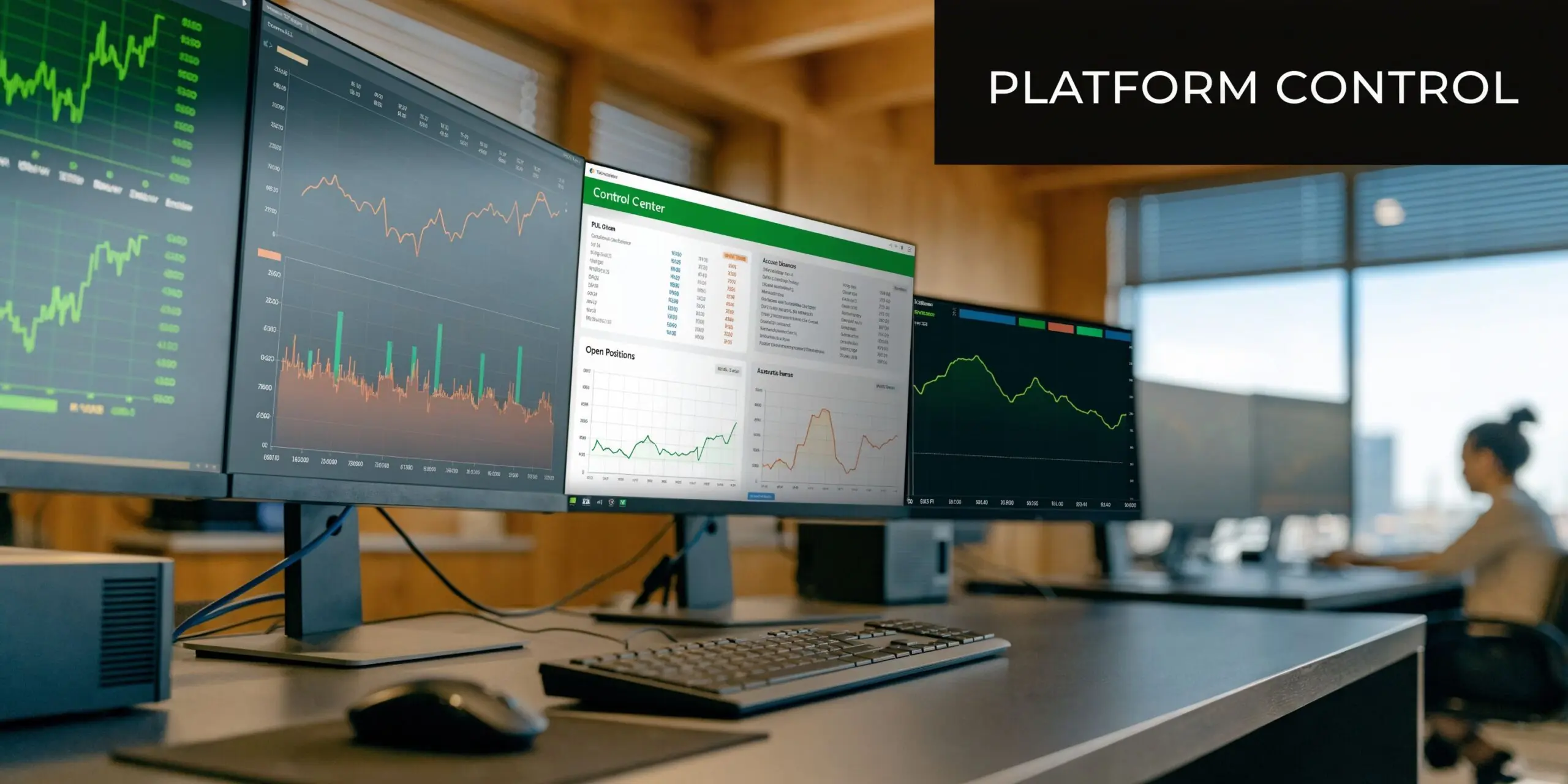
Control Center as your command hub
The Control Center is the closest thing NinjaTrader has to a master dashboard. If the platform were an aircraft cockpit, this would be the panel you keep checking before you touch anything else.
Two areas matter most:
- Positions tab shows open trades, direction, contracts, average entry price, and profit or loss.
- Accounts tab shows account-level information such as balance, buying power, net liquidation value, and realized or unrealized P&L.
For a trader using strict risk rules, this matters more than fancy indicators. If you're trading with a daily loss cap or a maximum drawdown limit, your first skill isn't finding entries. It's knowing exactly where your account stands in real time.
A beginner mistake is using only the chart to judge exposure. That's like driving by looking at the hood instead of the dashboard. The chart shows price. The Control Center shows business reality.
Charts and SuperDOM serve different jobs
NinjaTrader charts are highly customizable. The platform offers over 100 technical indicators, along with multiple timeframes and chart styles. That makes it useful for traders who want a clean trend chart, a multi-timeframe workspace, or a more data-heavy layout.
Charts answer questions like:
- What is price doing?
- Is the trend clean or choppy?
- Where are support and resistance levels?
- Is volume confirming the move?
The SuperDOM answers a different question. How do I execute and manage orders quickly?
Think of charts as your map and SuperDOM as your steering wheel. You can analyze on the chart and still prefer to enter on SuperDOM because the ladder view makes order placement and market depth easier to read.
If you're unsure whether to use charts or SuperDOM for entries, use both. Analyze on charts. Execute on the tool that reduces hesitation and order-entry mistakes.
NinjaScript is the engine behind automation
NinjaTrader also includes NinjaScript, which supports custom indicators, backtesting, strategy logic, and automated execution.
That can confuse newer traders because it sounds like you need to code before you can use the platform well. You don't. But you should understand what NinjaScript is doing in the background.
Use this simple model:
| Tool | Main job | Best for |
|---|---|---|
| Control Center | Account and position oversight | Risk monitoring |
| Charts | Visual analysis | Trade planning |
| SuperDOM | Fast order entry and depth-of-market viewing | Active execution |
| NinjaScript | Custom logic and automation | Strategy testing and algo trading |
Once you see these as separate tools instead of one giant interface, the ninja trader platform starts to feel manageable.
Exploring Key Features
The best NinjaTrader features are useful because they solve specific trading problems. You don't need every feature. You need the ones that fit your routine.
NinjaTrader's statistics and backtesting tools are built around trade-performance analysis, and the platform's documentation defines metrics like Quantity as the number of contracts traded in a strategy or performance report, as shown in the NinjaTrader statistics definitions guide.
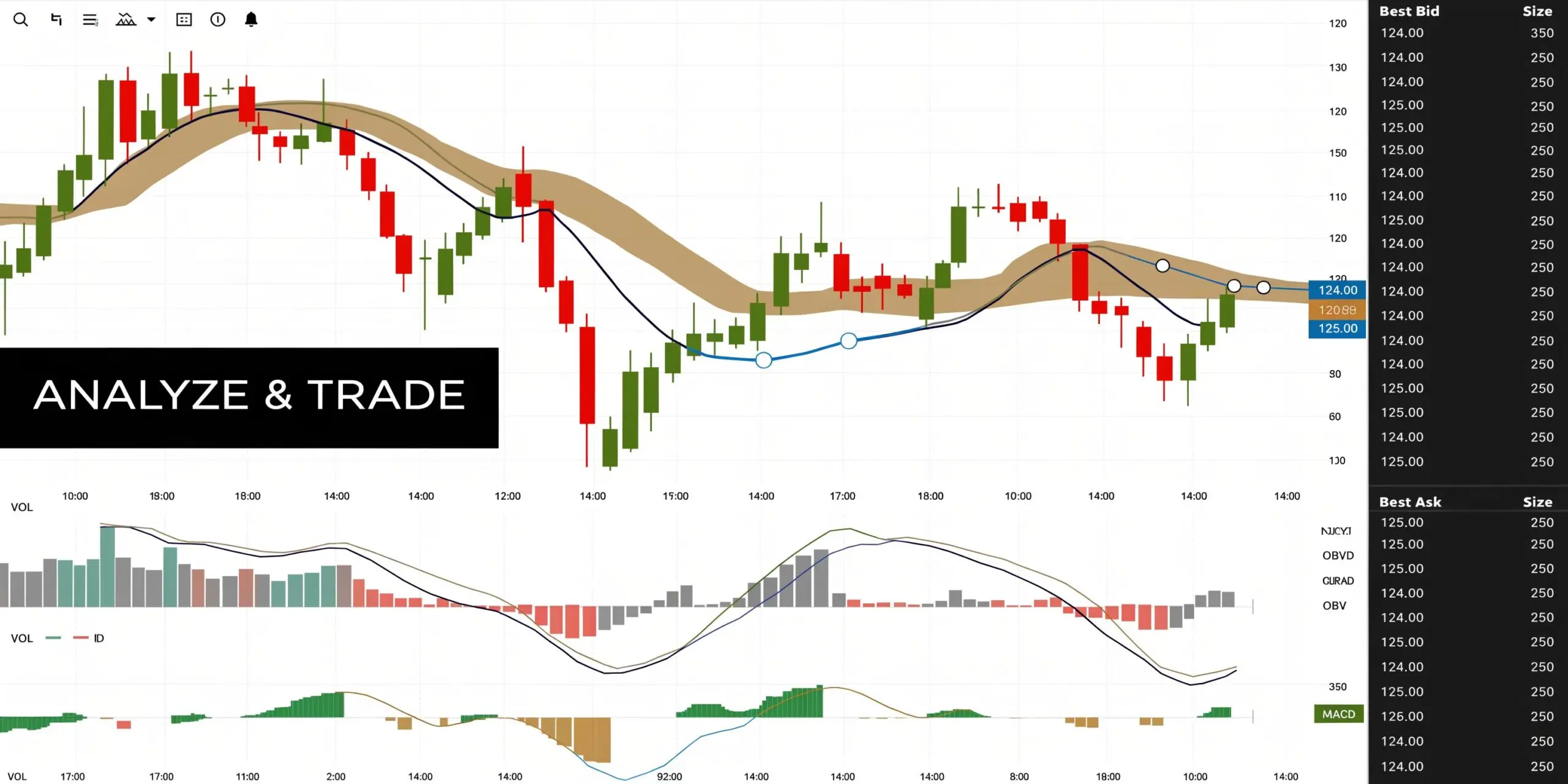
Build chart templates you can reuse
A strong chart layout saves mental energy. Instead of rebuilding the same setup every session, create templates for the jobs you do often.
Examples:
- Trend chart template with moving averages, session markers, and a clean candle layout.
- Execution chart template with fewer indicators and more visible price levels.
- Review chart template for post-trade notes and replay analysis.
A beginner often overloads the screen. That's understandable. The platform gives you many indicators, so it feels productive to use them. Usually it isn't.
A better rule is to give each chart one job.
- A higher-timeframe chart for context
- A working chart for trade decisions
- A lower-timeframe chart only if it helps execution
Use SuperDOM for speed and structure
SuperDOM is one of the strongest parts of the ninja trader platform for active traders. It's especially useful if you're trading futures and want fast order placement.
Key tools inside this workflow include:
- One-click order entry for rapid placement
- OCO orders so one order cancels the other when one side fills
- ATM strategies to attach stop-loss and take-profit logic automatically
Manual trade management often breaks down under pressure. If your stop and target are already attached, you reduce the chance of hesitation, forgotten protection, or emotional resizing.
Here's a practical setup for a beginner day trader:
- Choose one contract and one market.
- Build a basic ATM template with a fixed stop and target.
- Name it clearly so you don't confuse it with later versions.
- Use simulation until placing, adjusting, and flattening trades feels automatic.
A good ATM template doesn't make you profitable. It makes you consistent in how you express risk.
Strategy Builder versus custom NinjaScript
Many traders get stuck at this point.
Strategy Builder is useful if you want to create rule-based logic without writing full code. It's better for testing structured ideas such as:
- moving average crossovers
- breakout conditions
- session-based filters
- indicator combinations
Custom NinjaScript is better when:
- your rules are more detailed
- you need custom order logic
- you want specialized indicators
- you're already comfortable with C#
The mistake is assuming the more advanced route is always better. If your strategy idea is still fuzzy, coding it won't fix that. Start with clear trading logic. Then choose the tool.
A simple feature workflow for practice
Use this sequence for your first serious practice routine:
- Open a clean chart template for one instrument.
- Mark one setup type only, such as a pullback or opening-range continuation.
- Attach an ATM strategy before entering.
- Record the trade outcome with screenshots.
- Review Quantity, entry quality, and exit handling in your performance reports.
NinjaTrader also supports backtesting and simulation, which makes it useful for traders who want to replace hunches with historical checks. For example, some traders use the platform to study recurring market behaviors such as opening-session continuation or gap-fill tendencies rather than relying on memory alone.
That mindset is what makes the platform valuable. Not because it has more buttons, but because it gives you a place to test, execute, and review in one working environment.
Typical Trading Workflows
Traders use the ninja trader platform differently depending on how fast they trade and how much discretion they use. The toolset is broad enough that one person's ideal workflow can feel clumsy to someone else.
Day trading with charts and ATM templates
A discretionary day trader usually starts with a saved workspace. One chart shows the main execution timeframe. Another gives higher-timeframe context. The Control Center stays visible so account status isn't hidden behind charts.
The morning routine often looks like this:
- Check the instrument and trading session
- Load the preferred workspace
- Confirm you're in simulation or the intended account
- Review overnight structure and key levels
- Select the ATM template before considering any entry
If you trade this way, ATM strategies do a lot of quiet work. They keep stop-loss and target placement structured, which matters when the market speeds up and you don't have time to build every bracket manually.
A simple beginner workflow is to trade one setup only. For example, a pullback in the direction of the main session trend. That keeps review clean. You can tell whether the issue came from the setup, the timing, or the execution.
Scalping with a tighter screen and less noise
Scalpers often strip the platform down further. They care about speed, focus, and fewer distractions.
Their screens usually prioritize:
- Tick or fast intraday charts
- SuperDOM or ladder-based execution
- Order flow tools such as volumetric-style views if supported by their setup
- Minimal extra windows
The biggest mistake here is visual clutter. If every chart has multiple studies, every alert is active, and every panel is visible, you're reacting to the platform instead of the market.
A cleaner setup tends to work better. Hide what you aren't using. Keep the active order tools in one place. Use one repeatable execution process.
Algorithmic trading from idea to test
Algo traders usually move through NinjaTrader in a more linear way.
First, they define a simple rule set. Then they build it in Strategy Builder or code it in NinjaScript. Then they test it on historical data, review the trade list, and run it in simulation before considering any live-style deployment.
If you're in that camp, a useful habit is to separate these tasks:
| Stage | What you're checking |
|---|---|
| Idea design | Is the rule clear enough to code? |
| Backtest | Does the logic behave as expected? |
| Simulation | Does it execute correctly in live market flow? |
| Review | Are fills, stops, and session behavior acceptable? |
Many traders jump from idea to confidence too quickly. They see a decent test and assume the hard part is over. Usually it isn't. The workflow matters as much as the signal.
If you're building systematic approaches, this guide on algo trading strategies is a useful companion because it helps frame the logic before you turn platform features into code.
Keep the first script boring. One entry condition, one exit structure, one market. Complexity hides mistakes.
A practical example is a simple trend-following script with a fixed target and protective stop in simulation. Even if the idea is basic, it teaches an important lesson. Can you validate logic, monitor behavior, and spot execution issues before money or evaluation pressure enters the picture?
That's the workflow many traders skip, and it's where most avoidable platform mistakes begin.
Data Instruments and Brokerage Integration
The ninja trader platform can support multiple market types and connection setups, but new users often make preventable errors here. They focus on charts first and data permissions second. That usually leads to confusion later.
Start with the instrument and account purpose
Before you connect anything, answer two basic questions:
- What are you planning to trade?
- Is this for practice, research, or live execution?
Those answers shape everything else. A discretionary futures trader needs a different connection setup than someone who only wants end-of-day chart review. An algorithmic trader testing frequent entries needs stable real-time data behavior. A prop-style trader needs to know exactly which symbols, sessions, and pricing conditions are available in the environment they plan to use.
NinjaTrader supports major market categories including futures, forex, equities, options, CFDs, and stocks through its platform ecosystem, and supported trading environments can include broad instrument coverage depending on the broker or provider setup.
Keep your connection stack simple
Beginners often overbuild this part.
A clean setup usually includes:
- One primary data connection that matches your market
- One intended trading connection for simulation or brokerage access
- A naming convention so you can tell sim from live immediately
- A pre-session check to confirm the active account before sending orders
If your chart isn't updating as expected, don't assume the platform is broken. Check the basics first.
- Are you connected to the correct feed?
- Are you using a symbol format your provider supports?
- Are market hours or session templates affecting what you see?
- Are you in a simulation account when you think you're in a live-style one?
Treat market data like infrastructure
Many traders think of data as a checkbox. It's closer to plumbing. If the feed is wrong, delayed, or mismatched to your instrument, everything built on top of it becomes less trustworthy.
That mindset is similar to how teams build effective data pipelines in other technical environments. The goal isn't complexity. It's reliability, clean flow, and fewer points of failure.
A practical checklist helps:
- Confirm the exact instrument symbols you plan to use.
- Verify whether your feed supports the market depth or real-time behavior you need.
- Connect in off-hours first so you can test calmly.
- Open one chart and one order-entry panel before loading a full workspace.
- Label simulation and brokerage connections clearly.
- Place only test orders in sim until you're sure account routing is correct.
Stable trading starts before the trade. Bad data or account confusion can ruin a good setup before execution even begins.
If you're using NinjaTrader as part of a funded-trader workflow, check platform support and instrument availability before building your whole routine around one configuration. That step sounds obvious, but it's one of the most common migration mistakes.
Performance and Latency Optimization
Many traders blame strategy quality when the underlying issue is platform performance. On NinjaTrader, hardware and connectivity affect how quickly charts load, how smoothly market data updates, and whether orders feel stable during active conditions.
The most useful benchmark to remember is this. Expert benchmarks cited by TradeFundrr report that 32 GB RAM reduced multi-chart load times from 15 seconds to under 3 seconds on NinjaTrader-style workloads, according to their write-up on NinjaTrader system requirements.
What the minimum specs really mean
Official-style minimum specs can get the platform running. That doesn't mean they'll support your actual workflow well.
If you're doing basic charting with a modest layout, lower specs may be workable. If you're running multiple charts, backtesting, replaying sessions, or using order flow tools, weak hardware can create lag, freezes, or delayed responses.
A practical way to think about components:
- CPU affects how quickly calculations and platform tasks are processed
- RAM affects how much workspace and historical data the platform can handle smoothly
- SSD affects load times and responsiveness when reading or writing data
- Internet stability affects how dependable your live market feed feels
Recommended hardware specs
| Component | Minimum Spec | Recommended Spec |
|---|---|---|
| Processor | 2 GHz+ quad-core 64-bit processor | Intel Core i7 or Ryzen 7 with 4.0 GHz+ |
| RAM | 8 GB | 32 GB DDR4 RAM |
| Storage | SSD with 256 GB free space | SSD with ample free space for historical data and platform files |
| Graphics | DirectX 10 compatible graphics | Dedicated graphics option such as NVIDIA GTX 1660 with 8 GB VRAM |
| Operating system | Windows 10 or 11, .NET Framework 4.8 | Windows 11 Pro or similar stable Windows environment |
| Internet | 10 Mbps minimum | 50+ Mbps for heavier tick-chart and multi-window use |
How to prioritize upgrades
Not every trader needs the same shopping list.
If your budget is limited, prioritize in this order:
- RAM
- SSD
- CPU quality
- Internet consistency
- Graphics capability if your setup is visually demanding
The reason RAM comes first for many traders is simple. A cramped memory setup makes a multi-window layout feel unstable fast. If you're opening charts, running tests, and moving around the platform at speed, extra RAM can remove friction everywhere.
Local machine or VPS
A local desktop works well if it's stable and your internet is reliable. A VPS can help if you want a dedicated trading environment, especially for automation or if your personal machine is overloaded with other tasks.
What matters most is consistency. A fast setup that occasionally freezes can be worse than a slightly slower setup that behaves predictably.
Key takeaway: If your platform stutters during volatile periods, treat that as a risk issue, not just a convenience issue.
Trading involves risk of loss, and poor execution quality can make that risk harder to control. Before changing your strategy, make sure your machine isn't the weak link.
Comparing Ninja Trader Platform with Alternatives and Plugins
The ninja trader platform is strong in charting, order entry, and futures-oriented execution. It isn't perfect, and some of its rough edges matter more depending on your style.
One recurring limitation is trendline angle handling. Users on the NinjaTrader forum have noted that NinjaTrader does not maintain trendline angles consistently across timeframe changes, which means traders often have to redraw lines or use workarounds. That limitation is documented in this NinjaTrader forum discussion about trendline angle behavior.
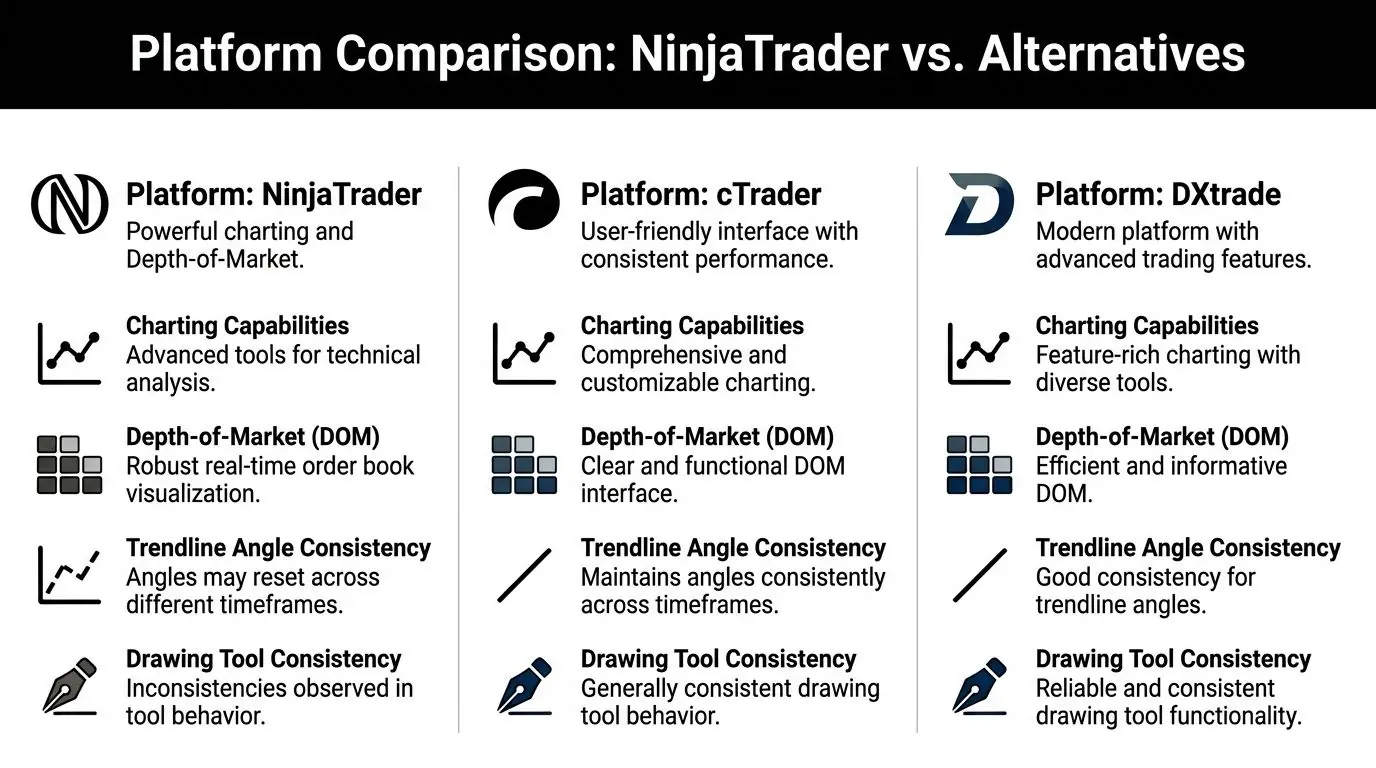
Where NinjaTrader stands out
NinjaTrader is often a good fit if you care about:
- Depth-of-market tools and ladder-style execution
- Advanced chart customization
- Backtesting and simulation inside one environment
- ATM, OCO, and execution-focused workflow design
- A broad ecosystem of add-ons and custom tools
If your trading is futures-heavy and execution speed matters, those strengths are meaningful. The platform feels built for traders who want more control over the desk itself.
Where alternatives may feel easier
cTrader and DXtrade often appeal to traders who want a cleaner experience with less setup friction.
That doesn't automatically make them better. It makes them better for certain preferences.
They can feel more comfortable when:
- You want drawing tools that behave more consistently across views
- You don't want to lean as much on custom coding for interface adjustments
- You value a more immediately approachable layout
- Your trading is less dependent on a futures-native desktop workflow
For traders comparing platform ergonomics, this overview of the best FX trading platform options can help frame the trade-offs at a higher level.
Plugins can close some gaps
One of NinjaTrader's practical strengths is that traders often extend it with plugins, custom indicators, and order-flow tools. That matters because you may not need to leave the platform if one missing feature can be solved through an add-on.
Still, plugins come with trade-offs:
| Consideration | Why it matters |
|---|---|
| Compatibility | Some add-ons don't play nicely with every setup |
| Stability | More moving parts can mean more troubleshooting |
| Learning curve | A plugin can save time later but add complexity now |
| Support quality | Community tools vary a lot in documentation and updates |
A sensible plugin policy is to add one tool at a time. If your charts, execution, and reporting already work, don't bolt on extras just because they're popular.
Choose a platform based on your workflow, not on feature envy. A tool can be powerful and still be wrong for the way you trade.
If you're angle-based, highly visual, and sensitive to drawing consistency, NinjaTrader may frustrate you. If you're execution-focused and want a strong desktop futures setup, it may fit very well. That's the key comparison.
Migration Guidance and Next Steps
Switching to the ninja trader platform is easier when you treat it like a migration project, not an app download. That sounds formal, but it saves time.
The platform's customization depth is useful, yet NinjaTrader's own customization-oriented materials also point to a learning curve that can push traders toward extra setup work and, in many cases, C#-based customization for more specialized behavior, as reflected in the NinjaTrader customization page.
A practical migration checklist
If you're coming from another platform, start with a controlled checklist.
Confirm platform fit first
Check whether your style depends on tools NinjaTrader handles well. If you rely heavily on consistent angle-based chart markup across timeframe changes, flag that early.Install the platform and keep the first layout simple
Start with one workspace, one instrument, and a small number of windows. Don't import every idea from your old platform on day one.Separate simulation from live-style intent
Label accounts clearly. Keep visual cues obvious. If you ever have to pause and ask which account is active, the setup isn't safe enough yet.Rebuild only your core setup
Bring over your essential watchlists, indicators, chart templates, and execution methods. Leave secondary tools for later.Test order flow manually before automating anything
Place entries, exits, cancels, and bracket orders in simulation until the process becomes routine.Review performance reports and screen behavior together
A strategy can look fine in theory and still behave poorly in practice because of execution habits, interface friction, or setup errors.
Match the platform to risk rules
If you're moving into a funded-trader style environment, map your workflow to the risk structure before taking the first serious trade.
Useful questions:
- Where will you monitor daily P&L during the session?
- How will you know when to stop for the day?
- What order template prevents oversized risk?
- Does your chart layout help you slow down, or does it trigger overtrading?
Traders often overcomplicate things at this stage. They think they need more indicators or more automation. Usually they need more clarity.
A disciplined setup should make these tasks easy:
- check position size
- see account status
- place protected orders
- stop trading when limits are near
For algorithmic traders, slow down before deployment
Automation adds another layer of migration work.
Before running any system more seriously, verify:
- your logic behaves the same way in test conditions as expected
- your data setup is stable
- any custom scripts or plugins are compatible
- you have a fallback plan if the strategy or platform behaves unexpectedly
If you're coming from a different environment and want the platform files, install path, and first steps in one place, the NinjaTrader 8 download guide is a practical reference.
Common mistakes during the switch
These errors show up often:
- importing too many tools too soon
- using a cluttered chart layout
- failing to distinguish sim from live-style routing
- assuming a coded strategy is ready because it compiles
- ignoring platform-specific limitations in drawing or workflow behavior
You don't need a perfect setup. You need a stable one.
Trading involves risk of loss. This article is educational only and not financial advice. A platform can improve your process, but it won't remove the need for discipline, testing, and risk control.
FAQ
Is NinjaTrader good for beginners?
It can be, but only if you learn it in layers. Start with the Control Center, one chart layout, simulation, and one execution method. If you try to learn charting, automation, custom scripts, and advanced order tools all at once, it will feel harder than it needs to.
Is NinjaTrader mainly for futures traders?
It's especially well known for futures trading, charting, and depth-of-market execution. It can also support other market workflows depending on the broker and connection setup you use.
Do I need to know coding to use the ninja trader platform?
No. You can use charts, simulation, SuperDOM, and ATM strategies without being a programmer. Coding becomes more relevant when you want custom indicators, detailed automation, or specialized platform behavior.
What is the biggest mistake when moving to NinjaTrader?
Most traders bring over too much at once. A better approach is to rebuild the minimum viable desk first: one instrument, one workspace, one execution process, and one review routine.
If you're ready to put these platform skills into a funded trading workflow, explore MyFundedCapital to compare challenge paths, account types, and scaling options. You can review their programs, see how the risk rules fit your process, and choose whether to start with instant funding or a structured evaluation.