

The standard advice on cTrader vs DXtrade is to pick whatever platform your firm offers and stop overthinking it, or to pick the one with the bigger community and the longer tutorial library. Both versions skip the part that decides whether a funded account survives its first month. A platform is an execution surface. A funded account is a rulebook with a payout attached, and the two meet in specific places: where a bot runs, what happens when the connection dies, and whether the order types you rely on are enabled.
Traders rarely lose accounts because the chart engine felt clunky. They lose them because a cloud bot kept trading after a disconnect, a stop filled well past its level during a release, or a copy setup multiplied a position size nobody checked. None of those failures shows up on a feature grid.
The useful question isn't which platform is better. It's which platform, paired with which account rules, lets your specific strategy run without breaching anything. That answer differs for a C# developer, a weekend crypto holder and a manual scalper.
cTrader vs DXtrade at a Glance
| Feature | cTrader | DXtrade |
|---|---|---|
| Launch | 2010, launched by Spotware | Around 2020, from Devexperts |
| Disclosed reach | More than 11 million traders in 2025 (provider figure) | Not publicly disclosed |
| Business model | Open platform for brokers and prop firms | Hosted, white-label, business-to-business |
| Dedicated crypto interface | No separate crypto interface; crypto symbols arrive through the broker's instrument list and the Open API | Yes, for market monitoring, order execution and portfolio management |
| Copy trading | cTrader Copy, mirroring a strategy provider's trades into a copy account | Arranged at firm level, so confirm the copy module and allocation logic with the firm |
| Best fit | Integrated developer workflows and broad integrations | API-led deployments and customized funded environments |
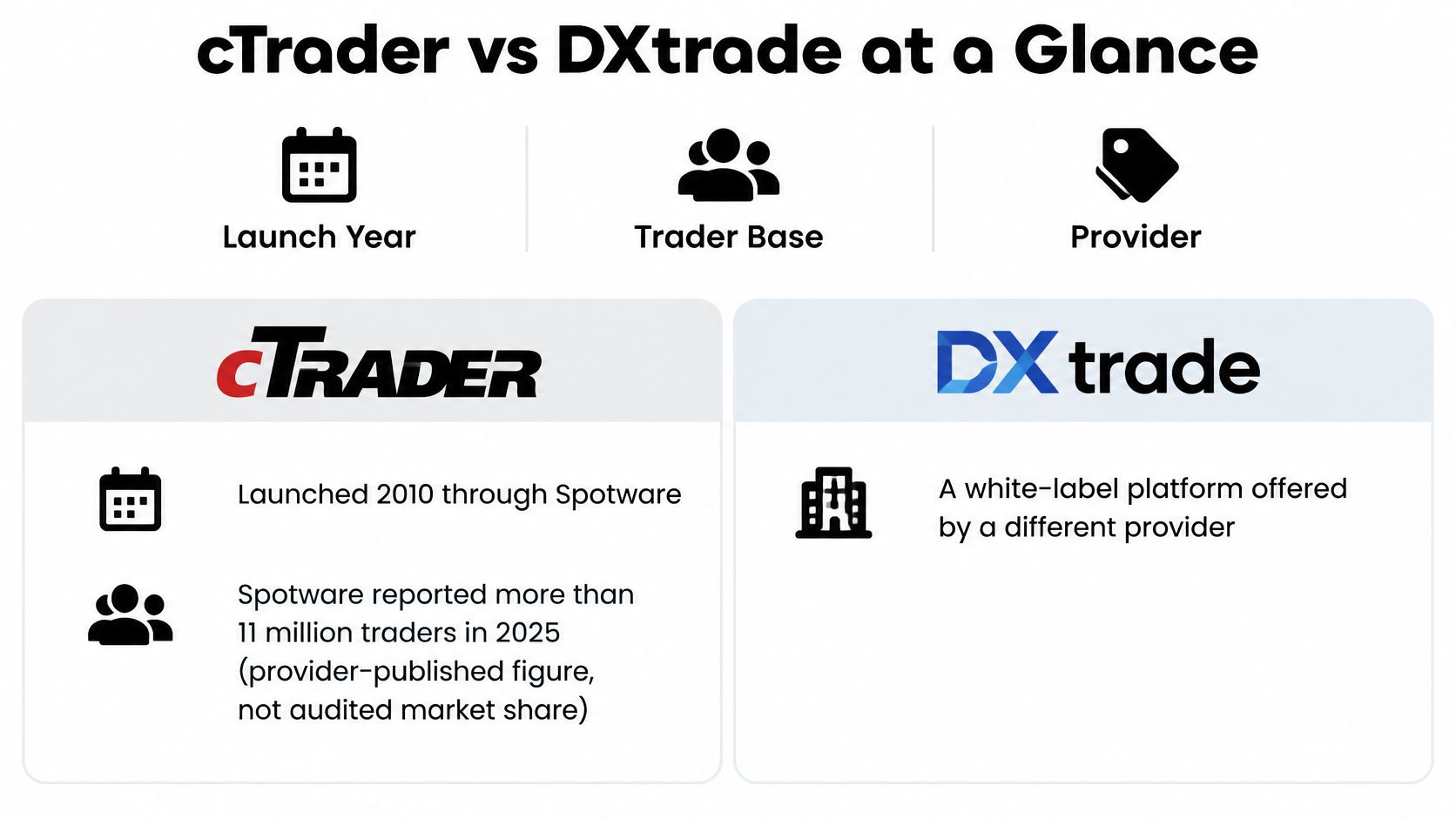
Two products built for two different customers. Spotware launched cTrader in 2010 and reports more than 11 million traders in 2025 after adding roughly 2 million during the year, alongside more than 300 brokers and prop firms and over 100 integrations through APIs and plugins; live US-dollar volume rose 105% in 2025 (Spotware's 2025 highlights). Read those as provider-disclosed ecosystem metrics, not audited market share.
Devexperts took the other road. DXtrade arrived around 2020 as a hosted, modular, multi-asset platform sold mainly through white-label and business-to-business agreements, which is why no global trader count is published for it (Devexperts' Deriv case study). The clearest adoption number in the public record comes from a single deployment: after Deriv launched DXtrade CFD trading in October 2022, user numbers on that venue grew by more than 50% in less than a year.
The headline differences fit on one card.
Both are now routine choices rather than novelties. Brokeree Solutions analysed more than 1,200 brokerage firms in 2025, retained over 900 after validation, and listed cTrader and DXtrade among the alternative platforms brokers run outside MetaTrader (FX News Group).
Three situations get settled by the table alone:
- You write code for a living. The documented Open API and FIX workflows on the cTrader side, and the REST, Push and FIX stack on the DXtrade side, decide more than chart colours do.
- You operate a venue. A white-label, business-to-business product was built for the firm that wants a branded terminal, not for the trader shopping between platforms.
- You place manual orders and want a familiar screen. Here the deciding rows are order entry and native risk tools, not reach or integrations.
That's a starting point, not a verdict. A platform label tells you nothing about fills, payout behaviour or how strictly a firm enforces its own drawdown rules, and those decide outcomes more than the chart engine does.
Order Types and Risk Controls Compared
cTrader publishes four core order types: market, limit, stop and stop-limit (cTrader's order documentation). The distinction matters most when prices move quickly. A market order executes at the best available price, a limit order fills at its price or better, and a stop becomes a market order when its level is reached.
| Order or exit | cTrader | DXtrade |
|---|---|---|
| Market order | Fills at the best available price | DXtrade's published material does not document its order-type list |
| Limit order | Fills at the set price or a more favourable one | DXtrade's published material does not document its order-type list |
| Stop order | Becomes a market order once the stop level is reached | DXtrade's published material does not document its order-type list |
| Stop-limit order | Triggers at the stop, then fills only at the limit price | DXtrade's published material does not document its order-type list |
| Stop-loss and take-profit | Available, including server-side and trailing protection | DXtrade's published material does not document its native protective tools |
Where a stop stops being a stop
Consider a long EURUSD position with a stop-loss 20 pips below entry. If a release sends the price through that level, the stop triggers a market order, which may fill several pips beyond the stop. The stop limits the loss compared with having no stop, but it does not guarantee a 20-pip maximum loss.
A stop-limit changes the risk: its limit caps the fill price, but a gap past both levels can leave the order unfilled and the position open. The two order types may behave similarly in quiet conditions. Around a central bank decision, their different failure modes matter.
DXtrade's published material does not specify its order types or native protective tools. Check the demo order ticket before relying on a particular order or exit with account rules attached.
Before trading, settle three questions:
- Which order types are enabled? Firms may disable stop-limit orders or trailing behaviour.
- Where is the stop held? A server-side stop can remain active if your laptop closes; a locally held one may not.
- How are gaps handled? If a stop fills at market, size the position for a worse fill than the intended stop price.
For a closer look at the trade-offs, read this guide to stop-loss versus limit orders.
Automation and API Setups Compared
Read the automation table as three questions rather than a feature list: where the strategy runs, how it's monitored, and what breaks after a disconnect.
| Automation item | cTrader | DXtrade |
|---|---|---|
| Native bots | cTrader Algo with C# and Python, backtesting and optimisation | No comparable native bot builder published; automation runs through the API |
| Where bots run | Local cBots stop when the desktop app closes; Cloud cBots keep running with the device off | In your own application, hosted wherever you host it |
| External API | Open API (JSON or Protobuf) for market data, accounts and trading | REST API for trading, account data, metrics and market data |
| Asynchronous updates | Event-driven subscriptions through the Open API | Push API |
| FIX connectivity | FIX 4.4 for order status, cancellation and replacement workflows | FIX API for broker-to-liquidity-provider workflows |
| Published request limits | 50 requests per second real-time; 5 per second historical | No comparable benchmark published |
What cTrader Algo changes about where code runs
The native route is cTrader Algo: write a cBot in C# or Python, backtest it, optimise the parameters, then choose local or Cloud execution. Local cBots stop when the desktop application closes. Cloud cBots keep running with the device switched off, which removes the VPS from many setups and removes the excuse for an unattended bot dying mid-session (cTrader's platform FAQ).
Outside the platform, cTrader exposes two materially different interfaces. The Open API uses JSON or Google Protocol Buffers, is language-neutral, covers real-time market data, account information, historical operations and the trading actions available in the official platform, and ships with C#- and Python-oriented SDK tooling. FIX 4.4 is the institutional path, with documented workflows for New Order Single, execution reports, order status, cancellation, replacement, position requests and security lists, connectable over the internet, a VPN, or a cross-connect to cTrader's UK data-centre facilities (cTrader's FIX documentation).
DXtrade inverts the emphasis. Its documented strength is API-oriented account and execution infrastructure: REST for trading, account data, metrics and market data, Push for asynchronous updates, and FIX for broker-to-liquidity-provider workflows.
The limits that shape any multi-account design
The published throttle is the number to design around: 50 requests per second for real-time and non-historical data, 5 requests per second for historical data (cTrader's FIX specification). A dashboard that polls every account separately will hit that ceiling long before the strategy trades often.
Design rule: keep slow historical queries out of the live path. Event-driven subscriptions plus a local cache leave the request budget for what actually needs to be fresh.
No published benchmark compares the two platforms on latency or throughput, so a claim that either is universally faster isn't substantiated. Build your own: same symbol, same quote feed, same order type, same VPS region and the same measurement window, recording median and p95 round-trip time, rejects, requotes and realised slippage.
If you'd rather stand on documented method than anecdote, our guide to algorithmic trading on forex covers the workflow around a bot once it leaves the backtest. At MyFundedCapital, expert advisors and bots are allowed by agreement, and traders must contact support before running one.
Usability and Trading Tools Day to Day
Manual trading gets judged by feel and then billed by clicks. cTrader's documentation lists Quick Trade, risk-reward tools, price alerts and signal links among its built-in features, alongside stop-loss and take-profit protection that includes server-side and trailing versions (cTrader's trading documentation). The practical effect is that most routine work stays inside the platform instead of running through a second app.
The learning curve shows up in unglamorous places. How many actions sit between a chart and a filled order. Whether the order ticket accepts a stop and a target at the moment of entry, or forces a second step. How legibly open positions and running profit and loss read during a fast session, when the answer matters and the screen is busiest.
DXtrade's published material doesn't document an equivalent built-in toolkit, so anything you'd lean on daily needs confirming on a demo before you commit money to an account.
The fifteen-minute usability test
Run this on both platforms, in the same session, at the hour you normally trade:
- Open the platform and find your usual instrument without typing a ticker, then set the chart to the timeframe you trade.
- Place a limit order with a stop-loss and a take-profit attached in the same ticket. Count the actions, and note whether the risk-reward ratio displays before you submit.
- Modify the stop while the order is working, and see whether the platform confirms the change or just accepts it.
- Close half the position and check that the remainder keeps its original stop and target.
- Open the trade history and confirm the partial close, the modification and the original entry all appear with timestamps.
Record the action count and every error prompt for each platform. If one takes nine actions and the other takes four, that gap doesn't stay abstract. A trader placing several orders a session repeats that sequence hundreds of times a month, and small friction compounds into late entries and skipped stops.
Fifteen minutes on a demo, timed and written down, tells you more about daily usability than an hour of reviews.
Which Platform Fits Your Trading Situation
| Trading situation | Likely better fit | Check before choosing |
|---|---|---|
| Developer building a custom EA or dashboard | cTrader, for documented Open API and FIX | Request limits and where the bot runs |
| Weekend crypto holding | Neither label decides it; firm permissions and the crypto interface do | Overnight financing, session schedule and liquidation rules |
| High-impact news trading | Neither platform by label alone | Whether the program allows news trading and how spreads widen |
| Multi-account copy events | cTrader Copy, if the firm enables it | Allocation logic and provider permissions |
| Customised or branded venue with broker-side API | DXtrade, for its white-label and API-led model | Venue features and white-label terms |
| Manual day trader relying on built-in stops and alerts | cTrader, for native risk tools and alerts | Stop behaviour during gaps |
A developer who needs a custom expert advisor, dashboard or risk monitor usually lands on cTrader, because the Open API and FIX documentation are published in enough detail to build against. That verdict flips when the external application is the core of the business and the firm exposes broker-side APIs instead: at that point DXtrade's model fits the architecture better than cTrader's in-platform tooling does.
Weekend crypto is where labels fail hardest. DXtrade has built a dedicated cryptocurrency interface covering market monitoring, order execution and portfolio management (DXtrade's platform overview), and cTrader reaches crypto through its standard instrument list and Open API rather than a separate crypto product. Neither fact answers the question that matters. A platform with a stronger crypto interface doesn't automatically produce a better weekend result, because permissions, overnight financing, session schedules, spread expansion and liquidation rules carry more weight than the interface does.
Multi-account copy operators should look at the mechanism and the permission separately. cTrader Copy mirrors a strategy provider's trades into a dedicated copy account according to the investor's allocation and the platform's copy logic (cTrader's FAQ). That describes how trades replicate, not whether the program allows copying, and a copy event across several accounts can breach a per-account loss limit that was reasonable for a single position.
The platform is a permission set as much as a screen. Read the permissions first and the interface second.
Manual day traders who lean on built-in stops, alerts and risk-reward tools get more from cTrader's native set than from any integration advantage. A firm wanting a branded venue with broker-side API access fits DXtrade's white-label model, provided the white-label terms and venue features check out.
MyFundedCapital runs its own Terminal in the browser and on phones, showing daily and overall loss room before a trader clicks Buy, so the rule check sits in front of the entry rather than in a document. Copy trading is permitted there within the trading rules. cTrader and DXtrade aren't part of that stack, so a trader who specifically needs either one has to choose a firm that runs it, and compare prices for the account sizes on offer through the plan comparison.
Confirm Both Setups Before You Commit
A platform's popularity does not establish that it fits your strategy. Devexperts reported that DXtrade onboarded more than 40 proprietary trading firms within roughly a year of the 2024 MetaTrader licensing changes, according to H2T Funding's DXtrade overview. That indicates operator adoption, not the quality of your fills or the suitability of a particular account's rules.

Compare the setup against your strategy before committing:
- List the requirements. Record the instruments, holding period, trading sessions, automation needs and account rules your approach can tolerate.
- Check the relevant platform and program details. A news trader and a weekend crypto holder need different permissions and controls.
- Test representative scenarios on a demo. Try a weekend crypto position, a stop order around a high-impact release and a multi-account copy event. Record what happened, including the fill.
- Ask the firm specific questions. Confirm which platform version it runs, how it supports traders switching platforms, and request written clarification of any unclear rule or setup.
- Read the program rules and price before paying. A lower-priced account is a poor fit if your strategy breaches its rules.
MyFundedCapital's Terminal runs in the browser, displays program rules on screen and can be opened with live prices and real rules without signup. Traders can use copy trading within their program's rules, and the Terminal supports more than 350 instruments. cTrader and DXtrade are not offered, so traders who require either platform need to choose a firm that provides it.
Try the MyFundedCapital free FX trial to see how its Terminal presents prices and rules, then compare those with your strategy's requirements before choosing an account.
