Most traders open a MetaTrader 4 demo account, place a few trades, maybe test an indicator, and assume that counts as preparation. It doesn't. If you're trying to pass a prop firm evaluation, a default MT4 demo can train the wrong habits just as easily as the right ones.
A good demo account metatrader 4 setup should behave like a rehearsal, not a sandbox. The point is to build rule discipline, match challenge conditions, and remove excuses before real evaluation pressure starts. Trading involves risk of loss, and this article is educational only, not financial advice.
Why a Standard Demo Setup Fails Prop Traders
A standard MT4 demo is useful, but only up to a point. MT4 demo accounts have been around since 2005, can provide virtual funds up to $50,000, include real-time data, 30+ indicators, EA support, and access to 80+ forex pairs and other instruments. MT4 also holds an estimated 40 to 50% market share among retail forex platforms, which is why so many traders start there, according to tastyfx's MT4 demo account overview.
That still doesn't make a default setup good prop training.
The problem is simple. Broker demos are built for access and exploration. Prop evaluations are built around limits, consistency, and risk enforcement. If your demo lets you click around with oversized positions, inconsistent buying power, and no daily stop, you're practicing convenience, not control.
The bad habits a generic demo creates
Most traders don't fail because MT4 is missing tools. They fail because the account settings and behavior don't match the conditions they'll face later.
Common problems look like this:
- Oversized position habits A trader uses a demo balance far larger than the challenge size they plan to take, so every lot calculation becomes unrealistic.
- No daily loss discipline They keep trading after a bad start because demo losses don't hurt.
- Strategy drift They take setups outside their plan because there is no rule breach consequence.
- False confidence from clean execution Demo fills often feel smoother than live or evaluation conditions, so weak entries can look better than they really are.
Practical rule: If your MT4 demo doesn't punish bad risk behavior, you must add that discipline yourself.
There's another issue. Many traders confuse "screen time" with "training time." Those aren't the same. Watching charts for hours can make you feel productive, but funded traders get paid for rule-following and execution quality, not for being busy.
A prop-style approach starts with understanding the actual evaluation environment. The difference between broker demos and prop challenges matters more than most beginners realize. A useful starting point is this explanation of prop firm challenge rules, because it forces you to think in terms of breach conditions, not just entries and exits.
Training versus playing
A normal demo says, "test ideas."
A prop-focused demo says:
| Demo behavior | Prop-focused alternative |
|---|---|
| Trade anything that moves | Trade only your approved instruments |
| Increase size after losses | Keep risk fixed by plan |
| Ignore session structure | Trade only the sessions you intend to trade live |
| Restart after blowing up | Review the error before opening a new account |
This is why a lot of traders feel "good on demo" but still struggle when rules become real. The issue usually isn't market knowledge. It's that their demo process never forced them to act like a funded trader in the first place.
The Complete MetaTrader 4 Demo Account Setup Process
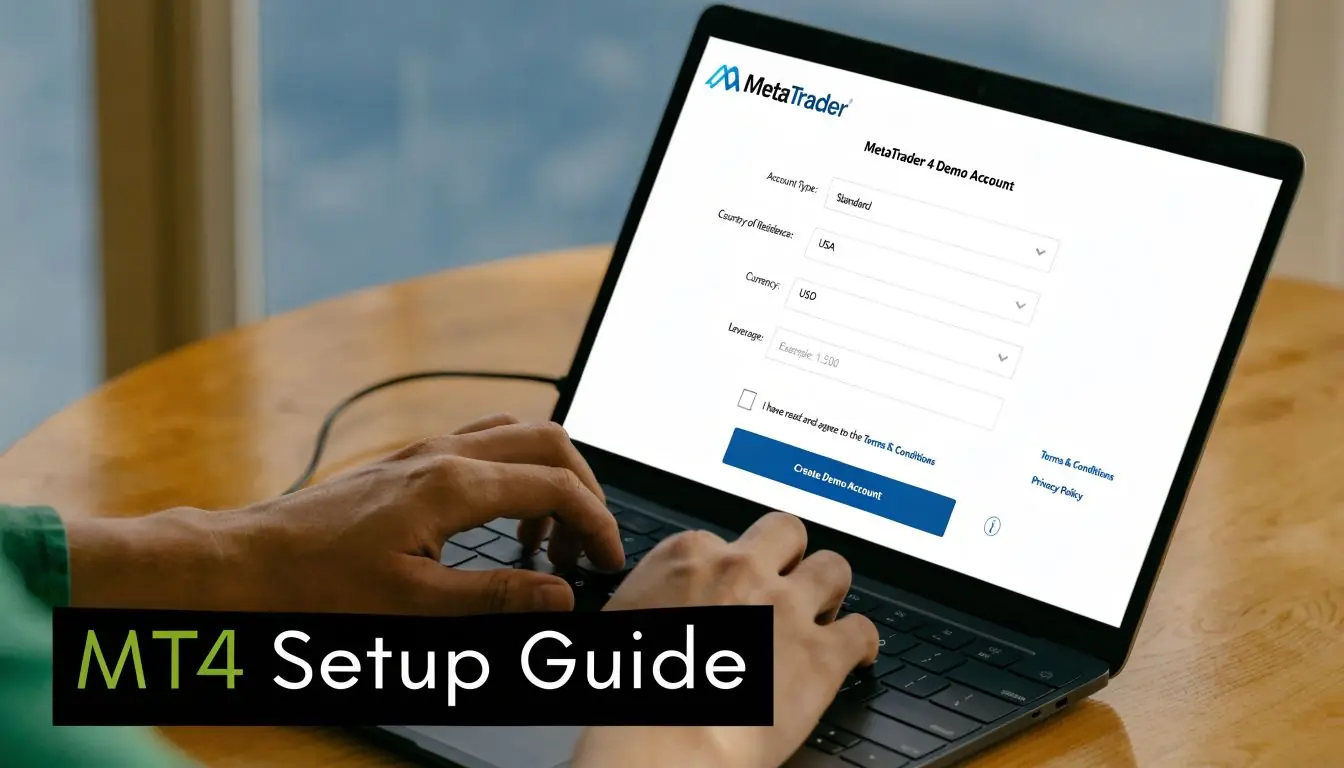
A proper demo account metatrader 4 setup doesn't take long. According to MetaTrader 4's open demo guide, over 92% of users can activate an MT4 demo account in under five minutes, provided they choose the correct server, set the balance and other account parameters properly, and save their login details.
Speed isn't the main issue, though. Accuracy is.
Step one: install the right MT4 version
If you plan to use Expert Advisors, indicators, or scripts, install MT4 on a Windows PC first. Mobile is fine for monitoring, but desktop is still the cleanest setup for chart work, backtesting, and EA control.
You can use a broker-provided MT4 build or a platform package designed for desktop use. If you need the platform itself first, this MT4 download for PC page is a practical starting point.
After installation:
- Open MT4.
- Go to File > Open an Account.
- Select a demo server.
- Choose New Demo Account.
- Fill in the registration form.
- Save the login, password, and server name.
Step two: choose settings that match your target challenge
Most traders often get lazy. They pick a random balance and the highest trading power available, then tell themselves they'll "adjust later." Later usually never comes.
Use settings that mirror the account you want to qualify for.
A practical setup checklist:
- Balance Pick a virtual balance that matches the challenge size you're preparing for. MT4 demo setup supports balances from $5K to $100K in the verified guidance from MetaTrader's demo setup page.
- Trading Ratio Choose a trading ratio setting such as 1:100 if that reflects the environment you're trying to simulate.
- Currency Use the base currency you'll track your performance in.
- Server Double-check the server name before finishing. MetaTrader notes that ignoring server selection is a common source of connection problems.
Your lot size model is only useful if the demo balance and leverage match the account you'll actually trade.
Step three: save credentials like they matter
A surprising number of traders treat demo logins like disposable junk. That's a mistake if you're serious about collecting performance data.
Save these in one place:
- Login number
- Password
- Server name
- Broker name
- Account settings used
- Date you opened it
If you later compare results across different setups, this record matters. Otherwise, you'll forget which account had which margin settings, spread style, or symbol list.
Step four: confirm the platform is actually usable
Before you place a trade, check the environment.
Look at:
- Market Watch Make sure the instruments you care about are visible.
- Navigator Confirm your accounts, indicators, and EAs are loading correctly.
- AutoTrading button If you use EAs, verify it's enabled when needed.
- Chart feed Open a few charts and make sure quotes are updating.
A demo account that opens but doesn't match your trading workflow isn't ready yet.
Step five: make the first trade for a technical check
Don't start with strategy testing. Start with a mechanics test.
Open one small position and verify:
| What to check | Why it matters |
|---|---|
| Order entry works | Confirms connection and trade permissions |
| Stop loss and take profit can be edited | Confirms order management flow |
| Position size displays correctly | Confirms lot calculation assumptions |
| Journal and terminal update normally | Confirms platform stability |
This first trade isn't about profit. It's about catching setup errors while they are still cheap and obvious.
What works and what doesn't
What works:
- Matching the account size to the challenge you plan to take
- Keeping one clean demo for one clear purpose
- Naming accounts by strategy or rule set
- Using desktop MT4 for serious prep
What doesn't:
- Testing multiple systems on one account
- Adjusting the multiplier mid-process
- Using a giant balance because it "feels safer"
- Forgetting which server you're connected to
If you're building toward a prop evaluation, your MT4 demo needs to answer one question clearly. Can you follow a defined process under fixed rules? If the setup doesn't support that, it's not ready.
Customizing Your MT4 Workspace Like a Professional
The default MT4 layout is functional, but it isn't efficient. If your charts are cluttered, your symbol list is noisy, and every chart looks different, decision quality drops fast.
Good traders don't need fancy visuals. They need repeatability.
Clean the screen first
Start by removing what you don't use. A busy workspace creates fake complexity.
Focus on these items:
- Market Watch Hide symbols you never trade.
- Toolbars Keep only the buttons you use daily.
- Charts Use a consistent candle and background scheme across every instrument.
- Grid and extras Turn off visual clutter if it distracts you.
A clean chart makes it easier to spot whether a setup is present or absent. That's the primary task.
Build one chart template and save it
MT4 gets much better once you stop customizing chart by chart.
Create one master template that includes:
- Your preferred candlestick colors
- Any moving averages or support tools you use
- Consistent zoom and spacing
- Same session separators or object style, if you use them
Then save the template and apply it everywhere. That way, EURUSD, GBPUSD, gold, and indices all look familiar. Familiarity reduces hesitation.
A professional workspace doesn't look impressive. It removes friction.
Organize around execution, not curiosity
Most traders keep too many windows open because they're afraid of missing something. That usually leads to worse focus, not better opportunities.
A better structure is:
| Workspace area | Keep | Remove |
|---|---|---|
| Left side | Trading account, indicators, EAs | Old accounts and unused tools |
| Center | Primary chart or two charts max | Random symbols not in plan |
| Bottom | Trade, account history, journal | Tabs you never check |
If you trade a short list of markets, let the workspace reflect that. You don't need every symbol visible to feel prepared.
Small upgrades that help in practice
These changes are simple, but they matter over time:
- Profiles Create separate profiles for London session, New York session, or different strategies.
- Hotkey habits Learn the fastest route to new order, template apply, and timeframe changes.
- Object discipline If you draw levels, delete old ones. Don't let stale analysis stay on screen.
- Chart naming Keep your watchlist small enough that you can explain why each market is there.
Most platform mistakes aren't technical. They're workflow mistakes. A sharp MT4 workspace won't make you profitable by itself, but it will make it easier to execute the same process every day.
How to Practice for a Prop Firm Challenge on MT4
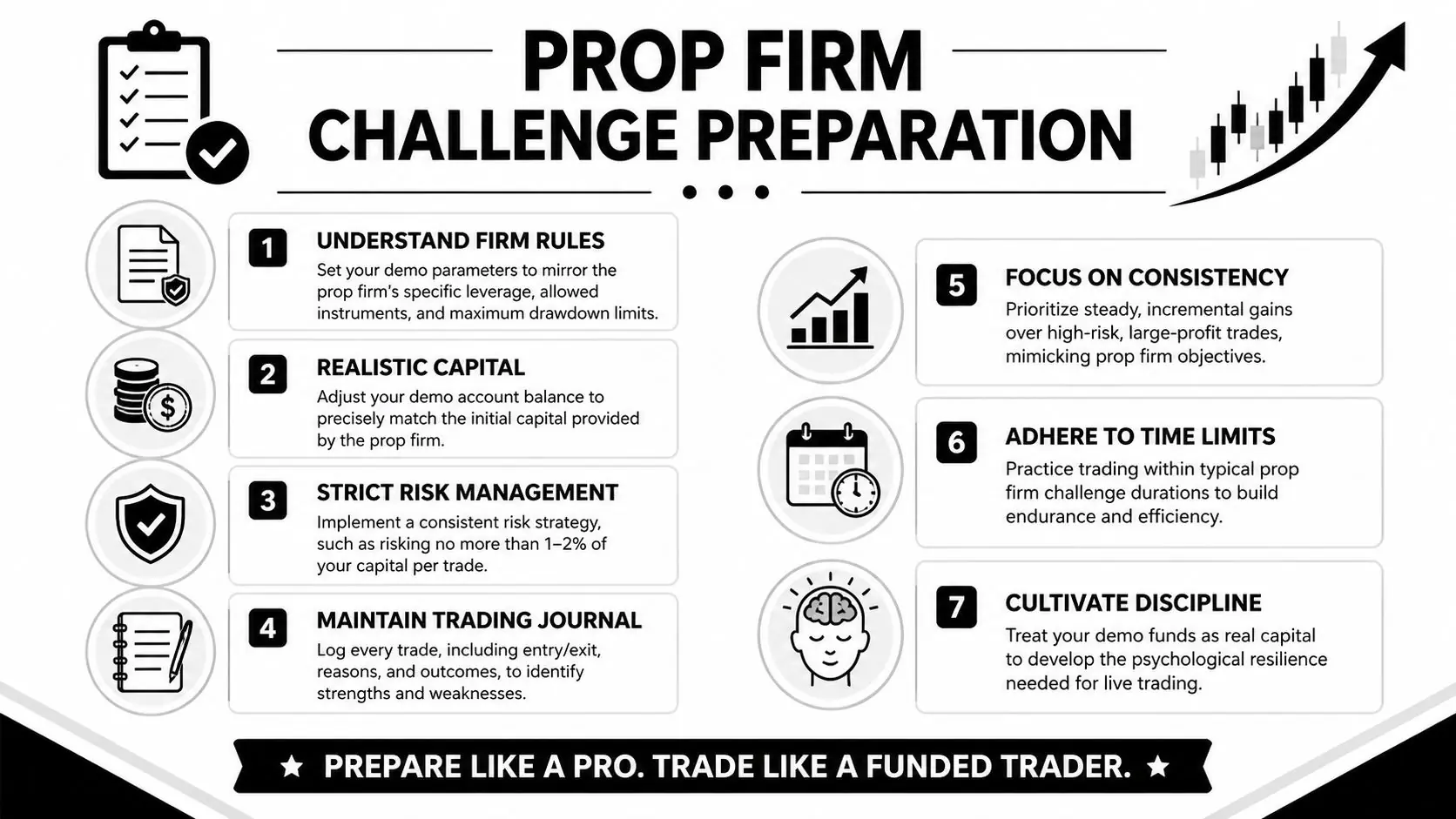
A normal MT4 demo proves useful for funding prep. The key distinction is clear in IG's MT4 demo explanation. Standard broker demos use demo servers with real market quotes, but prop evaluations enforce strict risk rules such as a 5% daily loss limit, and industry data cited there suggests 70% of prop trader failures in initial challenges come from unpracticed risk management.
That lines up with what traders experience in practice. Many don't fail because they can't read a chart. They fail because they never trained under hard limits.
Mirror the challenge rules exactly
Your MT4 demo should copy the evaluation conditions as closely as possible.
That means matching:
- Starting balance
- Allowed instruments
- Trading power
- Session style
- Daily loss threshold
- Maximum drawdown threshold
If you're preparing for a firm with a 5% daily loss limit and 10% maximum drawdown, track those numbers outside MT4 if the platform itself doesn't enforce them automatically. A spreadsheet, journal, or trade management EA can do the job.
One factual example in this space is MyFundedCapital, which runs demo-based evaluations with real market quotes and uses a flat 5% daily loss limit and up to 10% maximum drawdown across its programs, based on the publisher information provided for this article.
Build your own rule enforcement layer
Broker demos usually won't stop you from revenge trading after a bad loss. So you need your own stop system.
Use a three-part structure:
Session risk cap
Before the session starts, define the maximum loss you're allowed to take for the day. Once hit, stop trading. No exceptions because the market "looks good again."
Per-trade risk model
Keep risk stable. Don't increase size because you're down and want to recover quickly. That's one of the fastest ways to turn a manageable red day into a challenge breach.
Weekly review standard
Review whether you followed rules, not just whether you made money. A green week built on sloppy execution is weaker than a flat week with perfect discipline.
If your review process only tracks P&L, you're grading the wrong skill.
Use MT4 tools the right way
MT4 can support discretionary trading, automation, and signal observation, but each needs guardrails.
For discretionary practice:
- Mark your entry model before the session.
- Limit the number of instruments.
- Screenshot trades before and after execution.
For EA testing:
- Forward test on the exact demo setup you intend to use.
- Confirm the EA respects your risk model.
- Watch for behavior around session opens, spread changes, and fast movement.
For signal observation:
- Use signals as a research tool, not as a substitute for a plan.
- Track whether the strategy's behavior fits your drawdown tolerance and execution style.
Treat the challenge like a sport, not a guess
A useful training week usually includes these elements:
| Training component | What to do in MT4 |
|---|---|
| Market selection | Trade only your approved symbols |
| Execution practice | Use the same order process every time |
| Risk tracking | Log realized and floating drawdown daily |
| Journal review | Record why each trade was valid or invalid |
| Shutdown rule | Stop after your loss limit or after rule drift |
Many traders improve fast in this setting. Not because the strategy suddenly changes, but because the environment becomes stricter.
What usually fails in prop preparation
These habits look harmless on demo and become expensive during evaluation:
- Taking extra trades after hitting your planned loss
- Running multiple strategies at once without separate tracking
- Changing lot size impulsively
- Ignoring floating drawdown because only closed loss feels real
- Testing an EA without checking whether it fits the challenge rules
A disciplined demo routine should feel a little restrictive. That's a good sign. Evaluations reward consistency far more than random bursts of performance.
Bridging the Gap From Demo Success to Funded Trader
The hardest part of a demo account metatrader 4 isn't opening it. The hard part is carrying disciplined behavior from virtual conditions into an environment where every mistake feels personal.
The gap usually shows up in three places. Traders hesitate on valid setups, force trades after losses, or cut winners early because evaluation pressure changes their behavior. The chart doesn't change. The trader does.
Confidence should come from evidence
MT4 added its Signals service in 2012, and that service lets demo users monitor and replicate trader statistics such as profit factor, win rates, and maximum drawdown. It also gives traders a way to study strategy behavior before risking capital, according to MetaTrader 4's Signals monitoring documentation. The same verified data notes that over 80% of new retail traders use this kind of validation process when building confidence.
That matters because confidence built from repetition is stronger than confidence built from one good week.
Useful habits include:
- Journaling emotional patterns Note when you hesitated, rushed, or chased.
- Scoring rule-following Grade yourself on process, not just profit.
- Reducing novelty Trade the same markets, same windows, and same setup model often enough that execution feels familiar.
If you want more practice before stepping into an evaluation environment, this demo currency trading guide is relevant because it keeps the focus on simulated execution rather than fantasy results.
The right metric to celebrate
Most traders celebrate payout potential too early and discipline too late.
A better way to judge readiness is this:
- Did you stop when your plan said stop?
- Did you size trades consistently?
- Did you avoid changing strategy mid-session?
- Did you keep behavior stable after a loss?
Good demo results are helpful. Reliable decision-making is what survives the move to funded trading.
The purpose of demo work isn't to prove that every trade idea wins. It's to prove that your process still holds up when the outcome is uncertain. Trading involves risk of loss, and that risk doesn't disappear just because the setup looks familiar.
Frequently Asked Questions About MT4 Demo Accounts
Can I have more than one MT4 demo account
Yes. Many traders run more than one demo account to separate strategies, compare brokers, or test different rule sets. That's useful if you keep each account's purpose clear. Don't mix discretionary trades, EA tests, and prop-firm simulation on one account unless you're also separating the data carefully.
Do MetaTrader 4 demo accounts expire
It depends on the broker or server policy. Some demo accounts stay available as long as you log in periodically. Others may close after inactivity. Check the policy before you use one account as your long-term journal baseline.
Can I reset the balance on an MT4 demo
In most cases, the cleaner option is to open a new demo rather than trying to recycle an old one. That keeps your records cleaner and helps you restart with the exact settings you want.
Is an MT4 demo enough to prepare for a prop challenge
It's enough only if you configure it properly and enforce the same rules you'll face in evaluation. A random demo account helps you learn the platform. A structured demo helps you train like a funded trader.
If you're ready to move from practice to a structured evaluation, review the funding options at MyFundedCapital. Compare account types, check the rule set that fits your style, and start a challenge only when your demo process already matches the standard you'll be judged on.