You’re looking at a symbol like ESH6 on one screen, ESH26 on another, and maybe a slightly different format inside your prop platform. That’s where a lot of avoidable mistakes start. If you don’t know how cme month codes work, it’s easy to trade the wrong contract, roll late, or send an order into a thinner market than you intended.
These codes are simple once you know the pattern. The hard part isn’t memorizing the letters. It’s dealing with how real platforms display them, especially when strict drawdown rules leave very little room for symbol errors.
Introduction
CME month codes are the shorthand futures traders use to identify a contract’s expiration month. They’re part of the basic language of the market, and if you trade index, commodity, rate, or currency futures, you need to read them quickly and correctly.
A lot of newer traders think the issue is academic until they place an order in the wrong month. Then it becomes a live risk problem. In a prop environment, that kind of mistake can turn into slippage, bad fills, or an unwanted position in a contract you weren’t even watching.
The coding system matters because futures markets still rely on compact symbol structure. When electronic trading expanded through CME Globex, standardized symbol coding became part of the operating backbone. The integration of CME month codes into electronic trading via CME Globex in 2000 helped drive average daily volume from 811,000 contracts in 1999 to over 23.7 million by 2022, a 2,800%+ increase tied to standardized coding, according to this CME historical data overview.
That doesn’t mean every platform presents symbols the same way. It means the underlying language is standardized, while the display layer often isn’t. That distinction matters.
Practical rule: Don’t treat the symbol shown on your platform as self-explanatory. Break it into product, month, and year before you trade it.
If you can do that reliably, you’ll avoid a surprising number of execution mistakes.
CME Month Codes Quick Reference Chart
The core of cme month codes is a simple letter-to-month map. Once this chart is in your head, futures symbols become much easier to read.
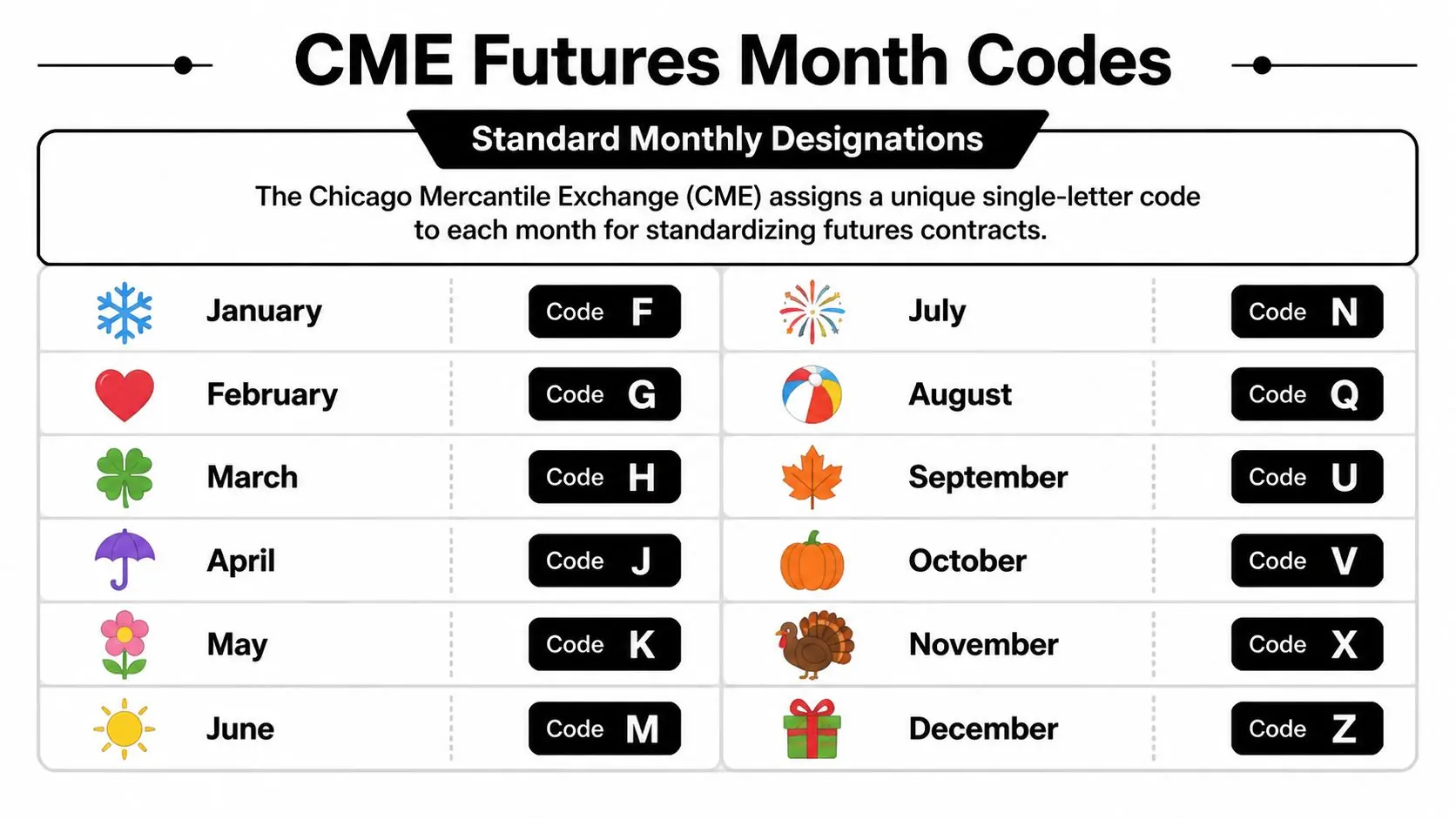
Official CME month code table
| Month | Code |
|---|---|
| January | F |
| February | G |
| March | H |
| April | J |
| May | K |
| June | M |
| July | N |
| August | Q |
| September | U |
| October | V |
| November | X |
| December | Z |
The official mapping is confirmed by CME month code documentation. CME uses F, G, H, J, K, M, N, Q, U, V, X, Z, and letters like I, L, and O are skipped to avoid confusion with numbers and lookalike characters.
Why traders memorize this instead of looking it up every time
You don’t need to love the lettering system. You just need to get fluent with it.
A trader who instantly recognizes H as March or U as September has a practical advantage. They can scan a watchlist faster, confirm the correct contract month faster, and catch symbol mismatches before clicking buy or sell.
A few habits help:
- Memorize the quarterly cycle first If you trade equity index futures, start with H, M, U, Z because those months show up constantly.
- Keep a reference nearby Until it’s automatic, use a printed desk note or a saved bookmark like this futures contract code reference.
- Watch for lookalike mistakes New traders often mix up M and N, especially when moving quickly.
The code itself is small. The cost of reading it wrong usually isn’t.
Where the confusion starts
The month chart is standardized. Product listings are not always monthly.
Some contracts list in specific months only. Others follow quarterly cycles. So knowing that V means October doesn’t tell you that every product will have an October contract worth trading. You still have to check the product’s listing pattern and active month on your platform.
That’s the first practical lesson. Month code knowledge is necessary, but it isn’t enough by itself.
How to Read a Futures Ticker Symbol
Once you know the month letters, the next step is reading the full ticker. A standard futures symbol usually combines root symbol + month code + year.
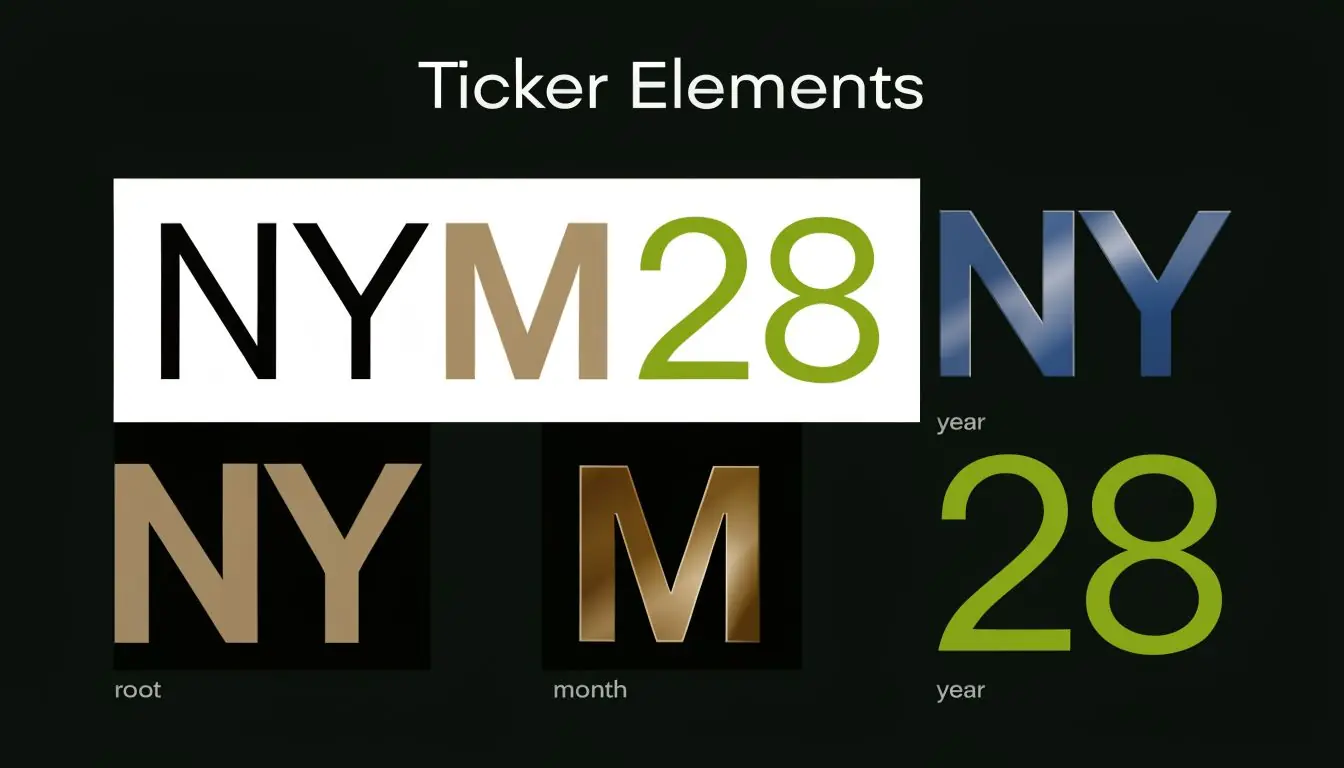
The three parts of the symbol
Take ESH6.
- ES is the product root
- H is the month code
- 6 is the year digit
So ESH6 means the E-mini S&P 500 March 2026 contract, assuming your platform uses a single-digit year display.
If the platform shows ESH26, that means the same thing in a two-digit year format. The contract didn’t change. The display format did.
A real example from CME
CME’s own naming structure follows this same logic. Official documentation gives the example ESH25 for the E-mini S&P 500 March 2025 contract, where H = March and 25 = 2025, as shown in CME’s contract month code reference.
That basic structure is what you want to train your eye to see.
A simple decoding process
When you see a symbol you don’t recognize, decode it in this order:
Find the root symbol
Start with the product itself. For example, ES is E-mini S&P 500.Identify the month letter
Pull the expiration month from the code chart. If it’s H, it’s March. If it’s Z, it’s December.Resolve the year
Check whether your platform uses one digit or two. A single digit can be ambiguous if you’re reviewing old data, so always use platform context.
Here’s the practical point. Most mistakes happen because traders jump straight from symbol to order entry without doing this quick breakdown first.
If you can’t say the contract out loud in plain English, don’t trade it yet.
Why this matters more in backtesting and automation
Manual traders can often catch a bad symbol by eye. Automated systems can’t, unless you code for it.
If your parser expects ESH26 but the feed sends ESH6, you may get failed symbol mapping, bad contract selection, or no trade at all. The same problem shows up when traders export data from one platform and compare it to another.
Use a checklist when working with platform data:
- Verify root consistency Make sure the same product uses the same root across your data source and execution platform.
- Confirm year format One-digit and two-digit year styles can break scripts.
- Check spacing and separators Some platforms insert spaces or exchange prefixes.
- Test rollover handling Don’t assume your charting platform and execution platform switch active contracts the same way.
The symbol is short, but it carries a lot of meaning. Treat it like structured data, not just a label.
Platform Ticker Variations You Must Know
Newer traders usually get tripped up here. CME may define the month code standard, but platforms often package that standard in different ways.
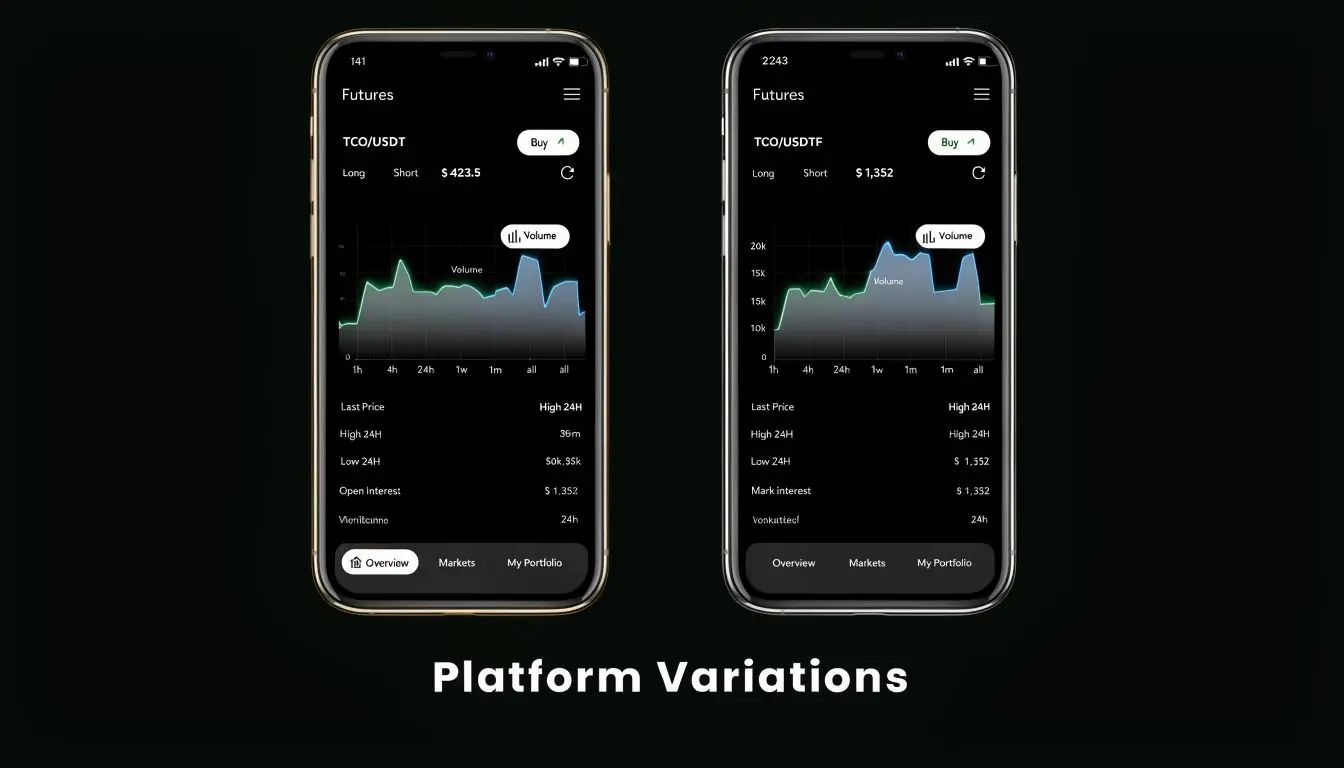
The same contract can look different
A March contract might appear as:
- ESH6
- ESH26
- ES H6
- a platform-specific variation with prefixes or internal formatting
That doesn’t mean one is wrong. It means the platform, broker, or data feed made a formatting choice.
The trouble starts when you move between environments. You may test on one platform, execute on another, and discover that the symbol syntax doesn’t match what your notes, watchlists, or scripts expect.
Where traders get hurt
A 2024 analysis of trader forums found that 28% of queries about "month code mismatch" errors came from traders moving between prop firm demo and live-style environments, driven by undocumented platform-specific symbol variation, according to CME educational material on understanding contract trading codes.
That lines up with what traders see in practice. The code logic stays the same. The wrapper changes.
Common trouble spots include:
- Year length differences One screen uses one digit, another uses two.
- Extra prefixes or exchange labels Some systems attach routing or exchange text.
- Custom naming on retail-facing platforms A broker may simplify or modify symbols for display.
- Demo versus funded environment differences The contract naming convention may not match perfectly.
Don’t assume your platform’s symbol format is universal. It usually isn’t.
How to verify before you trade
The fix is simple, but it requires discipline.
Use this pre-trade check when changing platforms or accounts:
| What to check | Why it matters |
|---|---|
| Symbol format | Confirms month and year are displayed the way you expect |
| Contract specifications | Helps verify you’re not trading a different listing month |
| Active contract | Keeps you out of stale or thinner contracts |
| Watchlist labels | Prevents old saved symbols from carrying over incorrectly |
What works and what doesn’t
What works:
- Reading the symbol from the contract specs window, not just the quote board
- Comparing the platform symbol with the product month you intended to trade
- Testing any automation in the exact environment where orders will run
What doesn’t:
- Copying symbols between platforms without checking syntax
- Assuming a chart symbol and an order-entry symbol are always identical
- Letting an EA infer the contract month from partial text without validation
If you trade in a prop setting, this isn’t a minor admin task. It’s part of risk control.
Understanding Contract Expiry and Rollover
A futures contract doesn’t last forever. Each one has a defined expiration cycle, and traders usually move to the next active month before expiry. That process is the rollover.
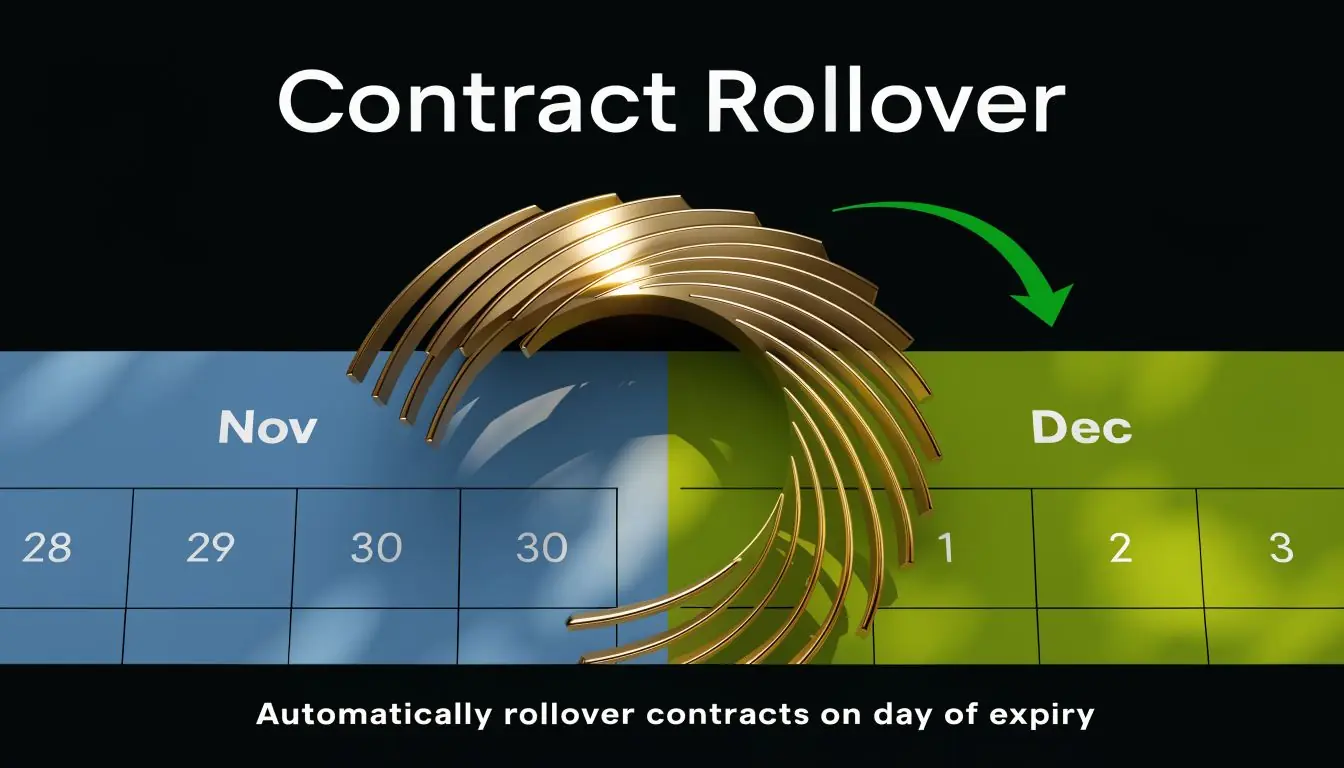
Why rollover matters
If you keep trading an old contract while volume shifts into the next one, you can end up with wider spreads, thinner participation, and fills that don’t reflect the market you thought you were trading.
That’s why serious traders monitor which contract is becoming the front month. The month code tells you which contract you’re looking at. Your volume and open interest screens help tell you whether it’s still the right one to trade.
The quarterly rhythm many traders start with
If you trade index futures, you’ll often spend most of your time in the quarterly cycle:
- H for March
- M for June
- U for September
- Z for December
Those four month codes show up constantly in index workflows, chart packages, and backtests. Learning that cycle first makes the whole rollover process easier to follow.
A practical rollover routine
Most traders don’t need a complicated process. They need a repeatable one.
Use something like this:
Watch the current contract daily
As expiration gets closer, monitor where actual trading activity is moving.Compare the next listed month
Pull up both contracts side by side and look at which one the market is starting to favor.Move your charts, alerts, and order tickets together
Don’t update one and forget the others. A lot of mistakes come from charting one month and entering orders in another.Check any automation
If you run scripts or EAs, confirm rollover logic before the switch matters.
Late rollover usually feels harmless until liquidity thins and execution quality changes.
What newer traders often misunderstand
Some traders think rollover is only relevant for swing traders. It isn’t.
Even intraday traders can get caught if they pull up a stale contract from a saved workspace. The chart may still move. The issue is whether it’s the contract the market is concentrating in.
A few warning signs:
- Volume looks light compared with what you expect
- The spread behaves differently from recent sessions
- Your platform still defaults to an older month
- Your watchlist symbol hasn’t updated while everyone else is discussing the next contract
The practical trade-off
Rolling early can mean leaving the current month before all volume has shifted. Rolling late can mean staying in a market that’s losing participation.
There’s no universal perfect minute to switch. What works is a consistent policy based on observed liquidity and platform behavior. Once you choose that policy, apply it the same way every cycle.
That consistency matters more than trying to be clever.
Common Futures Root Symbols and Year Codes
The month code only tells you when a contract expires. The root symbol in front of it tells you what you are trading, and the digit or digits after it tell you the year. These are the CME Group (Globex) roots traders meet most often.
Root symbols by asset class
| Root | Contract | Exchange |
|---|---|---|
| ES / MES | E-mini / Micro E-mini S&P 500 | CME |
| NQ / MNQ | E-mini / Micro E-mini Nasdaq-100 | CME |
| YM / MYM | E-mini / Micro E-mini Dow Jones | CBOT |
| RTY / M2K | E-mini / Micro E-mini Russell 2000 | CME |
| CL / MCL | WTI Crude Oil / Micro WTI | NYMEX |
| NG | Henry Hub Natural Gas | NYMEX |
| GC / MGC | Gold / Micro Gold | COMEX |
| SI | Silver | COMEX |
| HG | Copper | COMEX |
| ZN / ZF / ZB | 10-Year Note / 5-Year Note / 30-Year Bond | CBOT |
| 6E | Euro FX | CME |
| ZC / ZS | Corn / Soybeans | CBOT |
Some older references still list pit-era roots such as SP, ND or DJ. Those were the full-size contracts; most electronic trading today happens in the E-mini and Micro roots above. Always open the contract specifications before you size a position, because a Micro is a tenth of the E-mini.
How the year is written
The exchange itself uses a single digit for the year: ESZ6 is the December 2026 E-mini S&P 500. Many platforms and data vendors use two digits instead, so the same contract appears as ESZ26, and some add the exchange, as in ESZ26:CME or /ESZ26. They all point to one contract. When your chart, your order ticket and your backtest data use different formats, standardise them before you trade.
Reading a symbol in three steps
- Take the letters before the month code as the root (ES, NQ, CL…). Roots can be two or three characters, so read from the right: the last letter before the year digits is the month.
- Translate the month letter with the table above (H = March, M = June, U = September, Z = December for the quarterly index contracts).
- Read the trailing digits as the year, then confirm the expiry date on the exchange’s calendar, since the last trading day differs between products.
Critical Tips for Funded Account Traders
In a funded account, symbol errors hit harder because your margin for operational mistakes is small. A contract-month mistake isn’t just annoying. It can turn into a risk-rule violation quickly.
Why cme month codes matter more in prop trading
When you’re trading under a flat loss limit and maximum drawdown rule, execution quality matters. If you accidentally trade a less active contract month, slippage and spread behavior can get worse at exactly the wrong time.
That’s especially dangerous during fast sessions, around data releases, or when you’re managing size relative to your account rules. A symbol mistake can put you in a trade you didn’t mean to take, and the platform won’t care that the input error was accidental.
A checklist that actually helps
Before entering any futures-style symbol on a prop platform, check these:
- Contract month Say it in plain language before you send the order.
- Environment match Make sure the symbol in your challenge account matches the symbol you tested.
- Liquidity check Don’t assume every listed month is equally tradable.
- Rollover status If the market is shifting to the next contract, update everything at once.
- Automation rules If you use an EA or script, test symbol parsing after platform updates.
Algo traders have an extra problem
As products evolve, parsers need maintenance. This is already showing up in rates products.
According to a reference on futures month code changes and SOFR symbol handling, SOFR futures volume surged 45% YoY in H1 2025, and CME introduced newer identifiers such as S2 for mid-curve options and SR1 for 1-month futures. That creates parsing problems for systems built only around the traditional single-letter month pattern.
If your code assumes every contract month fits the old root-letter-year structure, you can misread the instrument entirely.
Good risk management starts before the trade. For funded traders, symbol validation is part of risk management.
What works in a prop environment
The traders who avoid avoidable errors usually do a few boring things well:
- They keep a clean watchlist.
- They remove expired or stale symbols.
- They verify the order ticket against the intended contract month.
- They retest automation after any feed or platform change.
- They treat symbol mapping like a live risk process, not office work.
If you’re evaluating prop firms or planning to trade through one, it helps to understand how the environment handles instruments, platforms, and rules. You can review that kind of setup on this futures prop trading overview.
Trading involves risk of loss. In funded accounts, that risk includes operational mistakes, not just bad trade ideas.
Common Mistakes When Using CME Codes
Most cme month codes mistakes aren’t complex. They’re small lapses repeated at speed.
The errors that show up most
- Mixing up nearby letters Traders often confuse M and N, especially when scanning quickly.
- Reading the year incorrectly A one-digit year can be clear in live context but messy in older screenshots, exported data, or saved notes.
- Trading the wrong listed month Knowing the month code doesn’t tell you whether that contract is the active one.
- Using stale workspace symbols Old chart tabs and saved order templates can point to contracts you no longer want.
- Assuming platform consistency The symbol format from one platform may not carry over cleanly to another.
The habits that prevent them
A short routine fixes most of this:
| Mistake | Better habit |
|---|---|
| Misread month letter | Keep the month code chart visible until recall is automatic |
| Wrong year interpretation | Confirm whether the platform uses one or two year digits |
| Thin contract selection | Check which month is actually active before trading |
| Old saved symbol | Rebuild watchlists around rollover instead of patching them |
| Automation mismatch | Test symbol parsing with the exact live platform format |
One rule worth keeping
When you see a futures symbol, translate it before you trade it. Don’t rely on pattern recognition alone.
That sounds basic. It is basic. Basic process prevents a lot of dumb losses.
Frequently Asked Questions About CME Month Codes
Why are some letters skipped in CME month codes
They’re skipped to reduce confusion. CME’s official month list avoids letters such as I, L, and O because they can look too similar to numbers or other characters in fast trading conditions.
Do options on futures use the same month codes
Yes, the month lettering convention still applies. The full option symbol is more complex than a plain futures symbol, but the contract month logic is built on the same code language.
How do I find the most active contract month
Check the volume and open interest view on your platform or contract page. In practice, traders usually focus on the front month, which is the contract drawing the most participation.
Is a different-looking symbol always a different contract
No. Sometimes it’s just a different display format. A platform may use one-digit years, two-digit years, spaces, or internal prefixes. You still need to verify the underlying contract before trading it.
If you want to apply this kind of disciplined process inside a prop environment, take a look at MyFundedCapital. You can compare funding programs, review account types, and choose a path that fits your trading style. Whether you trade manually or with automation, remember that trading involves risk of loss, and this article is educational only, not financial advice.