You've passed the challenge, you're ready to move forward, and now the account verification process is in front of you. That step can feel annoying when all you want to do is start trading, but if you handle it correctly the first time, it's usually straightforward.
For prop traders, verification isn't just paperwork. It's what connects your trading profile, payout eligibility, and account security so there's a clean path from evaluation to funded access.
Why Account Verification Is a Crucial Step for Traders
A lot of traders treat verification like an obstacle between “I passed” and “pay me.” That's the wrong frame.
The account verification process is part of operating in a serious financial environment. If a firm skips identity checks or rushes them, it may feel faster in the moment, but it creates bigger problems later when payouts, disputes, account ownership, or abuse issues come up. Industry discussion around digital onboarding keeps coming back to the same trade-off: firms want low friction, but detailed verification is still often necessary to fight modern fraud and show a real commitment to security and compliance, not just speed (Transmit Security on identity verification and account opening).
Why traders should care personally
If you're a trader, this protects more than the firm.
- Your payout path stays cleaner. When your identity details are verified early, there's less chance of trouble when it's time to review account ownership later.
- Your account history stays tied to the right person. That matters if support ever needs to review access, account changes, or disputes.
- You avoid last-minute delays. The worst time to discover a mismatch is after you've already reached a milestone and want to move to the next stage.
Practical rule: Treat verification the same way you treat risk rules. It's not there to slow you down. It's there to stop avoidable problems later.
Why this matters in prop trading specifically
Prop trading adds a layer of pressure because traders often arrive at this step right after finishing an evaluation. They want momentum. They don't want another task.
But funded access is still a professional onboarding event. In the same way broader compliance programs use KYC and AML controls to confirm who's using financial products, prop firms need a clean identity trail before giving access tied to payouts and account benefits. If you want a plain-English overview of why those controls exist across modern finance, Polytreasury on crypto AML KYC is a useful background read.
If you're still working toward this stage, the simplest way to see how funded access generally works is to review how to get a funded trading account. Once you've reached verification, you're not being singled out. You're completing the final admin step that turns trading performance into an account the firm can support properly.
Preparing Your Documents for a Smooth Verification
Most verification delays start before you upload anything. The issue usually isn't fraud. It's bad photos, mismatched details, or expired documents.
The bigger point is timing. Bank and identity checks can move very quickly in modern systems, but the overall verification timeline can still range from a few seconds to as many as 10 days depending on method and whether manual review is needed, and clear documents help keep you on the faster end of that range (TrueLayer on bank account verification timing).
What to prepare before you log in
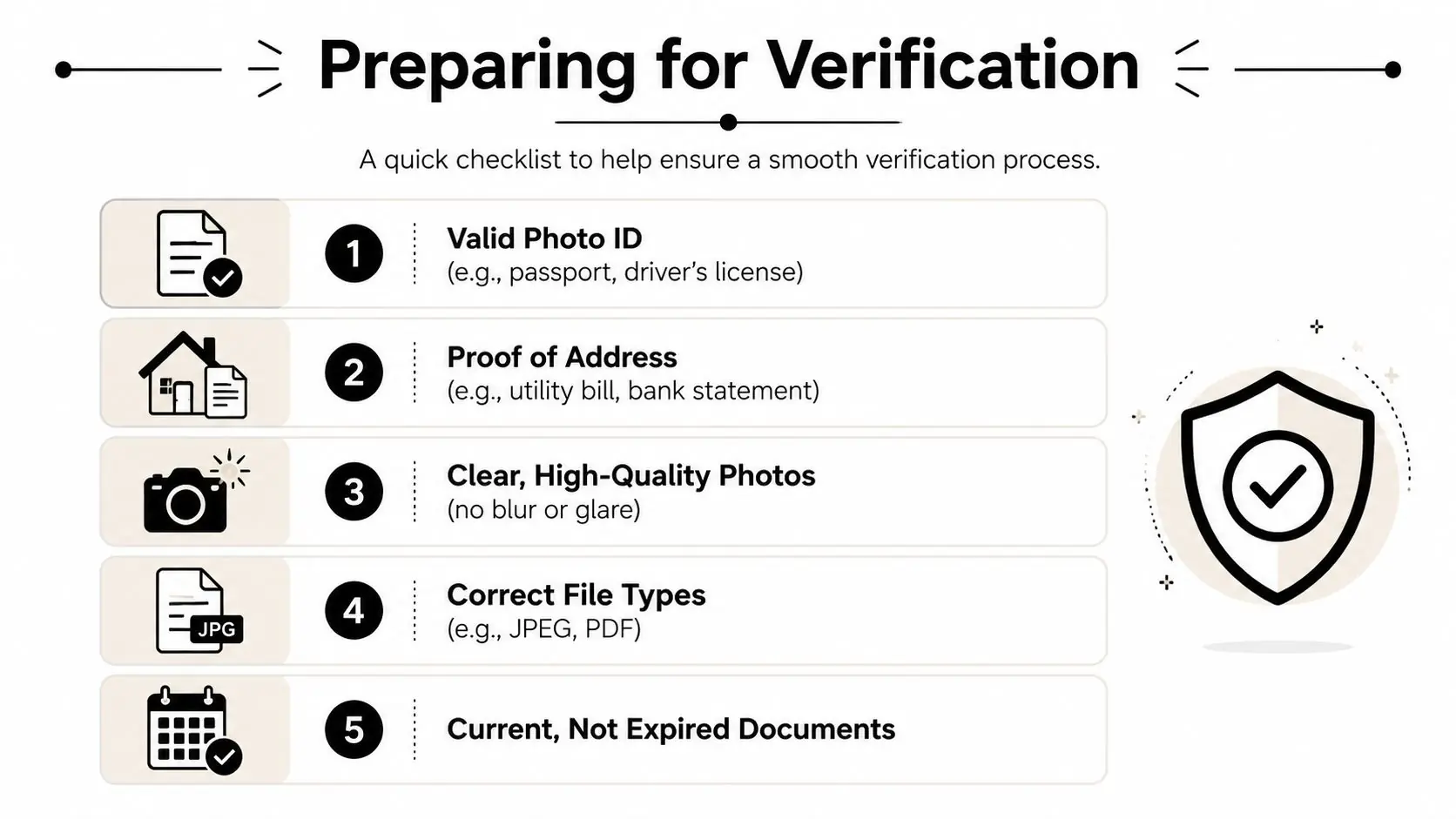
Have these ready first:
- Photo ID such as a passport, driver's license, or national ID card
- Proof of address such as a utility bill or bank statement
- Clean digital files in the accepted upload format shown in your portal
- Current documents that haven't expired
- Matching personal details across your application and files
If you've never thought carefully about what makes an ID acceptable for remote checks, this guide to effective ID checks for landlords is helpful because it breaks down the same practical issues that cause document reviews to fail in other industries too.
The checklist support teams wish every trader followed
Use this before you upload anything:
- Check the name first. Your full name should match your account details closely. If your ID shows a middle name, suffix, or a slightly different format, enter your information exactly and consistently.
- Check the address second. Your proof of address should show the same residence details you entered during signup. If you recently moved, don't guess. Use the address that matches your current supporting document.
- Show all four corners. Cropped edges are one of the easiest ways to trigger a rejection.
- Use flat lighting. Avoid flash glare, reflections, or shadows across important text.
- Don't compress the image too hard. If the text looks fuzzy when you zoom in, compliance will see the same thing.
- Use the original document. Photos of photocopies, screenshots of screenshots, and edited files create problems fast.
Submit documents the way you'd want a firm to review your trade history. Complete, readable, and easy to verify.
What usually works best
A passport is often the simplest ID because it's standardized and easy to read. A driver's license can work well too, but only if both image quality and expiry date are clear. For proof of address, a bank statement or utility bill is usually easier to process than a document packed with unclear formatting or partial pages.
If you're preparing for a specific funding route, review the requirements on the Verify 2K account page before uploading. Small mismatches are fixable, but they still slow the account verification process down.
The Verification Walkthrough on Your MFC Dashboard
When your files are ready, the dashboard part should feel simple. If it feels confusing, slow down and treat it like order entry. Wrong field, wrong file, wrong result.

What the flow usually looks like
Most traders move through the same sequence:
Open your account area
Go to the section that shows your current profile or onboarding tasks.Find the verification prompt
Look for the status area asking you to complete identity or account verification.Enter your personal details carefully
Traders often create problems for themselves by rushing. Don't rush your legal name, date of birth, or address.Upload your proof of identity
Use the clearest version of your passport, national ID, or driver's license.Upload your proof of address
Make sure the address document is readable and recent enough to meet the platform rules shown on-screen.Review everything before submitting
A final check takes less time than a rejection.
What each field is really checking
The screen may look simple, but each field has a purpose.
| Field | What to watch for |
|---|---|
| Full name | Match your document exactly, including order and spelling |
| Date of birth | Enter it in the format requested by the form |
| Address | Use the same address shown on your proof-of-address file |
| Document type | Select the actual file you're uploading, not the closest guess |
| Upload file | Make sure the image opens clearly before submission |
One practical mistake I see often in support is traders typing the “normal” version of their name instead of the legal version shown on the document. If the document says one thing and the application says another, the system or reviewer has to pause and decide whether it's the same person.
A clean submission usually takes minutes
The upload itself isn't the hard part. Preparation is.
If your files are sharp, your details match, and you read the prompts instead of clicking through them, the dashboard portion of the account verification process usually moves quickly. MyFundedCapital uses a funded-account access flow tied to its platform onboarding, so this stage is less about “extra admin” and more about confirming the person receiving account access is the same person who completed the trading path.
A good submission feels almost boring. That's what you want.
Why Verifications Get Rejected and How to Fix It
A rejection message feels worse than it usually is. Traders often assume it means something serious is wrong. In practice, identity verification benchmarks show pass rates generally fall in the 70% to 95% range depending on workflow design, geography, and document support, and the most common failures are tied to workflow friction, not fraud (Didit on identity verification pass-rate benchmarks).
That's good news for you. Most failed submissions can be corrected.
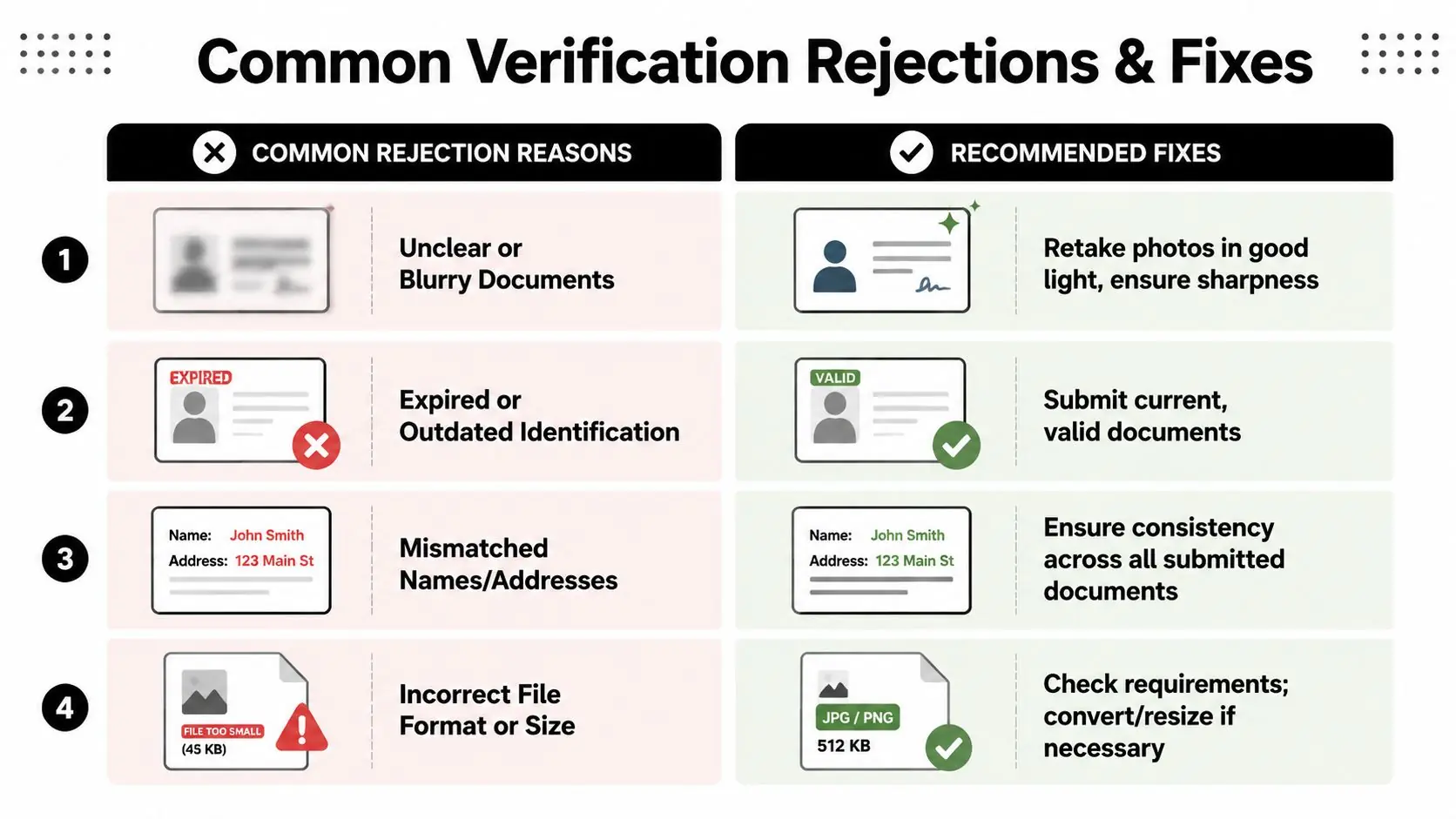
The most common rejection reasons
Here's what usually causes trouble:
Blurry document images
The text may look readable on your phone, but once reviewed at full size, it's soft or distorted.Cropped edges
Missing corners make it harder to confirm the document is complete and unedited.Expired identification
Even a perfect image won't help if the document is no longer valid.Mismatched details
The name or address on one file doesn't line up with the information entered in your account.Wrong file type or bad scan
Sometimes the issue isn't the document. It's the upload quality, compression, or incomplete file.
How to fix each one without wasting another day
Don't resubmit the same problem file and hope for a different outcome. Change the input.
| Rejection issue | What to do next |
|---|---|
| Blur or glare | Retake the photo in daylight or even indoor light without flash |
| Cropped image | Put the document on a dark surface and capture the full frame |
| Expired ID | Use a current valid ID, not a renewal receipt unless specifically accepted |
| Name mismatch | Edit your account details or use supporting documents that match |
| Address mismatch | Upload a proof-of-address file that reflects the address on your application |
If a verification fails, assume “fixable admin problem” before you assume “serious account problem.”
When the issue isn't obvious
Sometimes the rejection note is short, and that's frustrating. In those cases, think in terms of consistency:
- Does every document show the same identity?
- Is the uploaded file the final version you meant to send?
- Did you move recently?
- Did autocorrect change your name or address in the form?
For a useful comparison, this article on how to identify and fix background check errors shows the same principle. A failed screening result often comes from data mismatches, not from the person being ineligible.
If you believe a rejection was made in error or you need a formal path to raise the issue, review the dispute resolution process. The key is to resubmit with corrected files, not with frustration.
Tracking Your Verification and What to Expect
Once you hit submit, your job changes. You stop uploading and start monitoring.
Modern verification systems don't all run at the same speed. Finance has shifted from slow, manual approaches like micro-deposits toward near-instant data validation, where ownership or identity details can be compared in real time through connected systems (Trustpair on the evolution of account verification). That's why some checks feel almost immediate while others still need a human review.
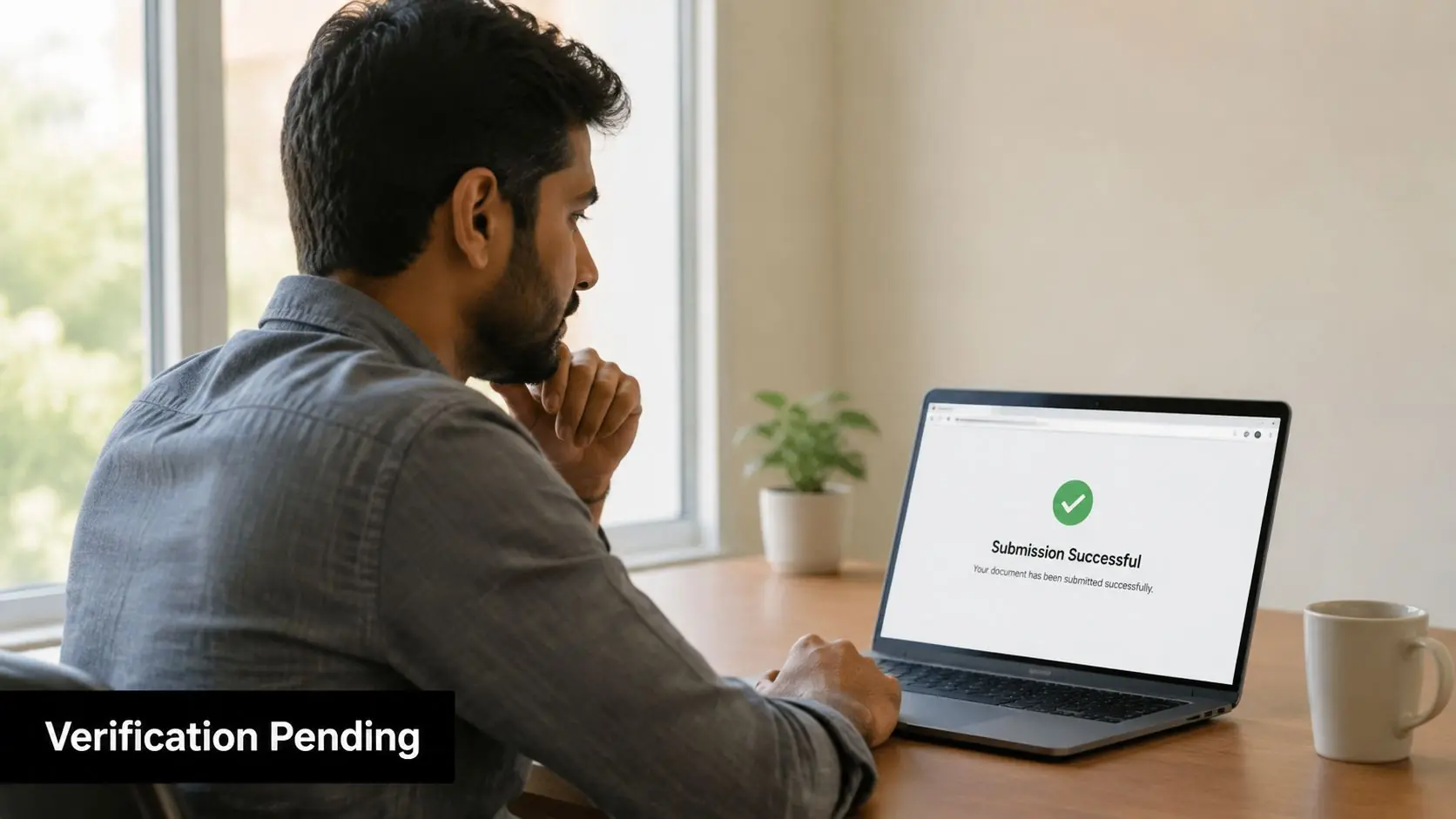
What your status usually means
Most dashboards use simple labels. Read them as they are written.
Pending
Your documents were received and are waiting for automated checks, manual review, or both.Approved
Your submission passed the review stage and your profile can move to the next account step.Action Required
Something needs to be corrected, replaced, or confirmed before approval can happen.
What to do while you wait
Traders create extra work for themselves by uploading again too early or sending multiple messages with no new information.
A better approach:
- Check your dashboard first for any status change or request
- Check your email inbox and spam folder in case a follow-up notice was sent
- Keep your original files handy in case support asks for a cleaner version
- Don't submit duplicates immediately unless you were specifically told to replace a file
When it makes sense to contact support
Reach out when the status hasn't changed for longer than the normal review window shown in your portal, or when you've been asked for more information and the request isn't clear.
When you do contact support, send useful context in one message:
- your account email
- the current status shown
- the document type submitted
- the issue you think caused the delay
That gives the team something actionable. “Please check” is harder to work with than “my proof of address was marked unclear, and I've prepared a new PDF if needed.”
Your Account Verification Questions Answered
Can I use a digital bank statement for proof of address
Usually, yes, if the platform accepts it and the file clearly shows your name, address, and the issuing institution. The key issue isn't whether it's digital or paper. It's whether the document is complete, readable, and matches the details on your account.
What if I recently moved and my ID and address document don't match
That's one of the most common edge cases. Use the address you can currently support with valid proof, and don't try to “average out” two different addresses across the form and files. If your ID shows one address and your proof of address shows another, follow the portal instructions closely and be ready for a follow-up request.
Does a failed verification mean I won't get approved
Usually not. Failed checks are often caused by document quality or workflow friction, not by a finding against you. If you correct the issue cleanly, resubmission is the normal path.
Will I need to verify again for every future step
That depends on the firm's policy, the account type, and whether your details have changed. If your name, address, or identity documents change later, you may be asked to update them again. Keep your records current so you're not scrambling before a payout or account transition.
Trading involves risk of loss, and funded trading programs are not a shortcut to guaranteed income. Verification is only one part of responsible participation. This content is educational only and not financial advice.
If you're ready to move from evaluation to funded access, explore the account options and next steps at MyFundedCapital. Compare the challenge formats, review the rules carefully, and start with the path that fits your trading style and risk tolerance.