

 AR
AR
 NL
NL
 FR
FR
 DE
DE
 ES
ES
 PT
PT
 IT
IT
 PL
PL
 SV
SV

Choosing the right monitor is a critical decision for your trading setup, directly impacting how you analyze market data and manage risk. A subpar screen can cause eye strain and costly mistakes, while the right display acts as a command center for executing trades. This guide breaks down exactly what specs matter for traders and how to build an effective setup for your budget and style.
Why Your Monitor Is a Critical Trading Tool
Your monitor is your active window into the market, not just a passive screen. A well-chosen setup allows you to view multiple charts, news feeds, and order books simultaneously without constantly switching between windows. This isn't about luxury; it's about gaining the clarity and screen real estate needed to make informed decisions under pressure.
Trading on a small or low-resolution screen can lead to missed opportunities. Low resolution can obscure important candlestick patterns, and a cramped display might hide a critical price alert. This is especially true for precise strategies like those discussed in our guide on trading the tick. Successful trading involves significant risk, and having a clear view of the market is a fundamental part of managing that risk.
A trader’s monitor setup is like a pilot's cockpit instrument panel. The more clearly and efficiently you can see the critical data, the better your ability to navigate the markets safely and effectively.
The Rise of Multi-Monitor Setups
Professionals across many fields are demanding better displays. The global computer monitor market was valued at USD 47.12 billion in 2025 and is expected to climb to USD 61.18 billion by 2030. A major driver is the adoption of multi-monitor setups, a trend that directly benefits traders juggling multiple assets on platforms like DXtrade or cTrader. For more details, you can explore these market trends on Mordor Intelligence.
Investing in the right monitors for your trading desk helps you:
- Analyze complex data with greater clarity.
- Manage multiple positions without a cluttered screen.
- React faster to market movements and news alerts.
Decoding Monitor Specs That Matter for Traders
When shopping for a new trading monitor, the spec sheet can be confusing. Terms like "IPS," "1440p," and "144Hz" are everywhere, but what do they actually mean for your daily chart analysis? Let's cut through the jargon and focus on the specifications that truly impact a trader's performance.
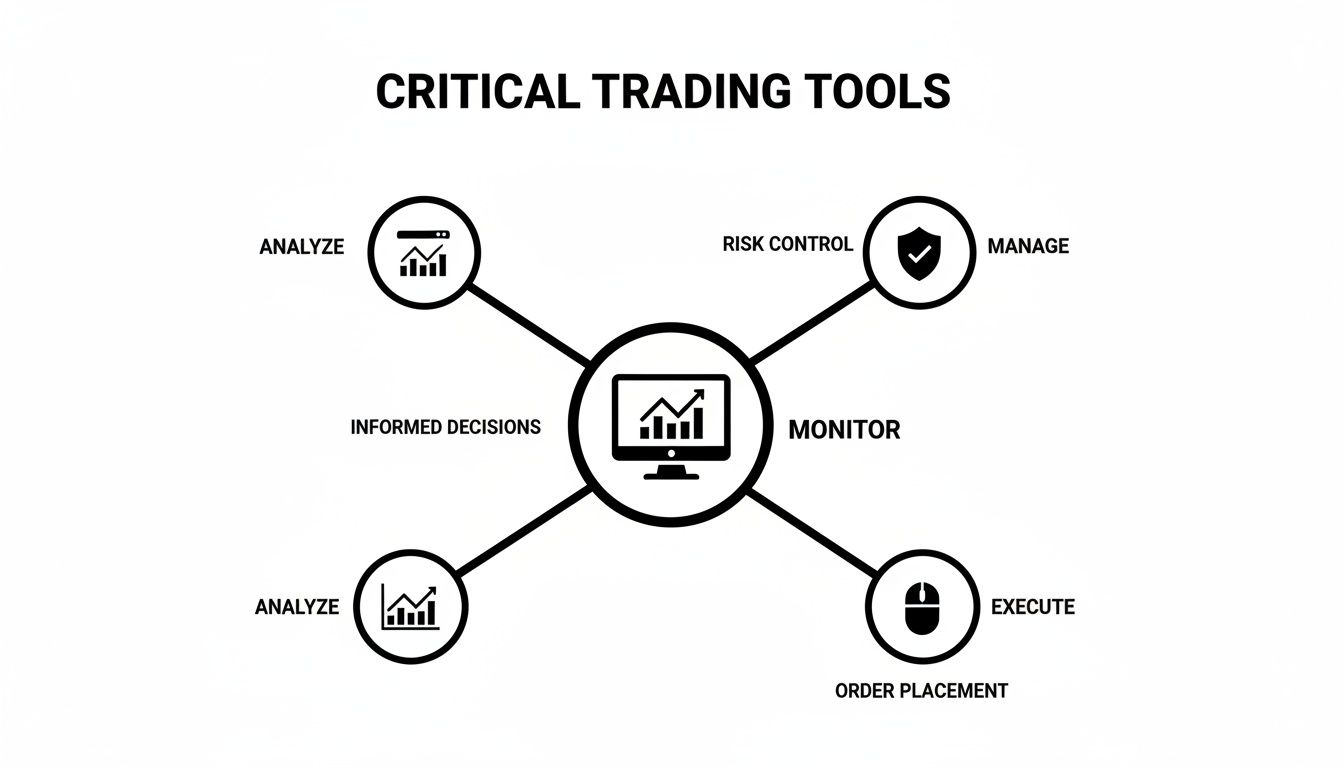
Think of your screen as the bridge between market data and your decisions. The right specs make that bridge clear and reliable, while the wrong ones create bottlenecks.
Resolution: Your Foundation for Clarity
Resolution refers to the number of pixels on your screen. For trading, more pixels are almost always better, as they give you more digital real estate. More pixels allow you to display more charts, order books, and news feeds without them becoming blurry or cramped.
- Full HD (1920×1080 or 1080p): This is the absolute minimum. It works for a single chart, but you'll feel constrained quickly and find yourself constantly switching between windows.
- Quad HD (2560×1440 or 1440p): This is the sweet spot for most traders. It offers a significant increase in screen space and sharpness over 1080p, allowing for much clearer chart details.
- 4K Ultra HD (3840×2160): The top tier for detail. It’s excellent if you need to monitor a large volume of information on one large screen, but it requires a powerful graphics card to run smoothly.
This demand for more screen space is a major market trend. The monitor market is projected to hit USD 87.22 billion by 2029, driven partly by a 30% jump in multi-monitor setups since 2020. You can read the full research on monitor market dynamics for more details.
Panel Type: Where Color and Angles Come Into Play
The panel is the core technology inside the screen, and it significantly impacts image quality. While color accuracy might not seem critical for trading, it is. When you can instantly and clearly distinguish between different candlestick colors or indicators across multiple screens, you can react faster.
IPS (In-Plane Switching) panels are the recommended choice for traders. They provide the most accurate colors and the widest viewing angles. This ensures your charts look sharp and consistent even when viewed from the side—a common scenario in a multi-monitor setup.
A good IPS panel ensures that a red bearish candle looks the exact same shade of red on all your screens, from any angle. This consistency eliminates visual guesswork when the market is moving quickly.
The clarity from a quality panel directly supports your ability to read the market—a skill every trader must master. To improve yours, see our guide on technical analysis trading tips and charting trends.
Refresh Rate and Response Time: The Speed Factor
Refresh rate (measured in Hz) and response time (in ms) are often overemphasized for trading. Refresh rate is how many times per second the screen image updates. While a higher number means smoother motion in gaming, trading charts are largely static.
A standard 60Hz or 75Hz refresh rate is perfectly adequate for most trading activities. A 144Hz screen won't negatively impact your trading, but the benefit is minimal. Your budget is better allocated to higher resolution and a better panel type first.
Key Monitor Specifications for Traders: A Practical Comparison
This table summarizes the essential specs, their practical impact on trading, and recommendations for different needs.
| Specification | What It Means for Traders | Budget Recommendation | Performance Recommendation |
|---|---|---|---|
| Resolution | Determines screen real estate and chart clarity. More pixels let you see more data without clutter. | 1080p (Full HD) | 1440p (QHD) or 4K (UHD) |
| Panel Type | Affects color accuracy and viewing angles. Crucial for consistent chart reading across multiple screens. | VA (Vertical Alignment) | IPS (In-Plane Switching) |
| Refresh Rate | How often the screen image updates. Less critical for trading charts, which are mostly static. | 60Hz – 75Hz | 75Hz or higher (not a priority) |
| Response Time | How quickly pixels change color. Not a major factor for trading, as ghosting is not an issue with chart data. | 5ms or less | 5ms or less (not a priority) |
Focus on resolution and panel type to build a setup that enhances your workflow.
Ultrawide vs Multi-Monitor Setups for Trading
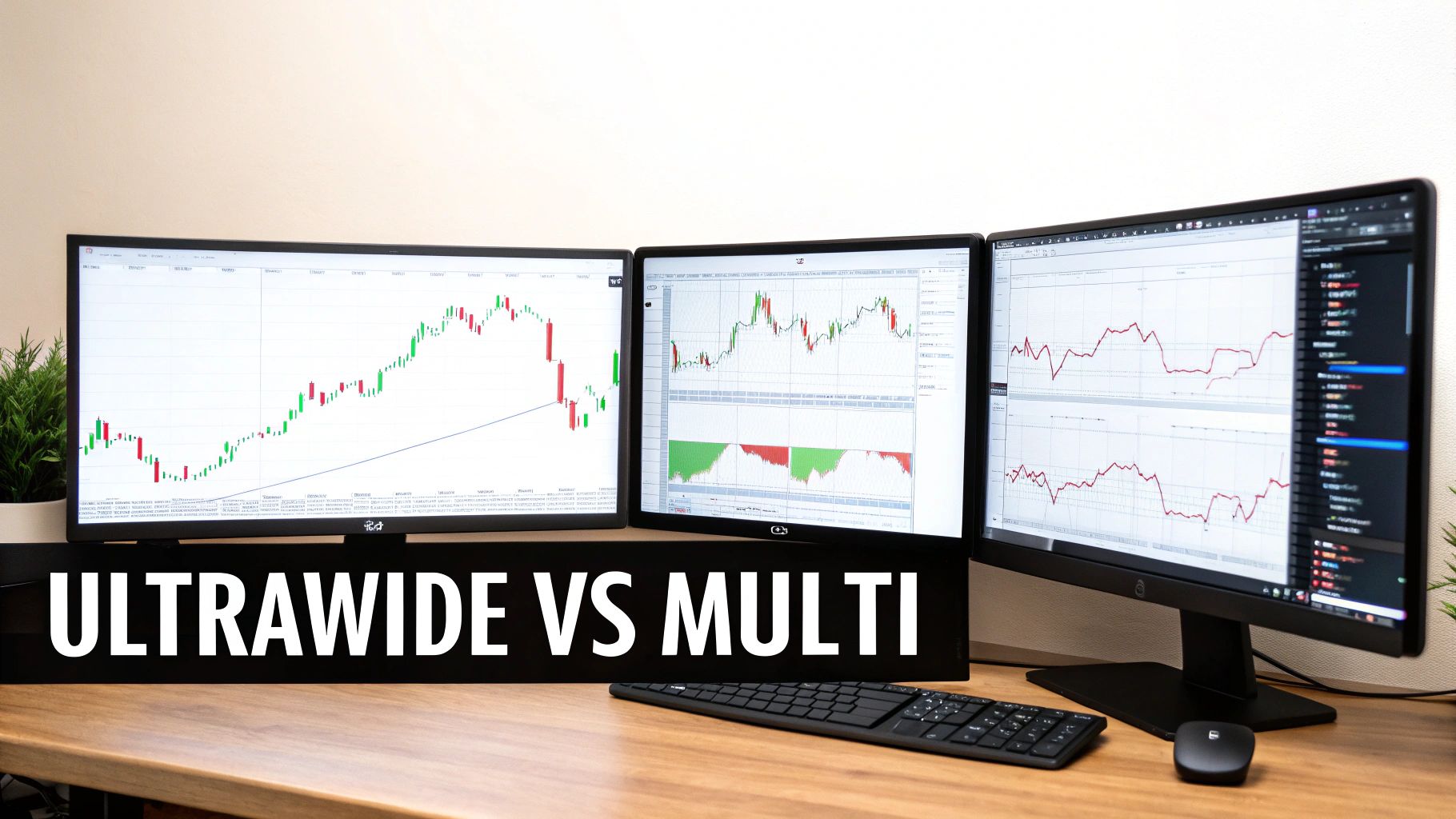
A key decision is whether to use a single ultrawide monitor or a setup with multiple screens. This choice shapes how you view the market and manage your workflow. There are practical pros and cons to each approach.
The Case for an Ultrawide Monitor
An ultrawide monitor offers a very wide screen (usually 21:9 or 32:9 aspect ratio) with no bezels breaking up the view. This creates a clean, uninterrupted canvas that many traders prefer for deep focus on a single instrument or a few related assets. You can line up 1-hour, 4-hour, and daily charts side-by-side without visual breaks.
An ultrawide monitor is like a panoramic dashboard. It keeps all critical data for a single mission in one field of view, promoting deep focus.
However, ultrawides may offer less vertical screen space compared to two standard monitors stacked. Organizing windows into neat grids can also be less intuitive than simply dedicating an application to its own screen.
The Power of a Multi-Monitor Array
The classic multi-monitor setup is popular for its flexibility and massive screen space. Using two, three, or more screens allows you to dedicate each one to a specific task, creating a highly organized command center. This is ideal for traders who track different, uncorrelated information simultaneously.
A typical professional setup might look like this:
- Monitor 1 (Primary): Your main charting platform (cTrader or DXtrade) with active trades.
- Monitor 2 (Side): Contextual information like an economic calendar and news feed.
- Monitor 3 (Other Side): Watchlists for different asset classes and a risk management tool.
This compartmentalization helps reduce mental clutter. With high-frequency strategies now dominating many markets, robust monitoring systems are essential. Studies have shown multi-monitor adoption can boost a trader’s efficiency by 15-20%, a trend you can learn more about by researching the global monitor market and its drivers.
Making the Right Choice for Your Trading
The best setup depends on your strategy, desk space, and budget. There is no one-size-fits-all solution.
To decide, ask yourself these questions:
- What is your trading style? If you focus deeply on one or two assets, an ultrawide might be perfect. If you scan multiple markets for opportunities, a multi-monitor array is likely better.
- How much desk space do you have? An ultrawide has a single stand and a smaller footprint, but monitor arms can make a multi-screen setup very space-efficient.
- What is your budget? A dual or triple 1080p monitor setup is often cheaper than a single high-end ultrawide. It also allows for gradual upgrades.
The best monitors for trading are those that make you a more efficient and disciplined trader. Choose the setup that lets you focus on the charts.
Building an Ergonomic Trading Battlestation
An uncomfortable setup can lead to physical pain, hurting your focus and discipline. An ergonomic workspace isn't a luxury; it's a necessity for traders who spend long hours at their desks. It’s about designing your environment to support your body and mind for peak performance.
Proper Monitor Placement and Positioning
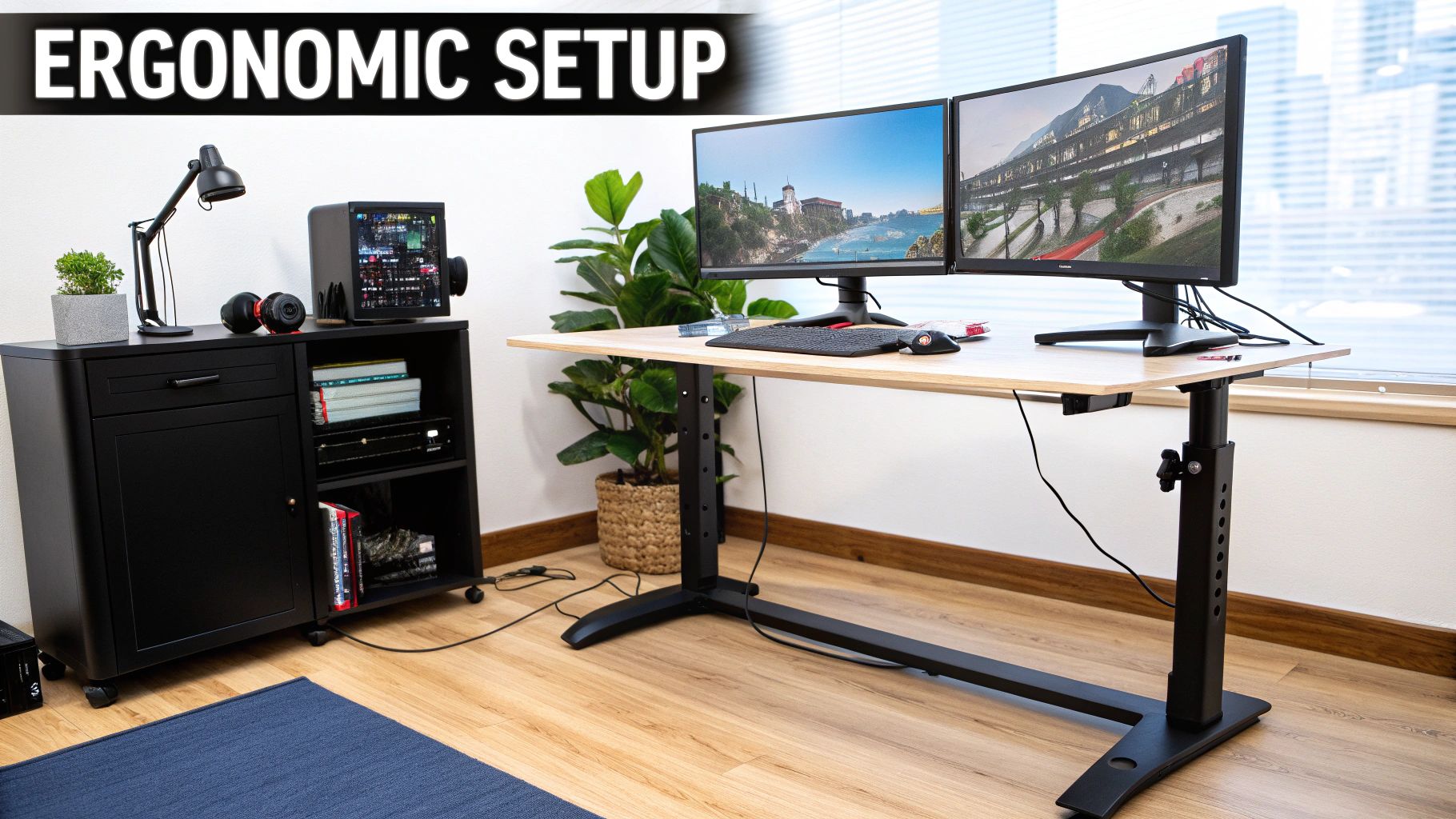
Positioning your monitors for trading correctly is the most important step to prevent chronic pain. The goal is to keep your head and neck in a neutral, relaxed position.
Follow these three rules for screen placement:
- Height: The top of your main monitor should be at or slightly below eye level. Setting screens too high forces you to tilt your head back, causing neck strain.
- Distance: Position your screens about an arm's length away. If you need to lean in to read text, increase the font size in your display settings instead of moving the monitor closer.
- Angle: Place a single monitor directly in front of you. With multiple screens, your primary monitor should be centered, with side monitors angled inward to form a slight curve around you.
Think of ergonomics as risk management for your body. You set a stop-loss to protect your capital; you optimize your desk to protect your health and ability to stay focused.
Mounting Solutions for Ultimate Flexibility
The stands included with monitors are often flimsy and lack adjustability. A proper monitor mount is a game-changing upgrade that allows for perfect ergonomic positioning and frees up desk space.
Your two main options are:
- Desk-Mounted Arms: These clamp to your desk and offer a full range of motion (height, depth, tilt, swivel), making it easy to fine-tune your setup.
- Wall Mounts: These are a great option for saving desk space or achieving a clean, floating-monitor aesthetic. They are a more permanent but very stable solution.
Investing in a quality monitor arm is one of the best upgrades for any trading station.
The Final Touch: Cable Management
A messy desk can create visual clutter and distraction. Taming the nest of wires behind your screens is the final polish on a professional trading setup.
Here are a few simple tools for cable management:
- Velcro Ties or Zip Ties: Use them to bundle cables together.
- Cable Sleeves: These fabric tubes wrap around a group of wires, creating a single, tidy cord.
- Under-Desk Cable Trays: These wire baskets mount to the underside of your desk to hide power strips and excess cable slack.
A clean workspace promotes a clear mind. For more practical advice, explore our other trading guides.
Practical Setups for Different Trader Budgets
To give you a clear roadmap, here are three common setups for different budgets and trading styles. The goal is to build the smartest setup for how you trade, not to chase the most expensive gear.
The Budget-Friendly Starter Setup
This setup is for new traders or those mindful of spending. The objective is simple: get more screen real estate than a single laptop.
- Configuration: Two 24-inch 1080p (Full HD) monitors.
- Key Specs to Look For: Choose IPS panels for better colors and viewing angles. A 60Hz or 75Hz refresh rate is sufficient.
- Why It Works: It's simple and effective. Use one screen for your charting platform like DXtrade or cTrader and the other for your watchlist or news.
- Estimated Cost: Solid 24-inch 1080p IPS monitors cost around $100 – $150 each, for a total investment of $200 – $300.
The Pro Trader’s Sweet Spot
This mid-range setup offers an excellent balance of performance, clarity, and cost for the serious trader. The jump to 1440p resolution is a significant upgrade, offering 78% more pixels than 1080p for sharper text and more chart data.
- Configuration: One 27-inch 1440p (QHD) monitor as your primary, flanked by two 24-inch 1080p monitors in portrait mode.
- Key Specs to Look For: Your main monitor should be an IPS panel with at least a 75Hz refresh rate.
- Why It Works: The 1440p screen is your high-resolution command center. The vertical side monitors are perfect for scrolling content like news feeds or long watchlists.
- Estimated Cost: A quality 27-inch 1440p monitor costs $250 – $400. Add another $200 – $300 for the two side monitors, for a total of $450 – $700.
The Ultimate Command Center
This is the top-tier setup for traders who need to see everything at once for complex, multi-asset strategies.
- Configuration: One 32-inch 4K (UHD) monitor or a 34-inch+ ultrawide monitor, possibly with additional screens.
- Key Specs to Look For: A high-quality IPS panel is non-negotiable. For an ultrawide, aim for at least 3440×1440 resolution.
- Why It Works: A 4K monitor is like four 1080p screens in one, offering incredible detail. An ultrawide provides an immersive, panoramic view perfect for laying out multiple timeframes of a single asset without distracting bezels.
- Estimated Cost: This is a significant investment. Expect to spend $500 to $1,000+ on the main monitor alone.
FAQ: Common Questions About Monitors for Trading
Here are answers to a few frequently asked questions to help you make your final decision.
How many monitors do I really need for trading?
There's no magic number, but many full-time traders find that a three-monitor setup is optimal. This allows for a primary charting screen, with two side monitors for news, order execution, and watchlists. However, a dual-monitor setup is a huge improvement over a single screen and is an excellent starting point.
Are curved monitors better for trading?
For a large primary monitor, a curve can be a significant ergonomic benefit. The curve is designed to match the natural arc of human vision, which can reduce eye strain during long trading sessions by keeping the edges of the screen in your peripheral vision. While not essential, many traders find it more comfortable for long-term use.
Do I need a high refresh rate (144Hz) monitor for trading?
No, a high refresh rate is not a priority for trading. Features like 144Hz are designed for fast-paced gaming. Trading charts are mostly static, so a standard 60Hz or 75Hz monitor is perfectly adequate. It is better to invest your budget in a higher resolution (1440p or 4K) and a quality IPS panel, as these will have a more direct impact on your ability to analyze charts clearly.
Can I just use a 4K TV as a trading monitor?
It is not recommended. TVs are designed for viewing from a distance and typically have a lower pixel density, which can make text and fine chart lines appear fuzzy up close. They also tend to have higher input lag. For the sharpness and clarity required for trading, a dedicated computer monitor is the correct tool for the job.
Ready to put your skills and strategy to the test with a professional setup? All trading involves substantial risk of loss and is not suitable for every investor. The content provided here is for educational purposes only and is not financial advice.
At MyFundedCapital, we provide the capital and platform for serious traders to prove their edge. Compare our account types and find the right fit for your trading style.
