An interest in a Discord stock market usually stems from one of two issues. Either you're trying to figure out whether Discord itself has a stock you can buy, or you're trying to use Discord better for trade ideas, alerts, and execution without getting buried in noise.
Most traders don't need another signal room. They need a system. A good Discord setup can help you filter information, tighten routines, and stay inside risk rules. A bad one can wreck focus in a single session. Trading involves risk of loss, and this article is educational only, not financial advice.
What Traders Mean by a Discord Stock Market
When traders say Discord stock market, they usually aren't talking about a real exchange. They're talking about Discord servers where people share stock news, chart ideas, watchlists, and trade calls. As noted in this discussion of stock market Discord communities, the term refers to communities where users share real-time stock news and trade ideas, not a regulated financial entity.
That distinction matters because the phrase causes constant confusion. Some traders mean "stock market content on Discord." Others think it means Discord has its own tradable stock available through a broker. Those are completely different topics.
Practical rule: Treat Discord as an information layer, not as a source of truth.
A trading Discord can be useful because people post fast. News can hit a server before it gets cleaned up and summarized elsewhere. The downside is obvious. Fast information often arrives mixed with bad analysis, copied opinions, and unverified hype.
A disciplined trader uses Discord for a few narrow jobs:
- Market awareness breaking headlines, earnings chatter, sector rotation notes
- Process support journaling, pre-market plans, post-trade reviews
- Execution reminders alerts tied to levels, time windows, or risk limits
- Accountability sharing ideas with traders who challenge your thinking
A reckless trader uses it like a slot machine. That's where most of the damage happens.
Choose Your Path Join a Community or Build Your Own Hub
The first decision is simple. Are you going to work inside someone else's trading community, or are you going to build a private server around your own process? Both can work. Both can also waste your time.
Joining a public or paid community
A good community gives you structure right away. You get watchlists, market commentary, educational channels, and other traders who are active when you're active. If you're still refining your routine, that can shorten the learning curve.
Large communities also help when you're isolated. Trading alone can make you sloppy. A shared room can keep you engaged during pre-market prep and after the close when proper review work should happen.
But public servers come with familiar problems:
- Too much chatter one decent setup gets buried under memes, off-topic takes, and low-quality screenshots
- Groupthink once a few loud traders lean bullish or bearish, everyone starts seeing the same chart
- Signal dependence newer traders stop building their own thesis and wait for someone else to tell them what to do
- False authority a confident tone often gets mistaken for actual edge
If you want to join a community, vet it like you'd vet a trade setup.
Use this checklist before you stay in any server:
- Check channel quality are channels organized by purpose, or is everything dumped into one feed?
- Review the moderators do they remove spam and force members to post clear reasoning?
- Look for process content a good room talks about entries, exits, invalidation, and review, not just "buy now"
- Watch how losses are handled serious traders discuss bad trades openly instead of disappearing after a failed call
- Test the culture if every winning trade gets celebrated and every losing trade gets excused, leave
For traders who want to see how an active prop-oriented trading room is structured, this look at a day trading Discord community is a useful benchmark.
Building a private Discord hub
A private server is usually better once you have a repeatable strategy. You control the flow of information. You decide what deserves attention. That changes everything.
My preference is a private hub with a few trusted channels from outside sources feeding into it. That's cleaner than sitting in ten public servers all day.
A private setup works best for traders who want:
- Focused inputs only the alerts, news, and levels that match their plan
- Cleaner journaling one place for screenshots, notes, and review
- Fewer emotional triggers less social pressure to chase someone else's trade
- Custom automation webhooks, bots, and alert routing built around your strategy
If you mentor traders or work in a group, proper recordkeeping matters just as much as fast alerts. Tools like journaling solutions for trading mentors can help turn Discord discussions into something useful later, instead of leaving everything trapped in chat history.
The best Discord server for trading usually has less going on, not more.
Designing Your Server for Peak Trading Performance
A messy server creates the same problem as a messy chart. You start reacting instead of deciding.
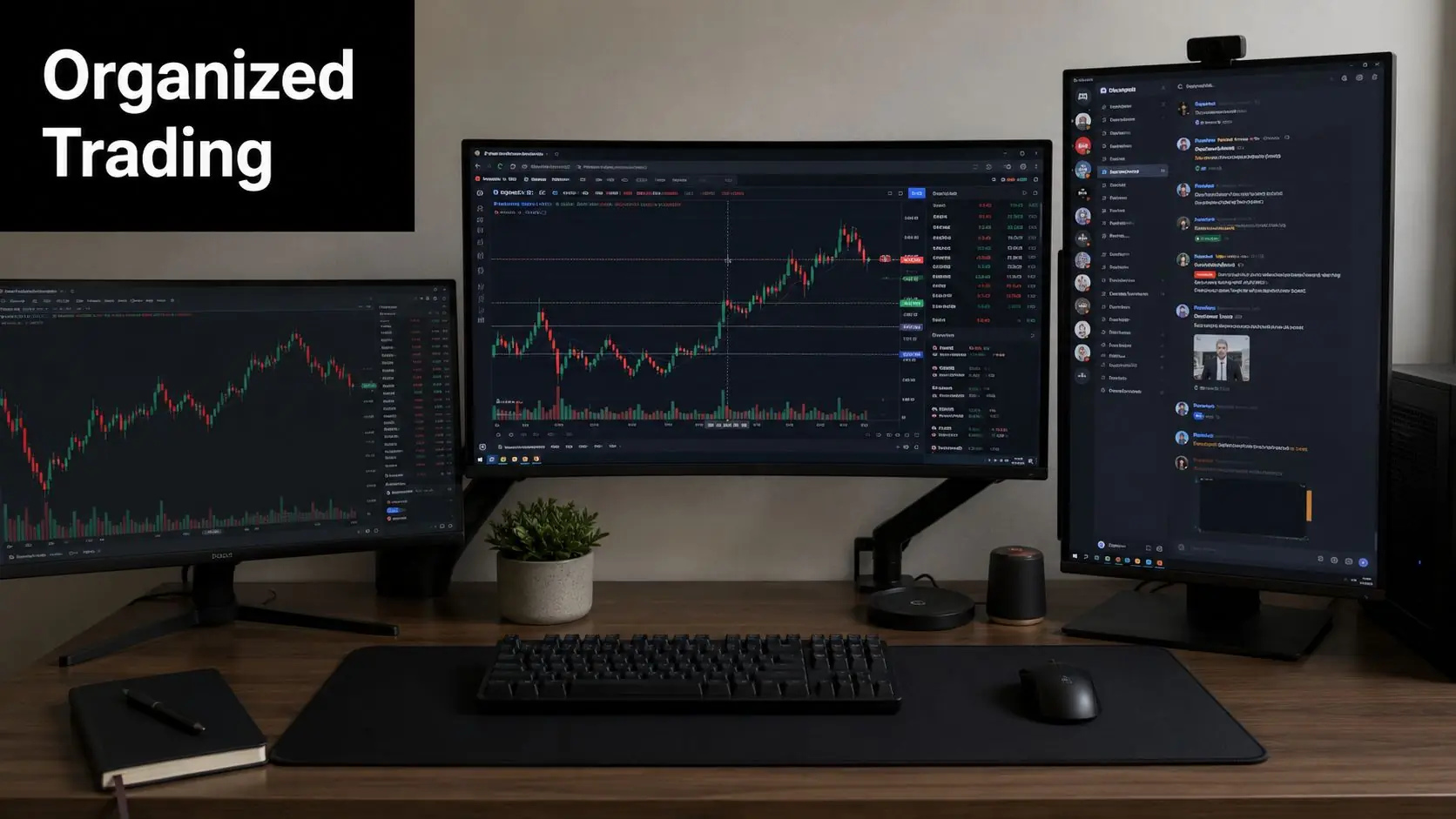
Core channels that actually earn their place
Start with categories, not random channels. Each category should match one part of your trading process.
Market Intel
External information lands. Keep it read-only if possible. Use separate channels for economic events, breaking news, earnings headlines, and sector notes. If everything pours into one room, you'll mute it and miss what matters.
Trade Analysis
Post chart markups before the trade triggers. Include the level, reason, invalidation, and session context. This channel should contain thinking, not celebrating.
Live Trades
Use this only for active position updates. One message format helps: instrument, direction, entry area, stop, target logic, and whether it's discretionary or system-driven.
Trade Journal
Drop screenshots before and after execution. Add one short note on why you took the trade and one on whether you followed the plan. Over time, this becomes more valuable than any signal feed.
Layouts by trading style
Different traders need different server architecture.
| Trading Style | Best Channel Focus | What to Avoid |
|---|---|---|
| Day trader | pre-market levels, live alerts, session recap | long-form macro debate during market hours |
| Swing trader | weekly watchlist, catalyst tracking, end-of-day review | minute-by-minute chatter |
| Algo trader | bot status, webhook logs, execution reports | manual signal spam in the same channel |
A simple structure that holds up under pressure
Here's a clean starting layout:
- Welcome and Rules keep permissions, templates, and posting standards here
- Daily Prep pre-market plan, watchlist, key levels
- Execution live trades, alerts, fills, bot notifications
- Review journal, mistakes, weekly recap
- Library saved resources, playbooks, screenshots of A+ setups
A trading server should reduce decisions during the session. If it creates more decisions, rebuild it.
One more rule matters. Separate research from execution. If chart debate and live fills happen in the same channel, you'll hesitate at the worst moment.
Automating Your Edge with Essential Bots and Webhooks
Manual checking kills focus. If you're flipping between Discord, TradingView, X, broker platforms, and news tabs all morning, your attention is already fragmented before the first setup appears.
The fix isn't joining more channels. It's routing the right information into the right place.
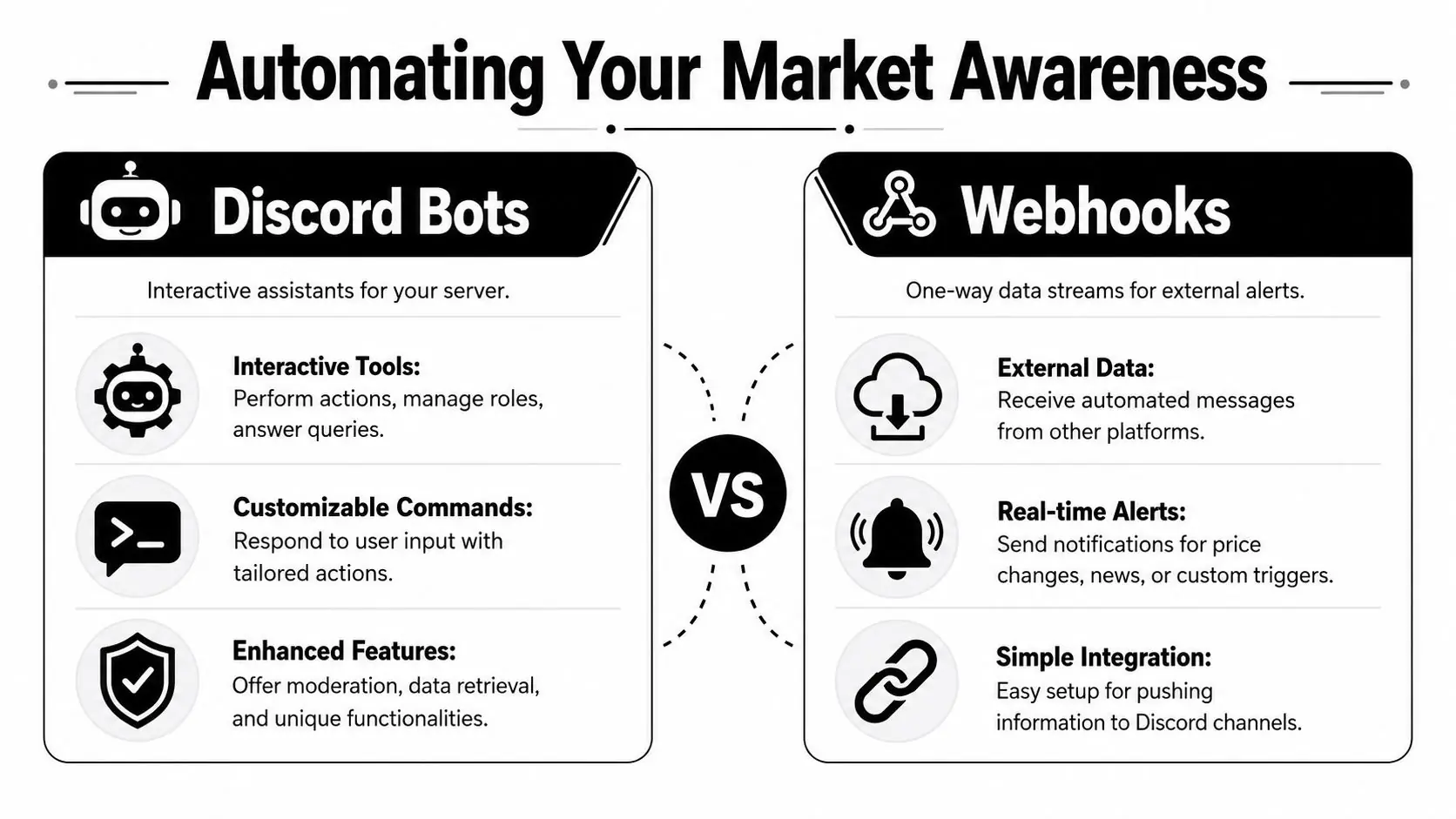
Bots and webhooks do different jobs
A bot is an app you add to your server. It can respond to commands, assign roles, pull data, and automate repeated actions.
A webhook is a one-way input. Another platform sends a message into a Discord channel when an event happens. That makes webhooks ideal for alerts from charting tools, automation platforms, and custom scripts.
This distinction matters because many free trading Discords claim they provide "live data" without being clear about where that data comes from or how delayed it is. According to the Unusual Whales Discord bot page, a 2025 study found that 68% of retail traders in free Discord groups struggle to distinguish between simulated and real data feeds, which can lead to trading errors.
What belongs in an automated setup
Don't automate everything. Automate the items that support decisions.
Useful bot jobs
- Role-based access separate your stock, index, crypto, and education channels
- Command lookup pull saved notes or standard operating procedures with simple commands
- Moderation remove spam, block invite links, and keep channels clean
Useful webhook jobs
- Price alerts send a message when your level breaks or reclaims
- News routing push selected headline feeds into a single read-only channel
- Calendar events alert you before the releases you care about
- System notifications receive trade execution or strategy status updates
Essential Discord bots for traders
| Bot Type | Primary Function | Example Use Case |
|---|---|---|
| Moderation bot | Keep channels clean and permissioned | Restrict posting in live-trade channels to approved roles |
| Alert bot | Route market or calendar notifications | Send a message before a key economic release |
| Command bot | Return saved templates or checklists | Pull your trade review checklist with one command |
| Data bot | Surface market-related feeds | Post options flow or ticker-specific updates into watchlist channels |
| Webhook connection | Push external alerts into Discord | Deliver TradingView alerts to a private execution room |
For traders who automate parts of their workflow, it's worth understanding where your setup fits relative to broader automated trading programs. Even if you trade manually, the same logic applies. Reduce friction, standardize alerts, and keep execution clean.
Build from one workflow, not from curiosity
Start with a single chain:
- Choose one strategy.
- Identify the alerts that matter.
- Create one dedicated Discord channel for them.
- Add only the bot or webhook needed for that job.
- Test message quality for a few sessions.
- Expand only if it improves your routine.
Most failed Discord setups break for one reason. Traders add tools because they can, not because the tool supports a proven process.
One clean alert with context is worth more than a hundred noisy pings.
Integrating TradingView and Algos with Discord Alerts
Once your server structure is stable, the next upgrade is direct alert delivery from your charting or automated system. With this integration, Discord becomes more than chat. It becomes your operating screen.
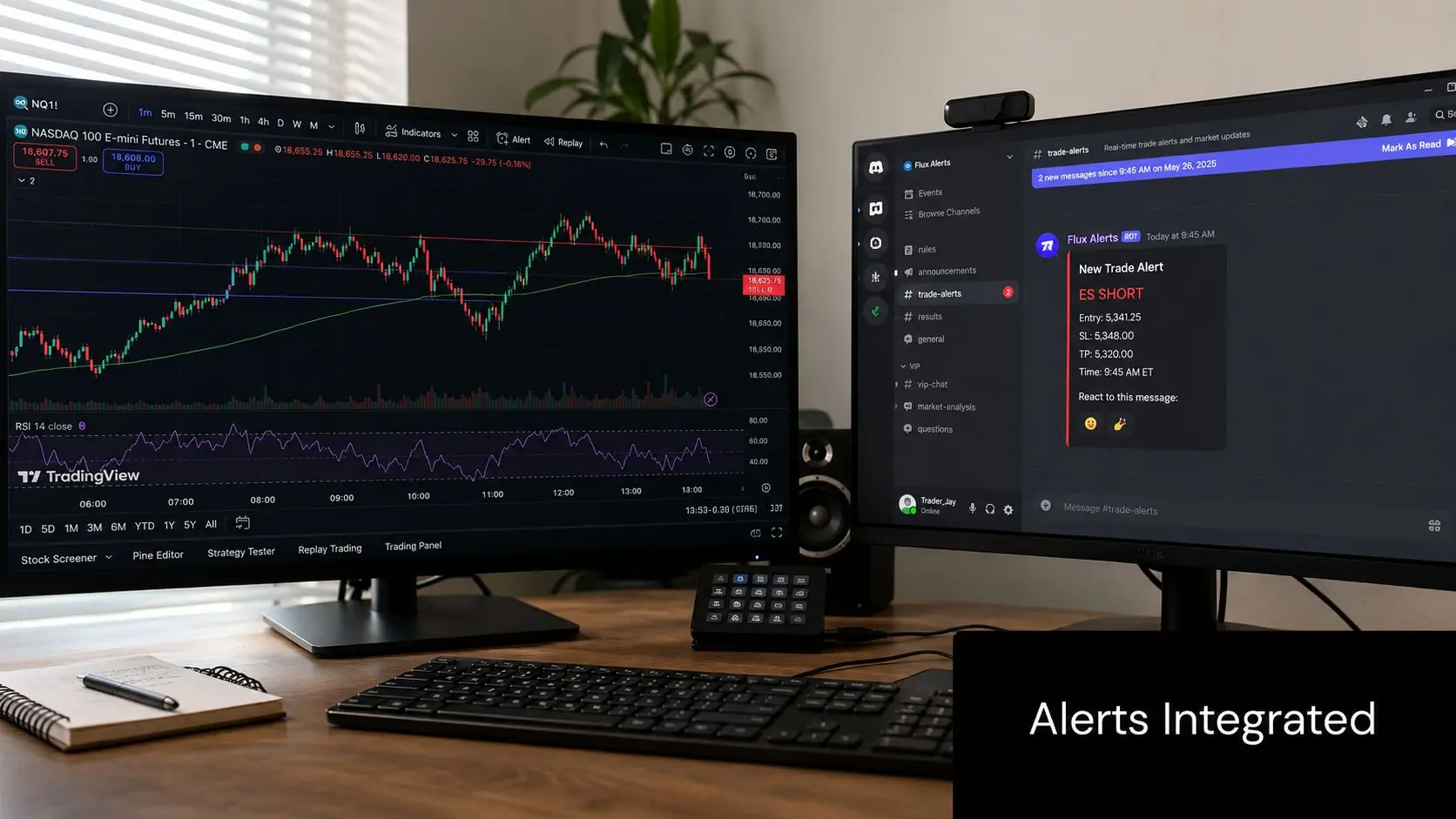
TradingView to Discord
The usual setup is straightforward. Create a dedicated Discord channel, generate a webhook for that channel, then paste that webhook into the platform sending the alert. In TradingView, you can configure alert messages so they arrive in plain language instead of unreadable code.
A useful alert message should answer five questions immediately:
- What triggered
- Which instrument
- At what level
- Why it matters
- What you do next
For example, your alert text might include the ticker, timeframe, trigger condition, and your note such as "wait for candle close" or "only valid during market open." That prevents your alert channel from turning into a stream of vague pings.
If you're testing strategy logic first, using a TradingView demo account workflow can help you validate message quality before tying alerts to live execution decisions.
Algos, scripts, and execution monitoring
Algorithmic traders should think beyond entries. The best Discord alerts for algo trading often have nothing to do with trade ideas. They deal with system status.
Good notifications include:
- Strategy started or stopped
- Order submitted
- Order rejected
- Position opened or closed
- Risk condition triggered
- Error message requiring review
That matters most when you're managing rule-based accounts or strict drawdown conditions. If your system hits an execution issue and you don't see it until later, the damage is already done.
Message format matters more than most traders think
Keep every alert readable at a glance. Use a consistent layout.
- Header instrument and timeframe
- Trigger breakout, reclaim, crossover, rejection, fill
- Level exact level or zone
- Status watch only, ready, in trade, closed
- Comment one short instruction
A bad alert creates extra interpretation under pressure. A good alert reduces hesitation.
For most traders, Discord works best as the final notification layer. Let TradingView, your script, or your platform do the heavy lifting. Let Discord centralize the output so you can monitor the process without jumping between tabs all session.
How to Evaluate Signals and Avoid Community Hype
A signal isn't a trade plan. It's an idea. That difference keeps traders safe.
Most losses from Discord communities don't come from bad platforms. They come from borrowed conviction. Someone posts a chart with confidence, members pile in, and nobody slows down long enough to ask the basic questions.
A hard reality backs this up. A 2024 SEC report summarized here found that 42% of retail traders in Discord groups who followed hot stock tips underperformed the S&P 500 by an average of 5.3% annually. That's the gap between hype and process.
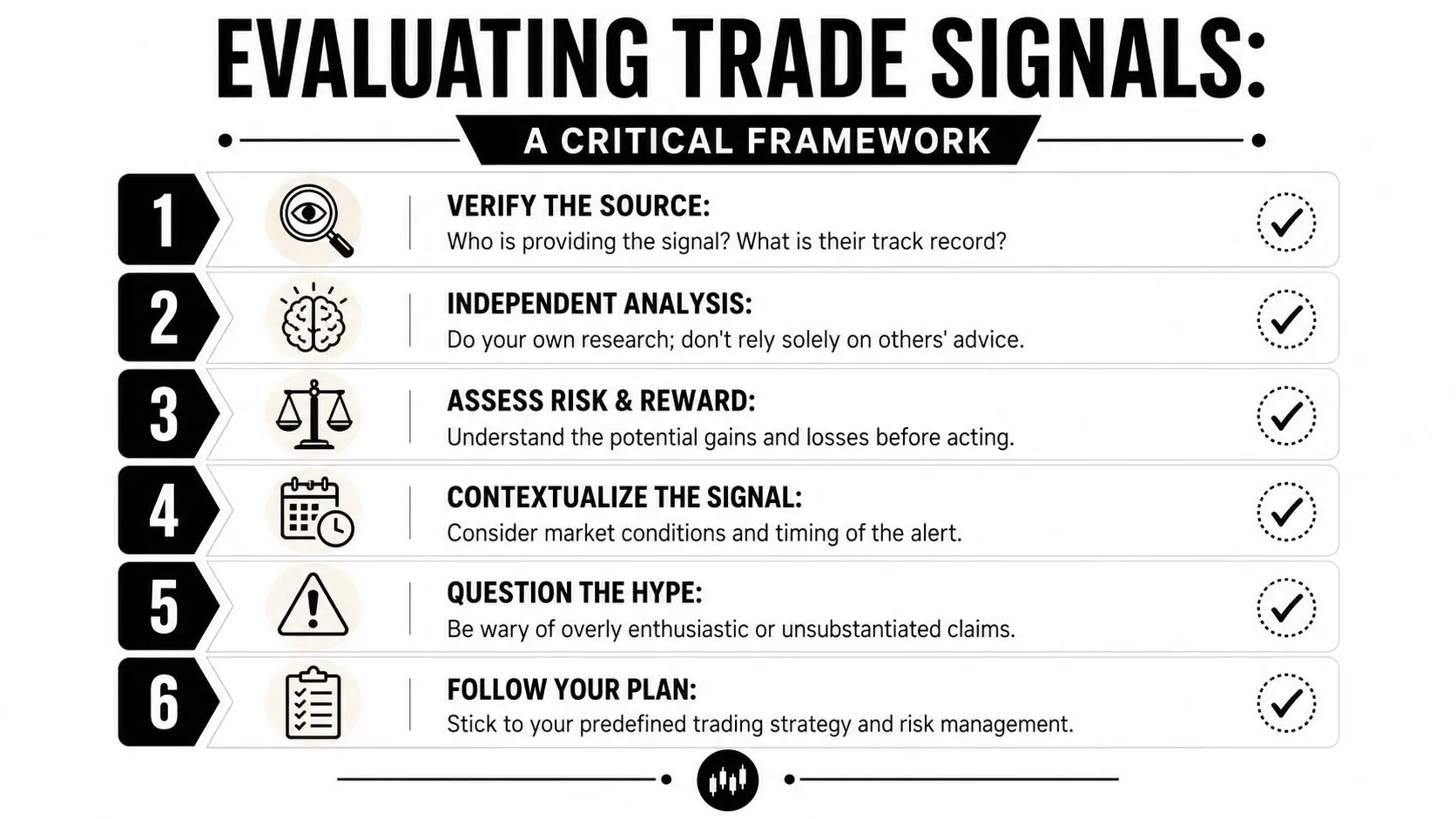
Use a six-point filter before you act
When a signal shows up in a Discord stock market server, run it through a checklist. If you can't answer these questions, you don't have enough to trade.
Who posted it?
Is this trader showing entries, exits, and invalidations, or only posting winners?What's the actual thesis?
"Looks strong" isn't a thesis. You need a reason grounded in price action, structure, catalyst, or trend context.Where is the trade wrong?
If there isn't a clear invalidation level, skip it.Does it fit your playbook?
A good setup for someone else can still be a bad trade for you.What is the timing?
A delayed signal is often useless, especially on lower timeframes.What does your own chart say?
If you haven't checked it yourself, you aren't trading. You're copying.
If a signal can't survive basic scrutiny, it doesn't deserve your money.
What disciplined traders do instead
The best traders use communities for idea generation, not outsourced decision-making. They let Discord surface names, themes, and alerts, then they do their own work on their own charts and journals.
That usually means:
- Comparing the alert to your own levels
- Checking whether the move is late
- Looking for catalyst context
- Sizing the trade based on your plan, not the poster's confidence
- Recording the result so you can review whether this source helps or hurts
If you want extra help stress-testing a ticker or setup before you act, tools that explore AI stock research can be useful as a second layer. The key is using them to challenge your thesis, not to replace it.
Red flags that should make you leave a server
Not every bad Discord group looks obvious. Some look polished.
Watch for these patterns:
- No posted losses members celebrate wins, but losing trades vanish
- Vague alerts no levels, no stop, no invalidation
- Urgency language pressure to act fast without context
- Status games admins flaunt lifestyle content instead of process
- Zero review culture nobody studies mistakes or tracks whether signals were effective
The traders who last don't need constant excitement. They need repeatability. That's even more important if you're trying to perform inside structured evaluation rules, where one impulsive trade can undo days of solid work.
Frequently Asked Questions About Trading on Discord
Can I buy Discord stock through my regular broker
No. As of early 2026, Discord Inc. is still a private company and a confidential IPO filing doesn't make the stock publicly available for retail trading. This overview of Discord's private stock status and IPO filing notes that any Discord share price shown on private market platforms is speculative and isn't accessible through standard brokerages.
Are paid Discord signal groups worth it
Sometimes, but most aren't worth paying for if you don't already know how to judge a setup yourself. A paid room can save time if it delivers clean structure, clear trade logic, and disciplined review. If it only sells excitement, speed, and screenshots of winners, it's a distraction with a monthly fee attached.
What's the safest way to use a Discord stock market server
Use it for watchlists, alerts, and accountability. Don't use it as your decision-maker. Keep your own levels, your own journal, and your own risk rules. If a server improves your preparation and review, keep it. If it pushes you into reactive trades, cut it.
Can Discord help with prop trading discipline
Yes, if you use it to reinforce rules rather than break them. A good private server can centralize alerts, track post-trade notes, and reduce platform switching. That's useful when you're trying to stay consistent, follow limits, and avoid emotional entries. It doesn't replace a strategy, but it can support one.
If you're serious about turning your trading process into something fundable, take a look at MyFundedCapital. You can compare challenge models, review payout timing, and choose a path that fits your style, whether you trade manually or with automation. Trading involves risk of loss, and funded evaluations reward discipline far more than hype.