

 AR
AR
 NL
NL
 EN
EN
 DE
DE
 ES
ES
 IT
IT
 PL
PL
 SV
SV
 PT
PT

You're probably in one of two spots right now. Either you've just installed MT5 and want a clean way to practice, or you're trying to use a MetaTrader 5 demo account to prepare for a prop firm-style evaluation without wasting weeks on bad setup.
That second use case matters more than most traders realize. A demo account can sharpen execution and discipline, but only if you configure it to behave like the environment you plan to trade.
Why Your Demo Account Setup Is Mission Critical
A MetaTrader 5 demo account isn't just a toy account with fake money. MetaQuotes describes demo accounts as a training mode without real money, and states they have the same functionality as real accounts while being opened without investment, as shown in the official MT5 account-opening help.
That changes how you should treat it.
If the platform functions are the same, then your demo is where you should build the mechanics that later need to hold up under pressure. That includes:
- Order entry speed: market orders, pending orders, stop-loss, take-profit
- Platform fluency: switching symbols, changing timeframes, managing windows
- Risk control habits: position sizing, trade invalidation, exit management
- Execution discipline: following a plan instead of clicking because price is moving
A sloppy demo setup creates sloppy behavior. Traders do this all the time. They open a random server, use an oversized balance, ignore capital multiplier settings, pile on trades, and then tell themselves they're “learning the platform.” What they're learning is poor process.
The bad habits usually start with account mismatch
If you plan to trade a structured evaluation, your demo should reflect that structure. Don't practice on a huge virtual balance if your target account is much smaller. Don't use unrealistic trading power if your future environment won't allow it. Don't skip stop-loss placement in demo and assume you'll suddenly become disciplined later.
Practical rule: If your demo settings don't resemble your target trading conditions, your results won't mean much.
A proper setup gives you a controlled place to rehearse repeatable actions. That's why experienced traders use demo differently from beginners. Beginners often use it to “see what happens.” Experienced traders use it to remove friction, test rules, and tighten execution.
What a good demo account actually trains
A well-built MetaTrader 5 demo account helps you answer practical questions fast:
| Focus area | Useful question |
|---|---|
| Order handling | Can you place and modify trades without hesitation? |
| Risk process | Do you know your stop before you enter? |
| Layout efficiency | Can you find what you need without hunting through menus? |
| Strategy discipline | Are you taking only your planned setups? |
The money isn't real, but the workflow is. That's the part worth mastering.
Opening Your MetaTrader 5 Demo Account
The opening process is simple, but it's worth doing carefully once so you don't have to redo everything later. Broker guidance shows that an MT5 demo account is typically opened by selecting Open an Account or Create demo account, then entering the broker or server, setting account conditions like balance and margin settings, and receiving a login, password, and server name for access, as outlined in this MT5 demo account setup guide.
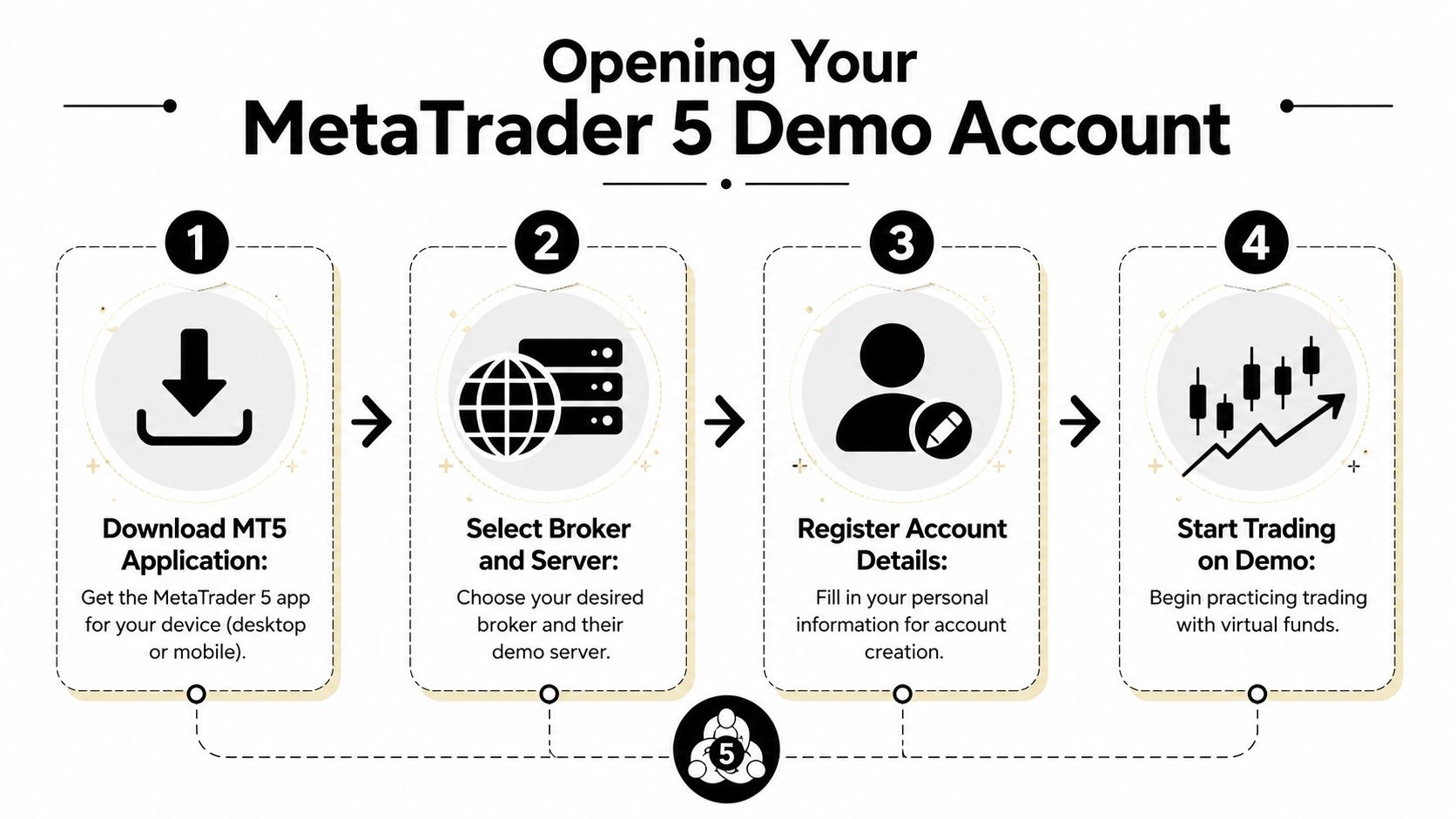
Desktop setup on Windows or Mac
On desktop, the cleanest route is to install MT5 first, then create the account from inside the platform.
Install MetaTrader 5
Download the platform from your broker or the MetaTrader ecosystem entry point your broker supports.Open the account window
In MT5, look for Open an Account. Some versions show this in the file menu or account area.Search for the broker server
Type in the broker name or choose the demo server provided.Choose demo registration
Select the demo option rather than a live account.Set account conditions
You'll usually be asked for:- Balance
- Account multiplier
- Basic registration details
Save your credentials
MT5 will generate or return:- Login
- Password
- Server name
Don't leave this part to memory. Save the credentials immediately in a secure note.
Mobile setup on iPhone or Android
The mobile process is similar, just compressed into fewer screens.
- Install the app
- Tap to add an account
- Find the broker
- Select the demo server
- Create the account
- Log in with the issued credentials
The main mistake on mobile is rushing through server selection. If you pick the wrong server, you can end up staring at an account that won't connect properly.
Save the login, password, and server name before you close the registration screen. Recreating access later is an annoying waste of time.
WebTerminal and login details
If your broker supports browser access, the same core information still matters. You need the correct login, password, and server. Those three details are what tie your account to the proper environment.
Set the account like a trader, not a tourist
This part matters more than the signup clicks.
When the form asks for balance and margin settings, choose settings that mirror the way you intend to trade. If your end goal is prop-style evaluation prep, keep the account realistic. A practical benchmark from broker and MT5 guidance is to mirror live execution conditions as closely as possible by choosing the broker's server and setting realistic balance and margin parameters, as shown in this MT5 demo configuration walkthrough.
Use this quick check before you finish:
- Server match: Does this server reflect the broker environment you want to practice on?
- Balance realism: Is the virtual balance close to your intended trading size?
- Trading power fit: Will the available trading power encourage the same position sizing you'll use later?
- Credential storage: Did you save login, password, and server cleanly?
That's enough to get the account live without building bad assumptions into day one.
Configuring Your Platform for Efficient Trading
A fresh MT5 install is functional, but not efficient. The default layout often forces too many clicks, too much screen switching, and too much visual noise. Fix that early.
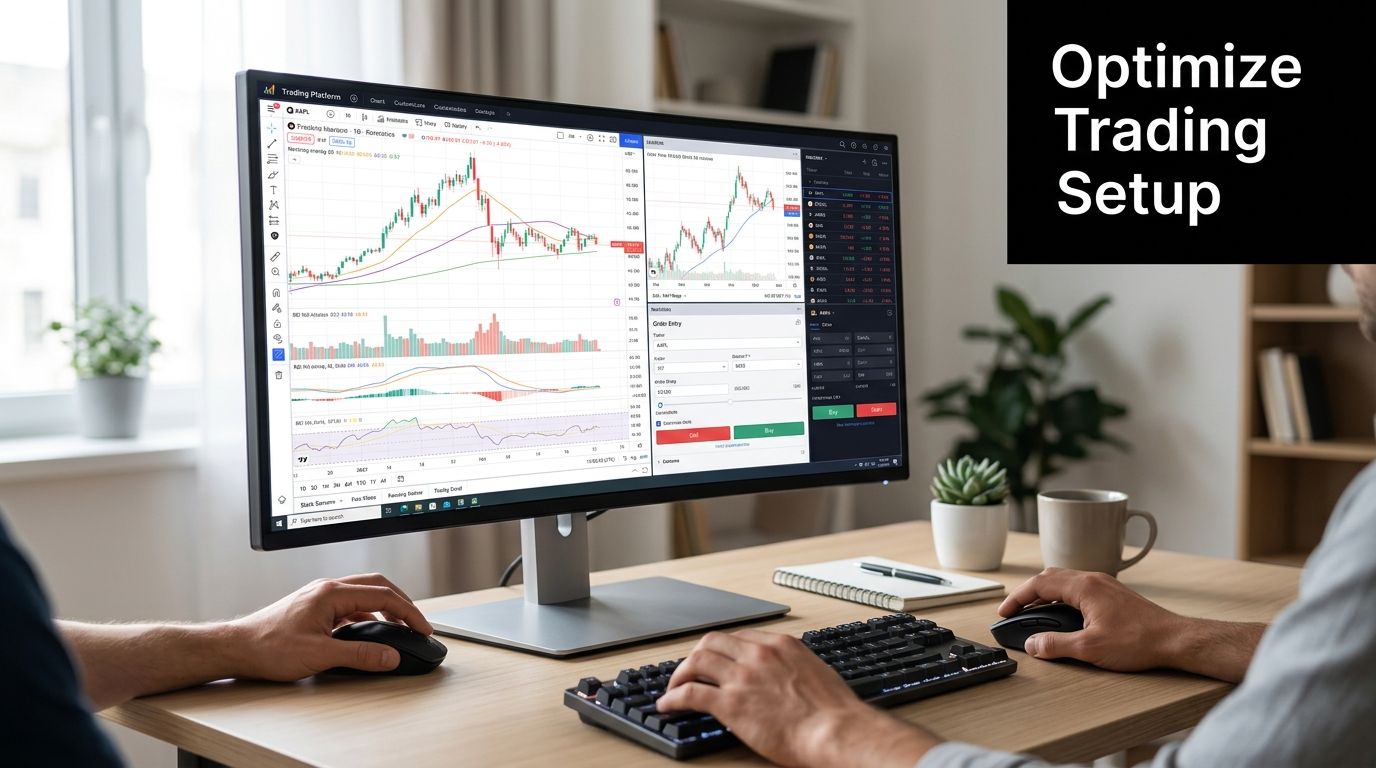
Clean the workspace first
Before you add indicators or templates, strip the platform down.
Remove anything you don't use regularly. That usually means extra chart windows, unnecessary symbols in Market Watch, and visual clutter like loud default colors if they distract you. You want your most-used tools visible without scanning around the screen.
A practical starting layout usually includes:
- Market Watch for your active instruments
- Navigator for accounts, indicators, scripts, and EAs
- One main chart or a small multi-chart grid
- Toolbox or terminal panel for trade management and history
If you're still deciding between platforms, this MetaTrader 4 vs MetaTrader 5 comparison helps clarify where MT5 gives you a broader workflow.
Build one reusable chart template
Most traders waste time by reformatting charts one by one. Don't do that. Create a single chart exactly how you want it, then save it as a template.
Include the elements you rely on every session:
- Candlestick colors you can read instantly
- Background and grid settings that reduce eye strain
- Preferred timeframes
- Your core indicators
Then save the chart as a template and apply it to every new symbol.
A good template removes hesitation. When every chart looks the same, your brain spends less effort adjusting and more effort analyzing.
Keep indicators boring and useful
New traders often overload demo charts because they feel free to experiment. That usually slows decision-making.
Start with a short set of tools you understand. For many traders, that means a basic structure such as:
| Tool | What it helps with |
|---|---|
| Moving averages | Trend direction and pullback context |
| RSI | Momentum and overextension checks |
| Horizontal levels | Clear reaction zones |
| Session markers | Time-based context for active markets |
If an indicator doesn't change your decision, remove it.
Installing an EA or custom indicator
If you use automation, MT5 becomes more than a charting platform.
The usual process is straightforward:
- Get the file from the MQL5 marketplace or a trusted provider.
- Place it in the correct MT5 folder for experts or indicators.
- Restart the platform or refresh the navigator.
- Attach it to a chart and confirm the settings.
- Check permissions if the tool needs automated trading enabled.
Don't install tools just because they look advanced. In a MetaTrader 5 demo account, every plugin should support one of two jobs: cleaner analysis or cleaner execution.
Running Your First Strategy Backtest
Manual demo trading teaches execution. Backtesting teaches whether an idea deserves more of your time.
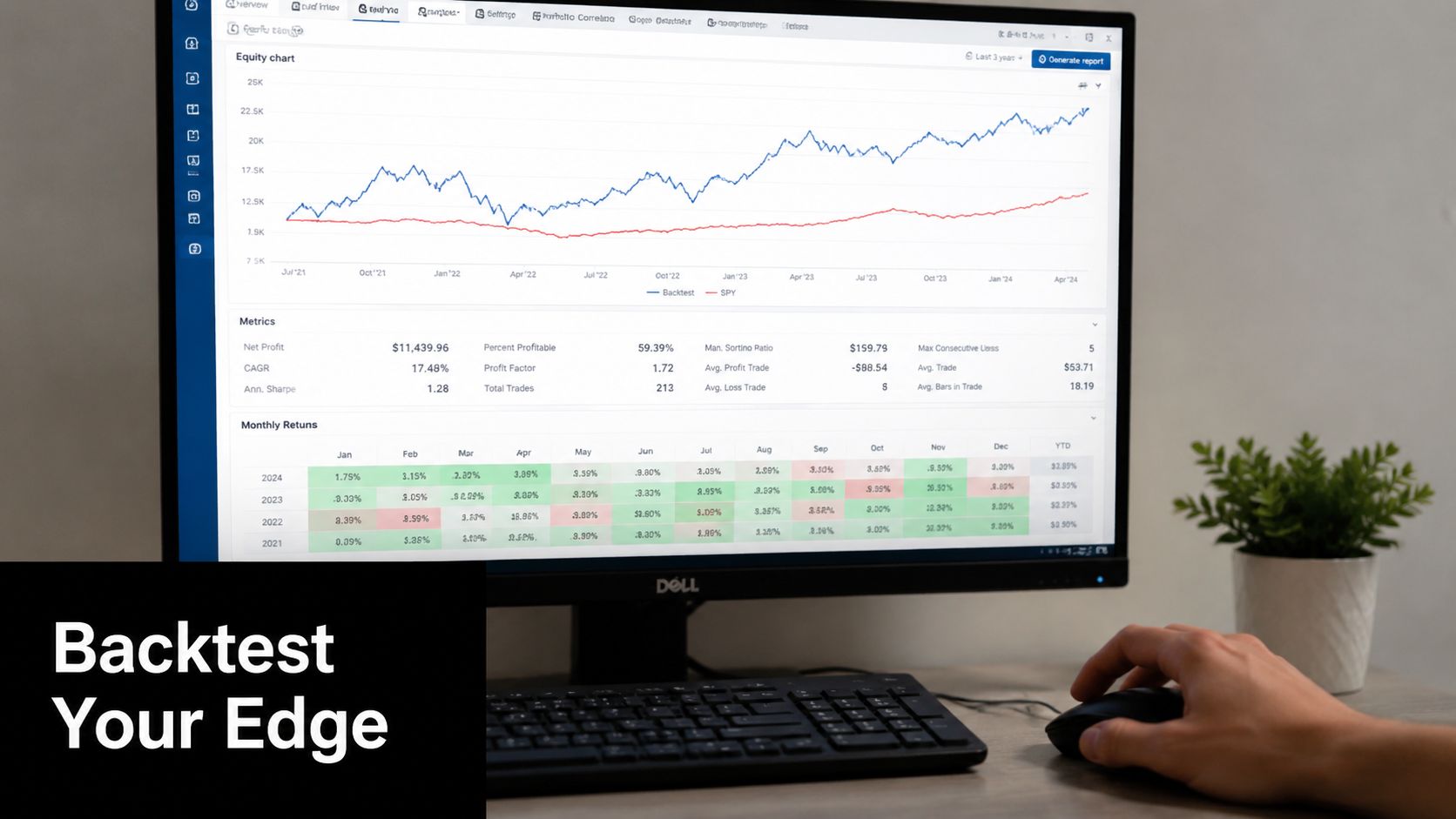
Start with a simple test
Don't make your first Strategy Tester run overly complex. A moving average crossover is enough to learn the workflow.
The basic sequence is:
- Open Strategy Tester in MT5.
- Choose the Expert Advisor or script you want to test.
- Select an instrument.
- Choose the timeframe.
- Set the date range.
- Select a modeling approach.
- Run the test and review the report.
If you need a broader look at tools built for this job, this guide to back test software gives useful context.
What to set before pressing start
MT5 gives you enough options to confuse yourself if you're not careful. Keep your first run controlled.
Use this checklist:
- Instrument choice: Pick something you trade or plan to trade.
- Date range: Use enough market history to see different conditions.
- Spread awareness: Don't ignore practical trading costs in your assumptions.
- Model quality: Use the setting that fits the kind of strategy you're testing.
For discretionary traders, the point isn't to produce a perfect result. It's to answer whether the setup logic is coherent and whether the trade management rules make sense.
How to read the output without fooling yourself
The Strategy Tester report can tempt you to focus on the nicest-looking number. That's a mistake.
Read it in this order:
Equity curve first
Does the curve rise in a relatively stable way, or is it chaotic?Drawdown next
Even a profitable system can be unusable if the pullbacks are too deep for your rules.Trade list after that
Check whether wins and losses happen in a way that matches the strategy logic.Then inspect inputs
Small parameter changes shouldn't completely break the idea.
Don't ask, “Did this strategy make money?” Ask, “Did this strategy behave in a way I can execute consistently?”
Use backtesting to tighten demo practice
Backtesting and demo trading should feed each other.
If the test shows the system works best with clear trend conditions, don't force it in chop on demo. If the test shows the exit logic is weak, refine that before you start judging your live readiness. A MetaTrader 5 demo account works best when platform practice and strategy validation are connected, not separated.
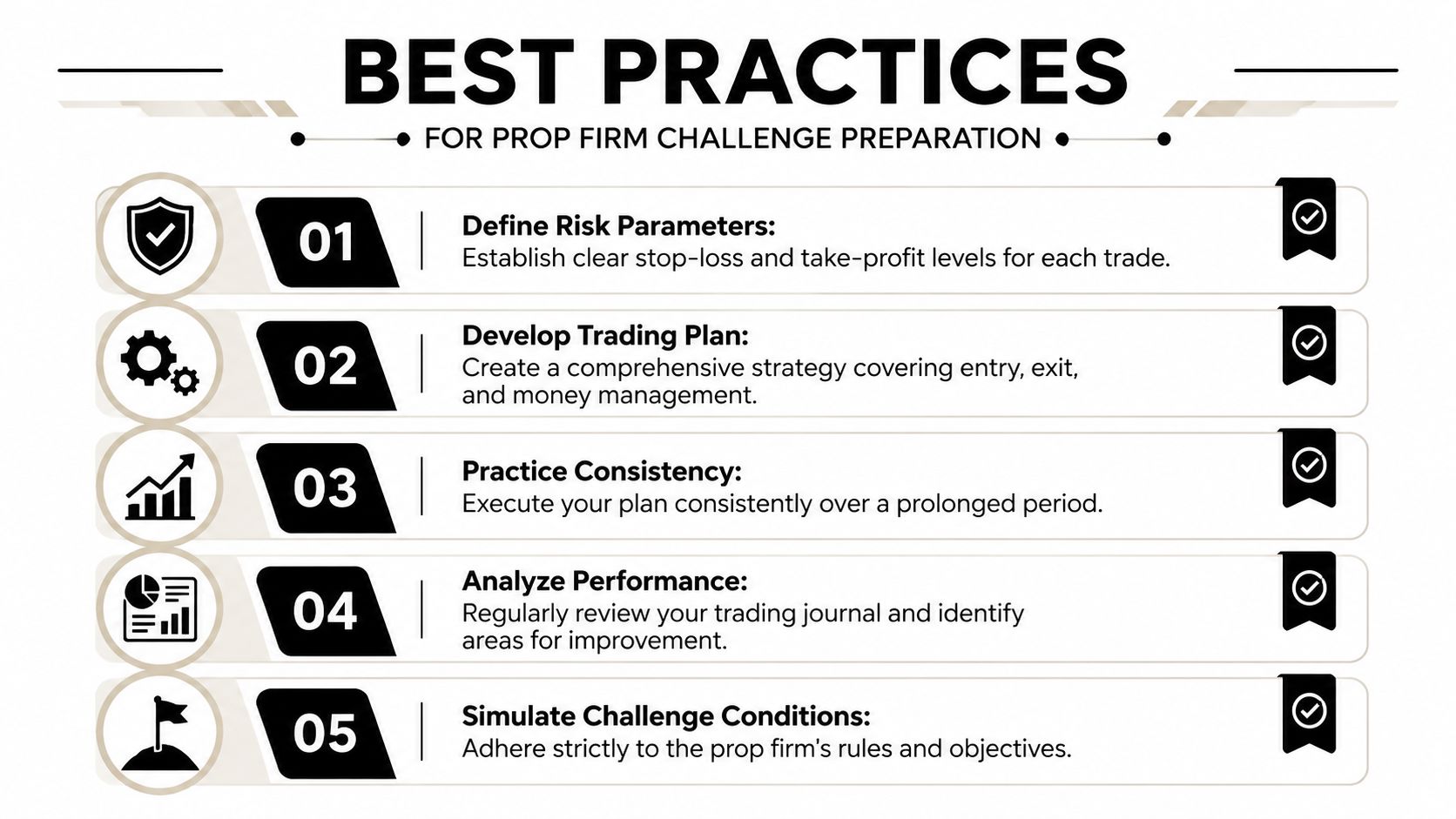
Best Practices for Prop Firm Challenge Preparation
Generic demo trading is easy. Targeted demo trading is harder, and much more useful.
If you're preparing for a challenge-style environment, your practice account should mirror that environment as closely as possible. That means the same account logic, similar risk behavior, and the same restrictions you'll expect yourself to follow later.
Match the account before you judge your results
A common mistake is practicing on a demo that has nothing to do with the actual evaluation target. Oversized balance, generous trading capacity, random trade frequency, no consistency rules. That doesn't prepare you for anything.
Your prep account should reflect:
- Similar balance assumptions
- Comparable trading power
- A fixed risk model
- Clear loss limits that you enforce manually
- The same trading session windows you plan to use
One practical reference point is that some evaluation firms operate in simulated environments with real market quotes. For example, MyFundedCapital uses demo environments to assess discipline and execution under defined rules. That makes practice quality more important than virtual profit size.
Build rules that force discipline
Demo trading breaks down when traders improvise. The fix is simple. Put constraints around yourself.
Use a checklist before every session:
| Check | Why it matters |
|---|---|
| Defined setups only | Reduces revenge and boredom trades |
| Stop-loss planned before entry | Prevents reactive risk decisions |
| Session limit | Stops overtrading |
| Daily loss threshold | Preserves evaluation mindset |
| Journal notes | Makes errors visible |
Trade the plan even when nobody is forcing you to. That's where the carryover value comes from.
Respect the realism gap
Broker education on MT5 demo use points out a frequent pitfall. Demo trading lacks the profit motive and emotional pressure of live trading, and that difference matters because psychological realism is a core gap, not a small inconvenience, as noted in this MT5 demo trading guide.
That's the hardest part to simulate.
You can't fully recreate live pressure, but you can reduce the gap:
- Journal emotional impulses: note when you wanted to move a stop or force an entry
- Use fixed session rules: no random trades outside your planned hours
- Treat rule breaks as losses: even if the trade wins, mark the process as failed
- Limit trade count: more trades often means lower selectivity
Strong demo performance only matters if it came from rules you can repeat under pressure.
A trader who follows risk limits and setup criteria on a realistic demo is usually building something useful. A trader who treats demo like a video game is mostly rehearsing future mistakes.
Frequently Asked Questions About MT5 Demos
How long does a MetaTrader 5 demo account last
It depends on the broker. MT5 demo policies vary widely, from unlimited virtual funds and easy top-ups with some providers to automatic 14-day expiry with others, so it's smart to check the broker's policy before you build a routine around that account, as shown in this MT5 demo account policy overview.
Can I use one demo account forever
Sometimes yes, sometimes no. Some brokers let you keep using the same account or top it up. Others expire inactive or time-limited demos. If continuity matters, confirm the rule before you start journaling trades in that account.
Is demo trading enough to prepare for live or evaluation trading
It's enough for platform skill, workflow repetition, and strategy rehearsal. It isn't enough by itself for emotional preparation. You still need to prove that you can follow the same rules when consequences feel real.
What should I save after opening the account
Save the login, password, and server name immediately. If you don't, reconnecting later can become an unnecessary problem, especially if you trade across desktop and mobile.
Trading involves substantial risk of loss and isn't suitable for everyone. This content is educational only and isn't financial advice.
If you want to turn practice into a structured evaluation path, explore the funding programs at MyFundedCapital and compare which challenge format fits your trading style, rules, and risk process.
