

 AR
AR
 NL
NL
 EN
EN
 FR
FR
 ES
ES
 IT
IT
 PL
PL
 SV
SV
 PT
PT

You're probably looking at a strategy that seems clean on the chart and wondering whether it survives contact with a real account. That's the right question. Backtesting on thinkorswim can help you find workable ideas fast, but the platform's built-in tools don't all answer the same question, and some of them can give false confidence if you use them the wrong way.
The useful way to think about it is simple. Use thinkorswim to screen, replay, and pressure-test your logic. Then treat the results like a draft, not a verdict. Trading involves risk of loss, and this article is educational only, not financial advice.
Choosing Your Thinkorswim Backtesting Method
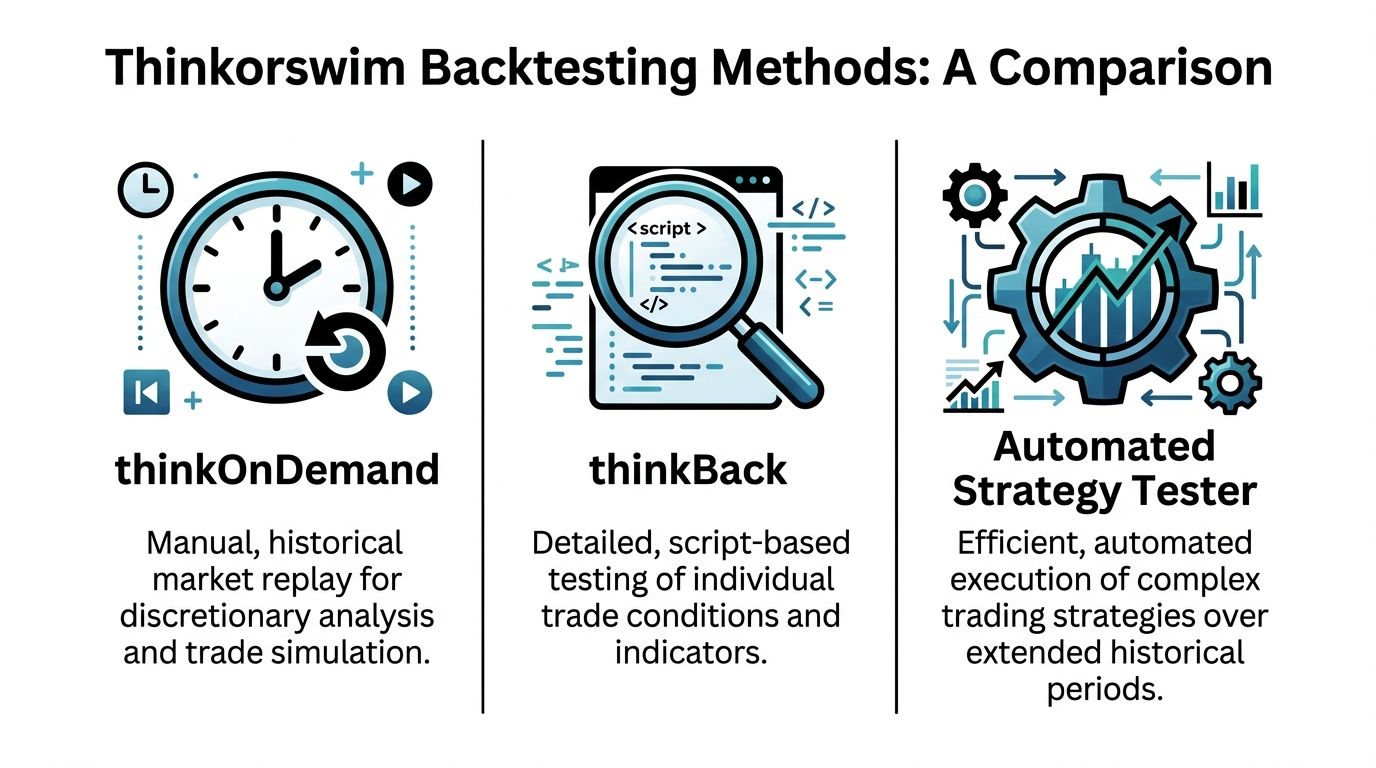
Most traders waste time by using the wrong tool for the job. In thinkorswim, thinkBack, thinkOnDemand, and Custom Strategies all count as backtesting tools, but they solve different problems. Thinkorswim's backtesting ecosystem includes those three distinct methodologies: thinkBack for historical data simulation, thinkOnDemand for virtual account practice, and Custom Strategies for automated performance analysis, as described in this breakdown of thinkorswim backtesting methods.
What each method actually does
thinkOnDemand is for market replay. You step into a past session and trade it in a virtual environment as if it were live.
thinkBack is for historical what-if analysis. It's especially useful when you want to inspect how a specific trade or options position would have behaved from one point in time to another.
Custom Strategies are for signal-based automation on the chart. You load a built-in or custom strategy, let thinkorswim generate buy and sell signals, and review the estimated profit and loss in a report.
Practical rule: If you're testing discretionary execution, use thinkOnDemand. If you're checking a specific historical setup, use thinkBack. If you're testing rule-based entries and exits at scale, use Custom Strategies.
Thinkorswim backtesting methods compared
| Method | Best For | Pros | Cons |
|---|---|---|---|
| thinkOnDemand | Discretionary traders who need replay and execution practice | Feels closest to live decision-making, useful for reviewing timing and management | Can create false confidence if your live workflow depends on dynamic scans or watchlists |
| thinkBack | Traders testing specific stock or options scenarios | Fast historical P/L simulation, strong for options what-if analysis | Less useful for execution practice and workflow testing |
| Custom Strategies | Rule-based systems and indicator-driven setups | Quick way to generate signals and estimated performance on a chart | Signal-based simulation is not the same as live fills |
A lot of traders bounce between all three without a plan. Don't. Pick the tool based on the question you're asking.
The practical selection filter
Use this short checklist:
- Need to replay a session bar by bar: choose thinkOnDemand.
- Need to inspect a historical options position: choose thinkBack.
- Need to compare strategy logic over a long chart history: choose Custom Strategies.
- Need all of the above: sequence them instead of mixing them. Start with strategy logic, move to replay, then review trade notes.
If you want to compare thinkorswim against other backtesting software for traders, that comparison matters because no single platform handles signal testing, replay, and execution realism equally well.
A Practical Walkthrough Using OnDemand and thinkBack
Many traders gain valuable experience through this. Manual replay and historical scenario testing won't replace an extensive research stack, but they're the fastest way to catch obvious problems in your setup.
A practical thinkorswim workflow starts in the Analyze tab with thinkBack, where you set a historical start date. One important pitfall is that OnDemand uses static historical data, so dynamic tools like scans and custom watchlist columns won't update there, which can mislead traders who rely on those tools in live trading, as noted in this step-by-step guide to all three thinkorswim tools.
How to use thinkBack without overcomplicating it
Open Analyze and select thinkBack. Then use the calendar in the top right to choose your historical starting point.
From there:
- Pick the instrument you want to review.
- Build the hypothetical trade as if you were entering it on that date.
- Advance the P/L date to inspect how the position evolved.
- Record the result in a journal or spreadsheet.
For options traders, thinkBack proves its value. You can inspect how a structure would have changed over time instead of relying on memory or screenshots.
How to use OnDemand for execution practice
OnDemand is better when you need to answer a different question: not “Would this setup have worked?” but “Would I have traded it correctly in real time?”
Use it like this:
- Choose a specific session: Pick a date and time you want to replay.
- Run your normal chart layout: Same timeframes, same indicators, same trigger.
- Trade the replay: Enter, manage, and exit as if the market were live.
- Log mistakes separately from strategy quality: Bad execution and bad signal logic are different problems.
That last point matters. A setup can be solid while your execution is sloppy. OnDemand helps separate those.
A clean replay session is useful only if you traded it using the same process you'd use live.
The workflow that actually works
Most newer traders do this backward. They replay first, get excited, then try to justify the setup later.
A better order is:
- Start with thinkBack to inspect whether the trade idea even made sense historically.
- Move to OnDemand to test whether you can execute it consistently.
- Finish in paper trading if you want more repetitions under current market conditions.
Keep a simple trade log with:
- Entry reason
- Exit reason
- Market context
- Error notes
- Whether the failure came from the setup or from you
That's not glamorous, but it's what stops you from fooling yourself.
Building and Running Automated Strategy Tests
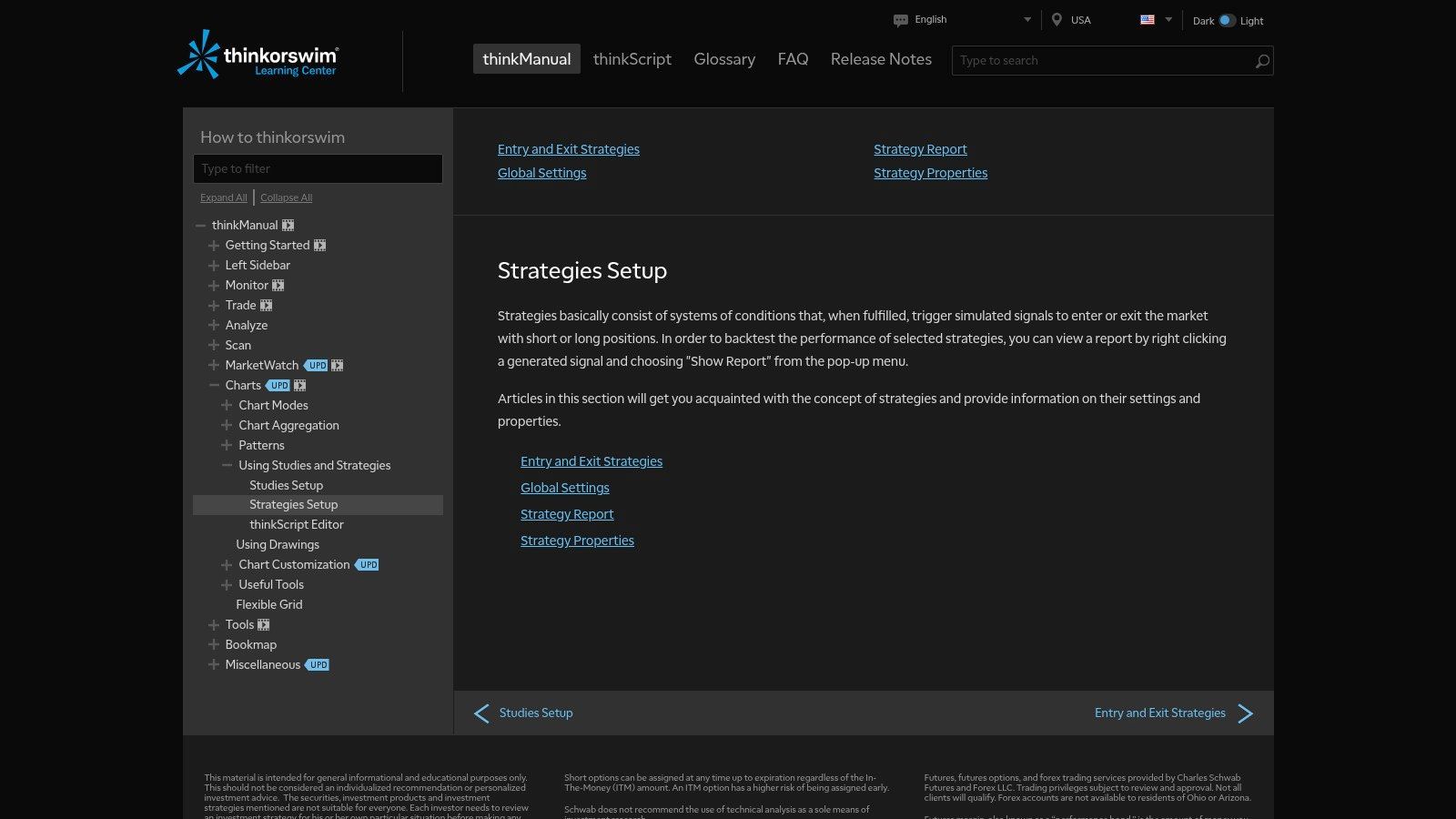
If your setup has rules, stop eyeballing charts and make the platform do some work. Custom Strategies and the Strategy Report then become useful. They won't give you a full execution model, but they can quickly show whether your logic produces consistent signals over a wider historical sample.
Here's the layout used in the official strategy setup documentation.
Start with a built-in strategy
You don't need to write thinkScript from scratch on day one. Start with a built-in strategy so you can learn the process.
A straightforward workflow:
- Open a chart for the instrument you want to test.
- Go to Studies and open the editor.
- Switch to the Strategy tab and add a predefined strategy.
- Adjust inputs if the setup allows parameter changes.
- Apply it to the chart and inspect the generated arrows or markers.
If you're testing a moving average crossover idea, this is enough to learn how the platform behaves before you customize anything.
Generate the Strategy Report
The important step is the report, not the arrows. Thinkorswim's Strategy Report aggregates all Buy and Sell signals generated by a strategy and estimates the corresponding P/L. The official manual gives a benchmark example using Bollinger Bands strategies on an E-mini S&P 500 futures chart over a 1-Year Day timeframe, where the test produced 6 Buy signals and 5 Sell signals before estimating the resulting profit/loss in the report, according to the official thinkorswim Strategy Report documentation.
To open it:
- Right-click a generated signal
- Choose Show Report
- Review the trade list and summary output
What to look for in the report
Don't stare at one number. Read the report in layers:
| Report area | What to check |
|---|---|
| Signal list | Whether entries and exits appear where your logic says they should |
| Trade sequence | Whether the strategy behaves sensibly through different chart conditions |
| Estimated P/L | Whether the system is even directionally viable before deeper validation |
If you plan to automate later, don't treat this as a final answer. Treat it as the first filter.
For traders who want to connect strategy validation to a broader automated trading program workflow, this stage is where weak logic should get rejected early, before you spend time on coding, optimization, or deployment.
Interpreting Results and Avoiding Common Traps
A strategy report says your setup made money over the last few months. Then you trade the same rules in a prop evaluation, miss one fast fill, eat a wider spread on the next entry, and the clean equity curve starts to look fake. That gap is the whole problem with thinkorswim backtesting.
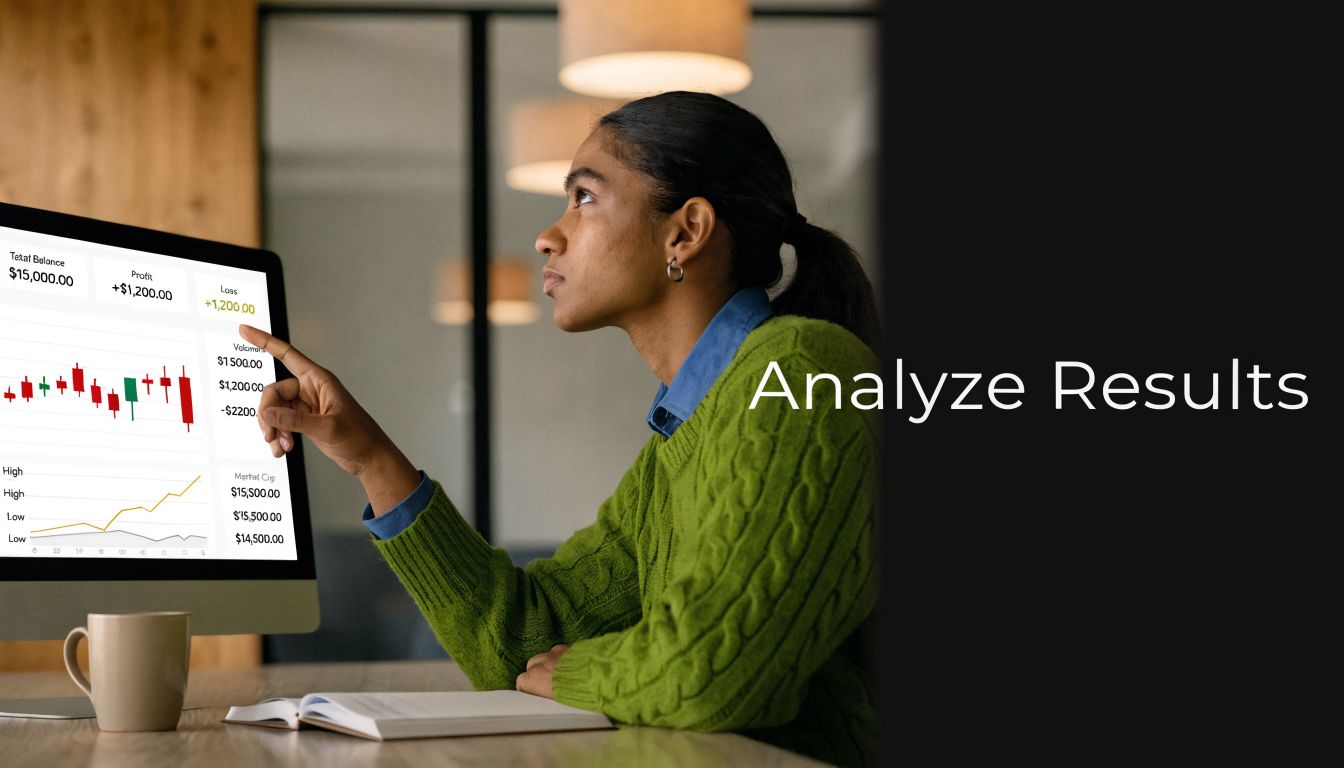
Thinkorswim is good at testing signal logic. It is weak at proving execution quality. If you forget that, you will overrate a strategy that only works on a clean chart.
The platform's Strategy Report can show a promising sequence of entries and exits, but it does not fully reflect the friction that matters in live trading. Slippage, spread changes, partial fills, delayed reactions, and rule-breaking under pressure can turn a passable setup into a losing one. That is why I treat thinkorswim as the first screen, not the final proof, especially for intraday traders trying to pass a prop firm challenge with real drawdown constraints.
Read the report like an execution reviewer
Start with the trade list, but do not stop at net P/L.
Ask sharper questions:
- Where does the strategy make its money? If most gains come from one short stretch of trend, the setup may be fragile.
- How bad are the losing streaks? A strategy can be profitable overall and still fail your risk limits or your discipline.
- Do exits happen where a live trader could respond? Many chart-perfect exits depend on bar-close hindsight or ideal timing.
- What happens around fast candles or session opens? Those are common spots where signal quality and fill quality split apart.
This review matters more than the headline win rate. A high win rate with ugly average losses is still a problem. A smooth chart with only a handful of trades is also a problem. Thin sample size fools traders every week.
Common traps that make a backtest look better than the trade would feel
A few mistakes show up over and over:
- Parameter polishing: Changing settings until the chart looks clean usually means the rules were tuned to old noise.
- Ignoring fill realism: A printed arrow is not evidence of a tradable fill at that price.
- Testing one market regime: A setup that behaves well in trend can unravel during chop, news spikes, or dead midday trade.
- Skipping manual review: Automated output hides rule conflicts, late entries, and exits that depend on hindsight.
- Confusing signal edge with execution edge: The setup may be fine while the trader is late, hesitant, oversized, or inconsistent.
Here is the blunt version. If the backtest only looks good when every setting is optimized and every fill is clean, the strategy is not ready.
What to do instead
Use a two-part review.
First, decide whether the signal logic has any edge at all. Then check whether that edge survives realistic execution assumptions. That second step is where many thinkorswim tests fail, and it is the step that matters most for prop firm trading.
A practical checklist helps:
| Trap | Better approach |
|---|---|
| Perfect-looking settings | Change inputs slightly and see whether performance falls apart |
| Clean chart entries | Mark likely slippage, spread cost, and missed fills in your notes |
| Strong result in one period | Recheck the setup in different sessions and market conditions |
| Obsession with net profit | Review drawdown, loss clusters, and whether you would keep trading it live |
| Signal passed the test | Replay the same setup manually and compare what you could have executed |
That last line is the bridge most traders miss. Thinkorswim can tell you whether a rule set fired signals in the right places. It cannot tell you whether you can execute those signals well enough to pass evaluation rules. You have to validate that part yourself, bar by bar, session by session.
Advanced Validation for Prop Firm Readiness
Passing an evaluation isn't about finding a chart that looks profitable. It's about proving that your process can survive rules, pressure, and imperfect execution. That's where most thinkorswim backtests stop short.
Build a validation process, not a highlight reel
Start by separating your work into three buckets:
Signal validation
Use thinkorswim to confirm that the setup has structure. You're checking whether the rules produce repeatable entries and exits.Execution validation
Replay sessions and test whether you can follow the rules under time pressure. Through this process, many discretionary traders discover that the strategy isn't the problem. Their process is.Environment validation
Compare the strategy against the actual market conditions and constraints you expect to trade under. Instrument selection, session timing, spread behavior, and risk limits all matter.
A lot of traders stop after the first bucket. That's not enough.
Use out-of-sample thinking
Even if you don't run formal research software, you can still work with the right mindset. Test an idea on one historical window, make your adjustments, then check it on a different period you didn't use for tuning.
That forces honesty.
You should also pressure-test the setup in different conditions:
- Trending periods
- Range-bound periods
- High-volatility stretches
- Slower environments
If the strategy only works in one narrow context, size that truth correctly. Don't call it a universal setup.
A strategy that barely survives realistic review is not ready for a challenge account.
Match the strategy to the actual rules
Traders often get blindsided at this stage. A method can be valid in general and still be wrong for an evaluation structure.
Ask blunt questions:
- Can this setup tolerate losing streaks without rule-breaking?
- Does the holding style fit the account restrictions you're trading under?
- Will execution quality matter so much that a small slip ruins the edge?
- Are you trading instruments and sessions that match the account environment?
If you're planning to take a prop firm challenge, your testing process should reflect the same constraints you'll face when the pressure is real.
A practical readiness standard
Before calling any strategy “ready,” make sure you can say yes to these:
- The setup still makes sense after parameter changes
- You've reviewed it across different market regimes
- You've replayed it manually, not just trusted chart signals
- You know where the strategy fails
- You know how the losses tend to cluster
- You can execute it without improvising
That won't guarantee success. Nothing does. But it will remove a lot of the self-inflicted damage that comes from trusting a backtest too early.
Frequently Asked Questions About Thinkorswim Backtesting
Common questions that come up after the basics
A lot of traders hit the same wall here. The platform can show a clean signal history, then real execution turns that edge into something much thinner. That gap matters even more if you are testing for a prop firm, where one bad fill, one spread blowout, or one rule violation can do more damage than a pretty Strategy Report can reveal.
Thinkorswim gives you useful testing tools, but they do different jobs. thinkBack is for historical options review. OnDemand is for replay and execution practice. Strategy testing is for checking rule logic. If you treat those as interchangeable, you get false confidence fast.
| Question | Answer |
|---|---|
| Can you backtest options on thinkorswim? | Yes. thinkBack is the main tool for historical options review. It helps you study how a position would have behaved over past dates, but it still does not validate whether you could have executed the trade cleanly under live spread and fill conditions. |
| What's the difference between thinkBack and OnDemand? | thinkBack is better for analyzing past options positions and scenario outcomes. OnDemand is better for replaying the market bar by bar and practicing execution. For prop firm prep, OnDemand usually tells you more about whether you can actually trade the setup under pressure. |
| Is the Strategy Report enough to trust a system live? | No. It is a first filter for rule-based ideas. It does not prove fill quality, slippage tolerance, spread sensitivity, or whether the setup survives the specific rules of a challenge account. |
| What should I log during backtesting on thinkorswim? | Log the setup, time of day, entry and exit rules, market condition, spread at entry, expected vs. realistic fill, stop placement, any rule violation, and whether the failure came from the strategy or from execution. |
| What is the biggest mistake traders make with thinkorswim backtesting? | They stop at signal validation. A strategy can look fine on the chart and still fail in live conditions because entries are late, fills are worse, or the trade management is too loose for evaluation rules. |
| How do you bridge the gap between platform results and real prop firm readiness? | Run the rule set in thinkorswim, then validate it outside the report. Replay trades in OnDemand, record realistic fills, review spread behavior, and compare results against the exact drawdown and consistency rules you will trade under. If the edge disappears after that step, the backtest was only a draft. |
One practical rule helps here. If a result depends on perfect fills or clean hindsight entries, do not count it as valid.
Trading involves risk of loss. Backtesting can improve decision-making, but it cannot remove uncertainty or guarantee future results. Use it to tighten execution, test assumptions, and find where the strategy breaks before real capital or evaluation rules expose it.
If you want to put that process to work in a structured environment, explore MyFundedCapital and compare the available funding paths. You can review account options, check the risk rules, and start a challenge only after your strategy has been tested thoroughly.
